Product Updated 2026-09-27 6 min read
Native QuickBooks Integration : Your Dumpster Rental Books, On Autopilot
DC
Dumpster Controls Team
Editorial team, reviewed against the shipped product
Every dumpster rental company runs on two systems: the one that moves the cans and the one the accountant lives in. Until now, connecting them meant re-typing every invoice into QuickBooks at night, or paying for a connector that breaks quietly. Dumpster Controls now ships a native QuickBooks Online integration: customers, invoices, payments and refunds flow into your books automatically, minutes after they happen, at no cost.
Why your books deserve better than re-typing
Re-typing invoices is slow, and it is where books go wrong: a skipped invoice, a typo in a total, a refund that never got recorded. When tax season comes, the accountant reconstructs the year from bank statements.
Dumpster rental software with QuickBooks integration removes the whole category of error. If it happened in your operation, it is in your books, exactly as the customer saw it.
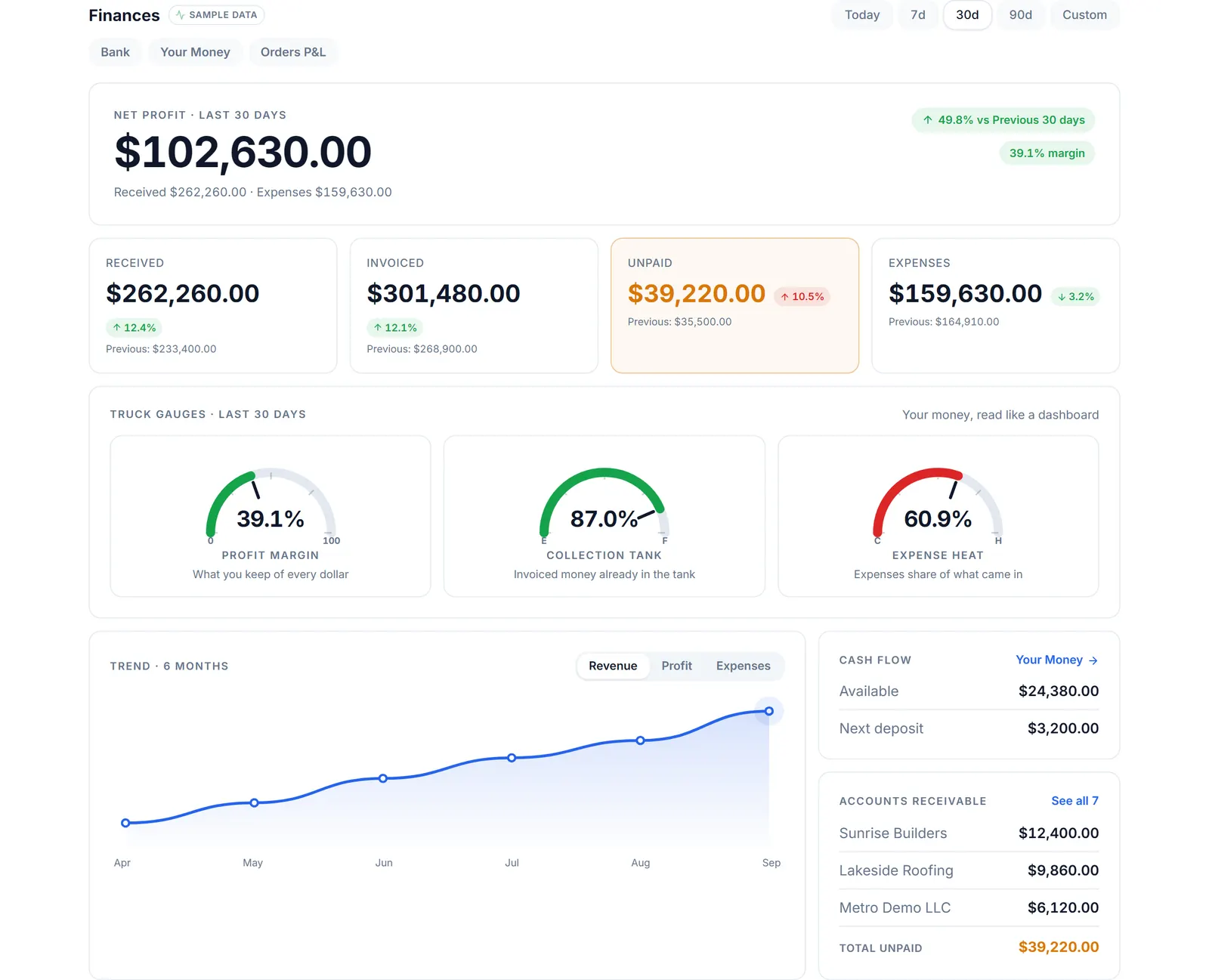
Finances in Dumpster Controls: what was collected, what it cost, what each order made. QuickBooks receives the same records, line by line. Sample data, real app.
How the QuickBooks integration works
Customers
Sync with duplicate detection: before creating anything, the integration looks for an existing QuickBooks customer with the same email and links to it. Same-name strangers are never merged.
Invoices
Arrive with your line items, fuel surcharge, processing fee, discounts and sales tax, under a document number prefixed DC- so everything from Dumpster Controls is recognizable at a glance.
Payments
Recorded against their invoices, with the method and the reference in the note.
Refunds
Appear as credit memos pointing back to the Dumpster Controls record.
Expenses
Company expenses and per-order costs such as landfill dump fees become Purchases with the vendor attached, kept apart from what you bill customers.
Direction
Money flows one way, from Dumpster Controls to QuickBooks, so the accountant can re-categorize freely. Customers flow both ways: export automatically, import your existing base in one click.
Dumpster Controls stays the operational source of truth; QuickBooks stays the ledger.
The mirror rule: totals always match
The integration follows one rule without exception: the total in QuickBooks is the total your customer saw. Sales tax is recorded as an explicit line instead of letting QuickBooks recalculate it with different rules, and fees and discounts are their own lines.
If an invoice ever cannot be represented line by line, the sync falls back to a single line with the exact total. A safety check enforces it on every invoice, so the books never drift from reality.
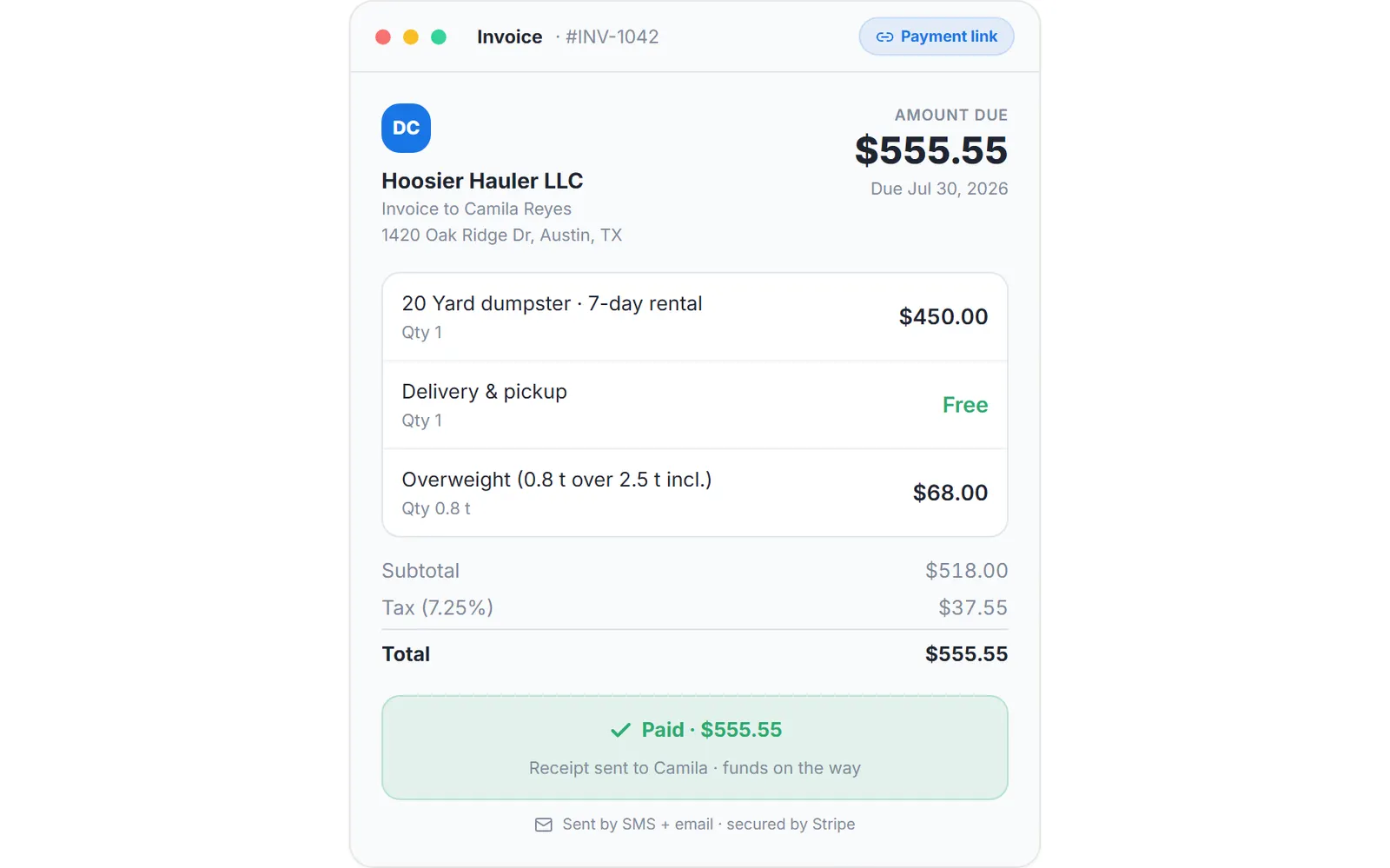
The invoice as the customer sees it. The QuickBooks copy carries the same lines and the same total, under a DC- document number. Sample data.
Built like infrastructure, not a checkbox
"QuickBooks integration" appears on a lot of feature lists. Here is what ours means in engineering terms, because the ledger deserves the same seriousness as the payments.
- Queue with retries: every sync goes through a durable queue with automatic retries and backoff. QuickBooks being slow or down never blocks your operation.
- Nothing fails silently: a sync log in the app shows every item sent and every item that needs attention, with the exact reason and Intuit's transaction id for support.
- Automatic recovery: if your connection expires, the app tells you; reconnecting replays what failed, with no re-typing.
- Encrypted credentials: tokens are encrypted at rest and bound to your company; admins only; revoke anytime from either side.
- Duplicate-safe: existing QuickBooks customers are matched, not duplicated; homonyms stay separate; invoices carry unique document numbers.
The full technical detail, including how each entity maps, edge cases like voided invoices and partial refunds, and the security model, is documented openly in the QuickBooks module of our manual.
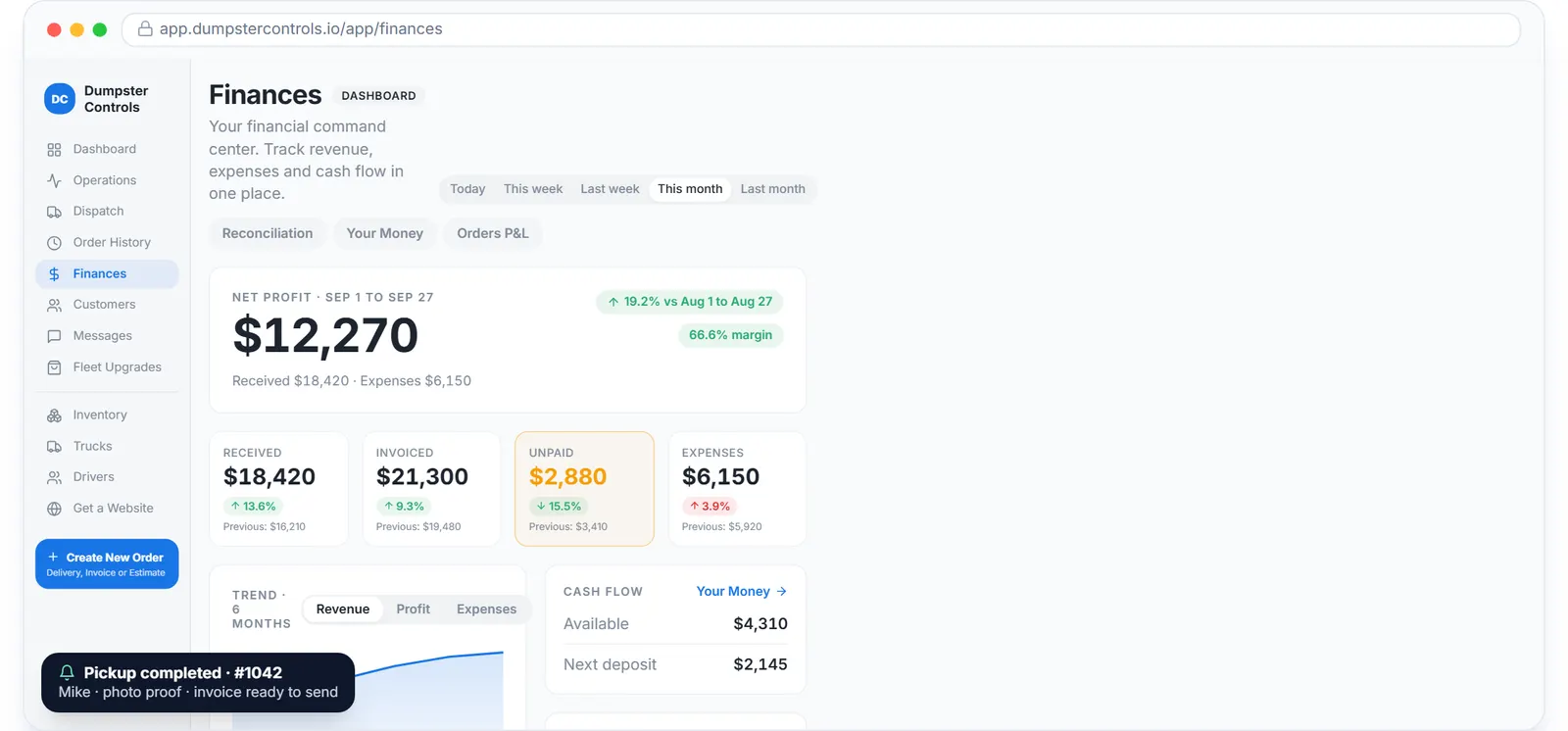
Revenue by week, with received, invoiced and expenses. The accountant sees the same weeks in QuickBooks, minutes later. Sample data.
Connect QuickBooks in one click
In the app: Account, then the QuickBooks tab in the Payments group, then Connect QuickBooks. You sign in with Intuit, choose your QuickBooks company, authorize, and you are done: new activity starts syncing within a couple of minutes.
Historical data from before the connection is intentionally left untouched, so your existing books stay exactly as your accountant left them.
The Free Forever Promise
Free means free. Forever.
We are the only full dumpster software in North America that is free for every company size. Not a trial. Not a feature-gated freemium. Not a free plan capped at one truck. The entire app, unlimited orders and unlimited users, on the house.
$0
Monthly fee
Ever. No surprise charges.
$0
Setup fee
No onboarding cost.
$0
Per-user fee
Unlimited admins, drivers, dispatchers.
$0
Annual contract
Cancel anytime. We never auto-charge.
How we make money: only when you opt in, and the numbers are public. The software is free with unlimited orders and no per-order software fee. If you choose to collect a customer’s card payment through Dumpster Controls, the processing fee is 2.99% + $3.99 per card transaction on the free plan, or 2.99% + $0.30 (the standard Stripe rate) on the optional $169/month lower card rate plan. Take payment by cash, check, Zelle or any other way and you pay nothing at all. Beyond that, our revenue comes from the optional lower card rate plan and from equipment partners and sponsors advertising in the app and on our public directory; our marketplace, the Dumpster Net Hub, charges zero marketplace fees. Run your own business your way and you never pay to use the software. It’s the only model that lets a 1-truck owner-operator run on the same software as a 50-truck fleet.
FAQ
Explore the platform
- Dumpster Rental Software: the complete platform overview
- Software for Dumpster Companies: built for roll-off haulers
- Dispatch Software: drag-and-drop dispatch board
- Booking Software: online booking widget
- Driver App: free iOS & Android
- Free Plan: Free, no credit card
- Help Center: 421 step-by-step guides to every module