Product Updated 2026-09-27 11 min read
We Put a Tablet in the Truck: Truck Tablet Mode for Roll-Off Drivers
DC
Dumpster Controls Team
Editorial team, reviewed against the shipped product
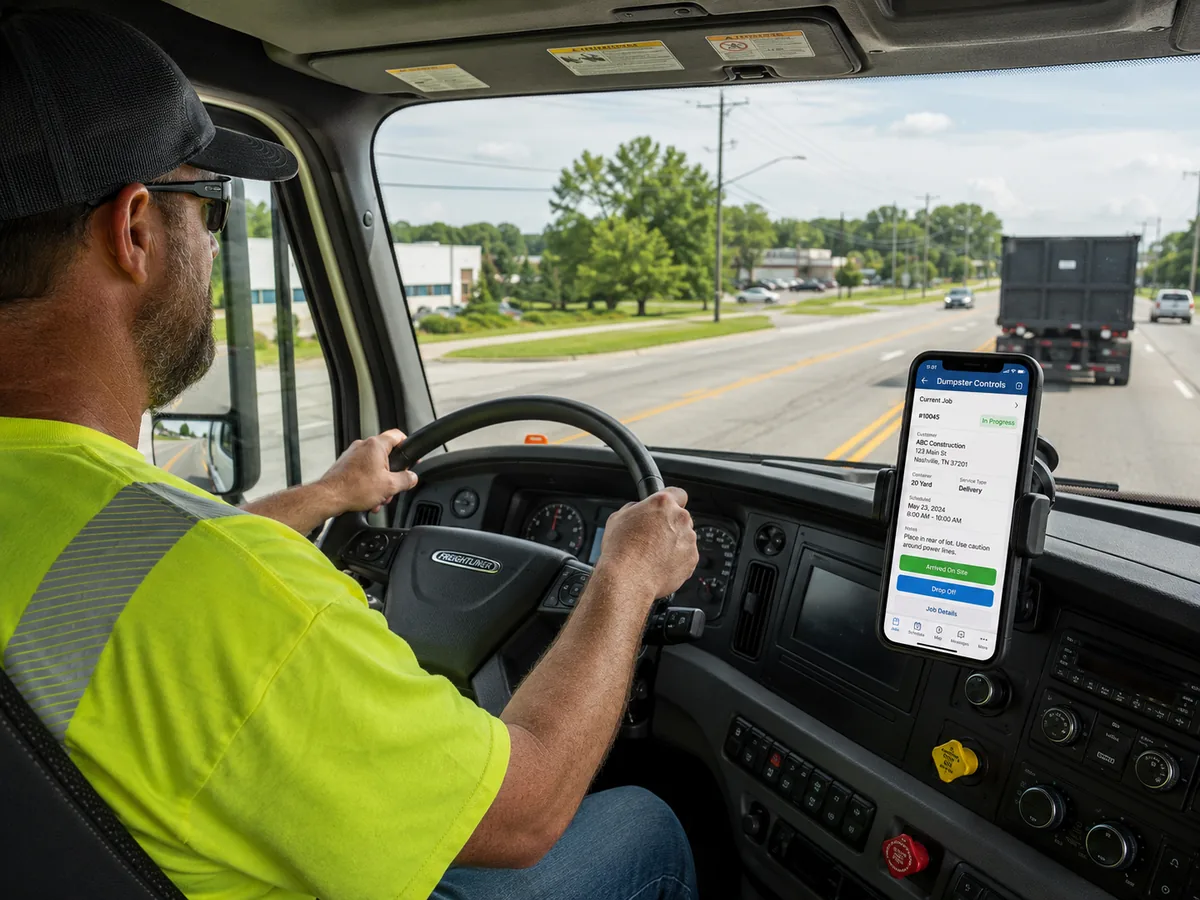
A roll-off driver spends the day in a truck, wearing gloves. Parked at a scale house with a line behind them, or backing into a driveway with a customer watching. And the tool we all gave him for the last decade was a phone screen, held in one hand, with tap targets designed for someone sitting at a desk.
Truck Tablet Mode is our answer to that, and it is live today for every Dumpster Controls company, free like everything else in our dumpster rental software. It turns a tablet mounted in the cab into a purpose-built roll-off terminal: the day on the left, the live route map on the right, and a rail of large buttons where the hand naturally lands.
It is not the phone app stretched to a bigger screen. It is a second layout, written for a landscape display at arm's length in a moving vehicle.
48px
Minimum touch target
Every control, because drivers wear gloves
4 digits
To change drivers
The tablet belongs to the truck, not to a person
1 trip
On screen at a time
A roll-off truck carries one container
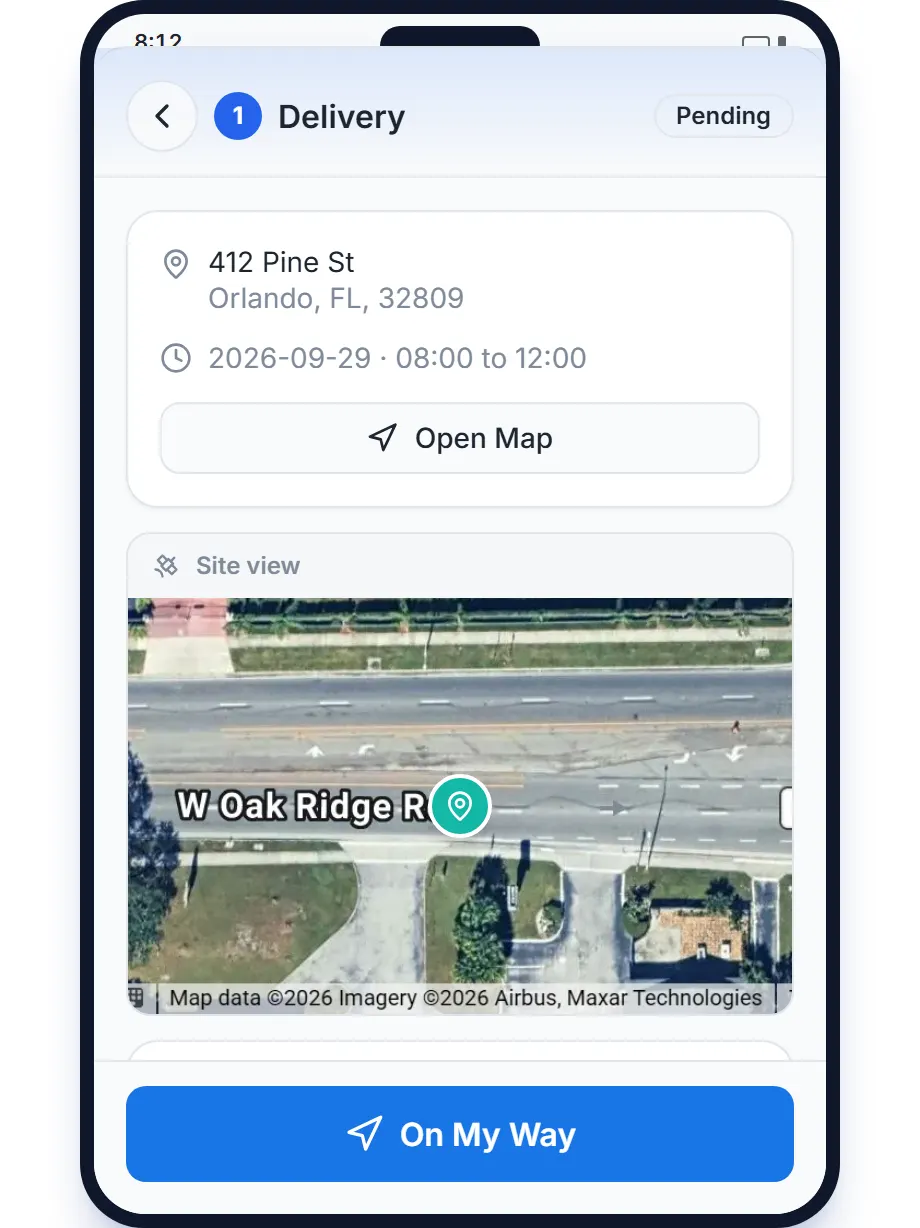
The phone layout of the driver app. The tablet layout puts the same day beside the live map, in landscape.
The tablet belongs to the truck, not to a person
This is the part that changes how a yard operates, and it is the hardest one to retrofit into a phone app. A driver's phone belongs to the driver: it goes home at night, it runs out of battery on a personal data plan, and on a day off it goes on vacation too.
A tablet in the truck is the truck's, and that only works if the software understands the difference.
So the tablet is paired to your company, once.
From then on it shows a "Who is driving?" screen with your drivers and their photos. The driver taps their own face and types a 4 digit PIN.
The tablet then becomes a real session for them: their stops, their shift clock, their messages, their name on every photo and every completed stop. At shift change the next driver does the same thing in about four seconds.
Nobody types a password on a touchscreen in a cab. Nobody shares a login. And every stop is still signed by the person who actually did it.
A roll-off route map that knows what the truck is
Most route maps are built for delivery: many packages, many stops, one big loop. A roll-off truck is the opposite. It carries one container at a time, and it cannot do the next thing until the current container is somewhere else.
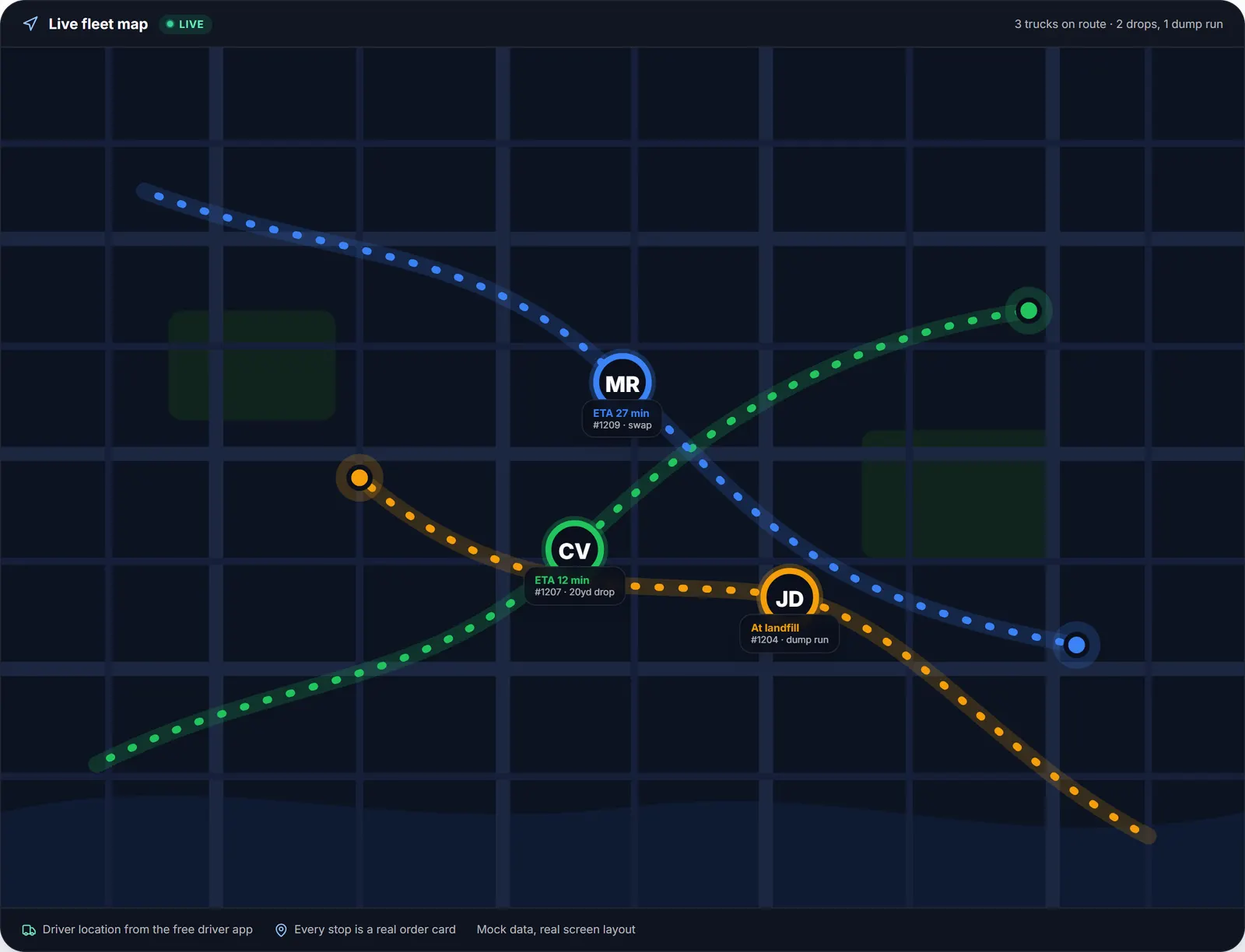
The same loaded and empty cycle the office sees on the dispatch map is what the tablet draws, one leg at a time.
We drew the whole day at once first, and it was wrong. Lines everywhere, numbers stacked on top of each other at the yard, and a driver squinting at a screen trying to work out which line was theirs. So the map does one thing now.
- 1
#### 01. One trip on screen
The leg you are driving right now, from where it starts to where it ends, with both ends numbered. The rest of the day stays visible but dimmed, so you can see where the work is without losing the leg you are on. - 2
#### 02. Solid or dashed
Solid means you are carrying a container. Dashed means you are running empty, bobtail. Nobody types this in: the app works it out from the order of your stops, so it stays correct even when the day changes. - 3
#### 03. Landfill runs at the landfill
A dump run is drawn at the facility you chose, with its star rating, not at the customer address the task was created from. Tap it for the address, the rating and the details. - 4
#### 04. Complete and the next appears
Finish the stop and the line disappears, replaced by the next trip with the next pair of numbers. There is never more than one trip on the screen.
The detail that only a hauler notices
Here is a small thing that took us three attempts to get right, and it is the clearest example of what "built for roll-off" actually means.
A driver picks up a full container at four in the afternoon. The landfill closes at five and it is forty minutes away. They do not make it.
Nobody sleeps with a full container on the truck: it goes to the yard. The next morning that dump run is still on the list.
Every route map we knew of, ours included, drew that trip starting at the customer's address, because that is the address the task was created from. But nobody is going back to that customer; the container is at the yard.
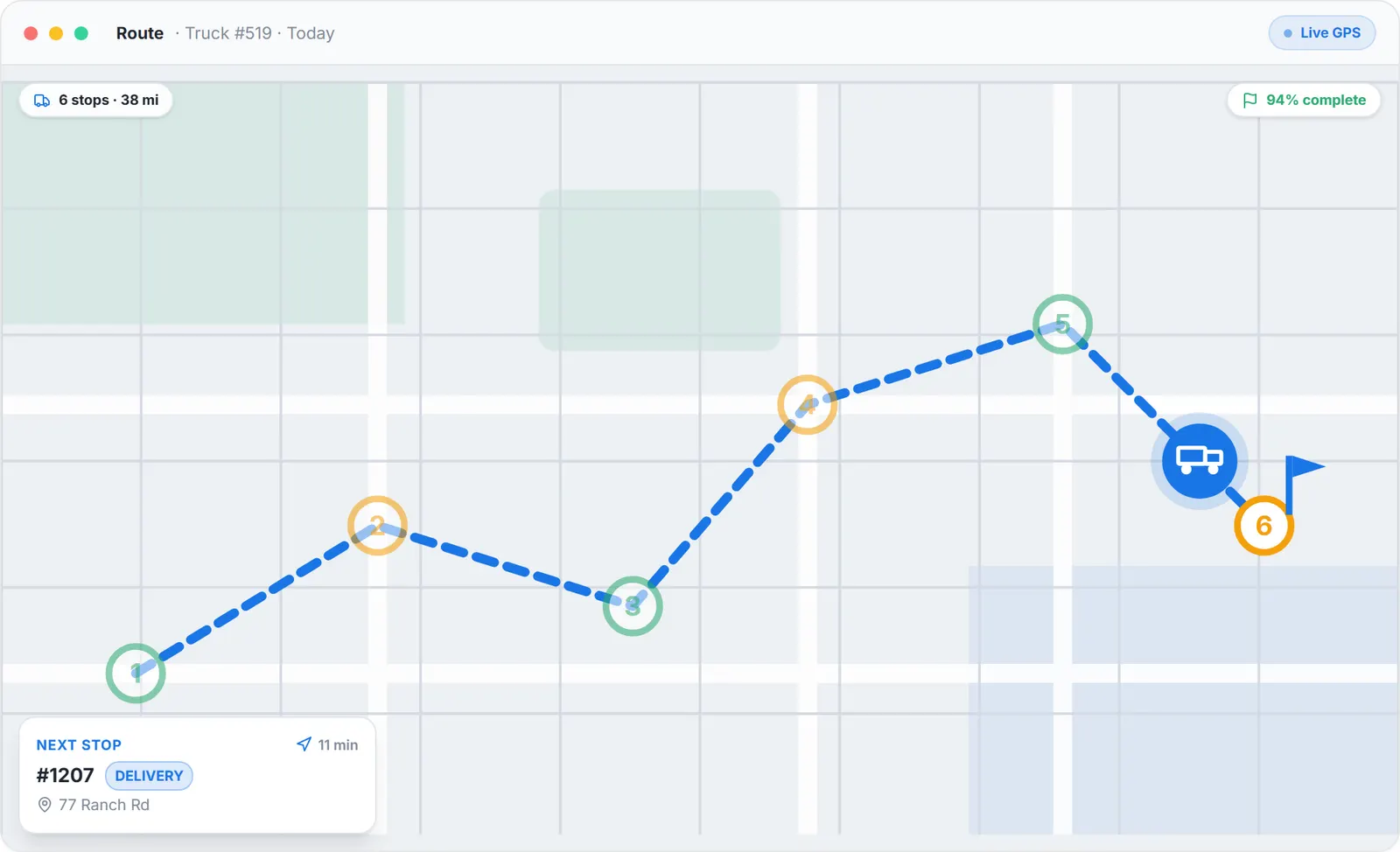
The suggested order for the day. On the tablet, a stored container makes the landfill leg start at the yard, and the stop card says why.
So the map now starts that trip at the yard, and the stop card says why: the container is stored there.
Everything else a roll-off day needs, without leaving the screen
Shift clock
Play, Pause and Stop, with separate driving and on-site timers, so time at the scale is measured rather than guessed.
Photo proof
On every stop. Your evidence when a customer disputes a placement or a card.
Landfill picker
Sorted by distance, with community star ratings from other haulers.
Dump ticket scan
Reads the net weight and cost off a photo of the receipt, so the disposal cost lands on the order without typing.
Drag to reorder
Reorder the day and the map follows the driver's order rather than arguing with it.
Tresha by voice
Opens already listening, so a driver can ask what is next or complete a stop with hands on the wheel.
Full offline queue
Landfills sit in dead zones. Complete stops, add photos, reorder, start and end shifts with no signal; everything replays in order when it returns.
The phone version of all of this is described at dumpster driver app, and the roll-off specifics at roll-off driver app.
Owners and dispatchers can use it too
There is a button in the account menu that opens the driver app from your own office account. No second device, no second login.
Office roles see the entire company day inside the driver interface, and switch back whenever they want. It is the fastest way to understand what a driver is looking at when they call you, and the fastest way to cover a route yourself when someone calls in sick.
How this compares, checked and sourced
We are careful with claims about competitors, so here is exactly what we checked and when. On September 1, 2026 we read each vendor's own pages about their driver product.
What we looked for was not "does it open on a tablet", because almost every modern web app resizes. We looked for two specific things: a layout designed for the cab, and a way for a shared terminal to know who is driving.
| Feature | Dumpster Controls | CurbWaste | Docket | iCANS | DRS |
|---|---|---|---|---|---|
| How their own page describes the driver product | Truck Tablet Mode, documented at /help/driver-tablet | "Any device, any size" | "the Docket Dumpster Software mobile app" | "Works on iOS and Android. Included in every plan." | installs "on compatible phones or tablets" |
| A layout designed for the cab, not a resized phone screen | Not found | Not found | Not found | Names tablets, no distinct layout found | |
| Driver switching on a shared in-truck device | Yes, 4 digit driver PIN | Not found | Not found. Their PIN identifies a dumpster, not a driver | Not found | Not found |
Checked September 1, 2026 on each vendor's own public pages. Absence of published documentation is not proof that a capability does not exist internally.
What Truck Tablet Mode costs
Nothing. Truck Tablet Mode is part of the driver app, the driver app is part of the platform, and the platform is free: unlimited orders, trucks, drivers and containers, no monthly fee and no contract.
The only hardware is a tablet you can buy anywhere, a mount and a charger. There is no per-device fee, because charging per device would be the same mistake as charging per driver: it makes growing your fleet a software purchase. What the other vendors charge is at dumpster rental software cost.
Frequently asked questions
Topicsdumpster driver tablet roll off truck tablet app in cab driver terminal driver app tablet mode roll off dispatch tablet shared tablet driver login dumpster truck kiosk
Explore the platform
- Dumpster Rental Software: the complete platform overview
- Software for Dumpster Companies: built for roll-off haulers
- Dispatch Software: drag-and-drop dispatch board
- Booking Software: online booking widget
- Driver App: free iOS & Android
- Free Plan: Free, no credit card
- Help Center: 421 step-by-step guides to every module
← PreviousThe Triangulation Scam Hitting Dumpster Rental Companies (and How to Beat It)