INVOICING SOFTWARE FOR A DUMPSTER COMPANY
Dumpster invoicing software that gets you paid faster
Invoicing software for a dumpster company: the dumpster rental invoice goes out by SMS and email the moment the pickup is done, the customer pays by card from the text with no login, reminders run for 5 days on their own, and the overweight fee is charged to the card on file. Free for any fleet size.
- Invoice created from the order, sent by SMS and email, no login for the customer
- Card, payment link, card by phone, cash or check, all on the same invoice
- A reminder once a day for 5 days, stopping the moment it is paid
- Overweight and other extra fees charged to the card on file, with photos
Start Invoicing FreeSee features
4.7 on the App Store Available in all 50 US states and Canada
Last updated September 27, 2026 Published by Dumpster Controls, built by a software group led by a founder with 20+ years in enterprise IT who also ran a roll-off business for four years
Dumpster invoicing software is the invoicing software for a dumpster company: it writes the dumpster rental invoice from the order, sends it by SMS and email with a payment link, takes the card, chases the unpaid ones with reminders and charges the overweight fee to the card on file after the landfill. In Dumpster Controls all of it is included free for any fleet size; the only cost on the free plan is card processing when a customer pays by card. The screen at the top of this page is the real one, running on sample data.
The way to get paid faster on dumpster rental is not landing more jobs. It is getting paid on the jobs you already ran, the same day. Invoicing is part of our free dumpster rental software, with unlimited invoices and customers. Stripe handles the money; the software handles the follow-up.
What invoicing software for a dumpster company gives you on day one
- Invoice created from the order, with the right total, the moment it is done
- Payment link sent by SMS and email, straight to the public invoice, no login
- Stripe Connect: funds settle directly to your own account
- Reminders: one a day for 5 days, by the channels you chose, until it is paid
- Card on file: the overweight fee is charged after the landfill, receipt emailed
- Super Invoice: several unpaid invoices, one payment link
- AR aging buckets: 0-30, 31-60, 61-90, 90+ days
- Card fee modes: customer pays, company absorbs, or 50/50
Counted in our production database on October 1, 2026. Updated monthly.
400+
Companies invoicing on the platform
1,386
Dumpster companies in our directory
1,800+
End customers on file
35 states + Canada
Where it runs
How dumpster invoicing software gets you paid
Six steps, none of them manual after the pickup is marked complete.
- 1
#### 01. Order completed
Dispatcher or driver marks the pickup complete; the invoice carries the right total, with the landfill receipt the driver photographed. - 2
#### 02. SMS and email sent
The customer gets one text and one email with one link to the public invoice. No app, no login. - 3
#### 03. Customer pays online
Stripe checkout from the phone, with the card kept on file. Funds settle to your Stripe Connect account. - 4
#### 04. Or reminders run
If unpaid: one reminder a day, by email, text or both, for 5 days, stopping the moment it is paid. - 5
#### 05. Extra fee on the card on file
Overweight from the receipt, a trip charge or damage, with photos, charged to the saved card or sent as its own link. - 6
#### 06. Books update themselves
Received, Unpaid, Accounts receivable and Order History read the same source, so nothing is reconciled by hand.
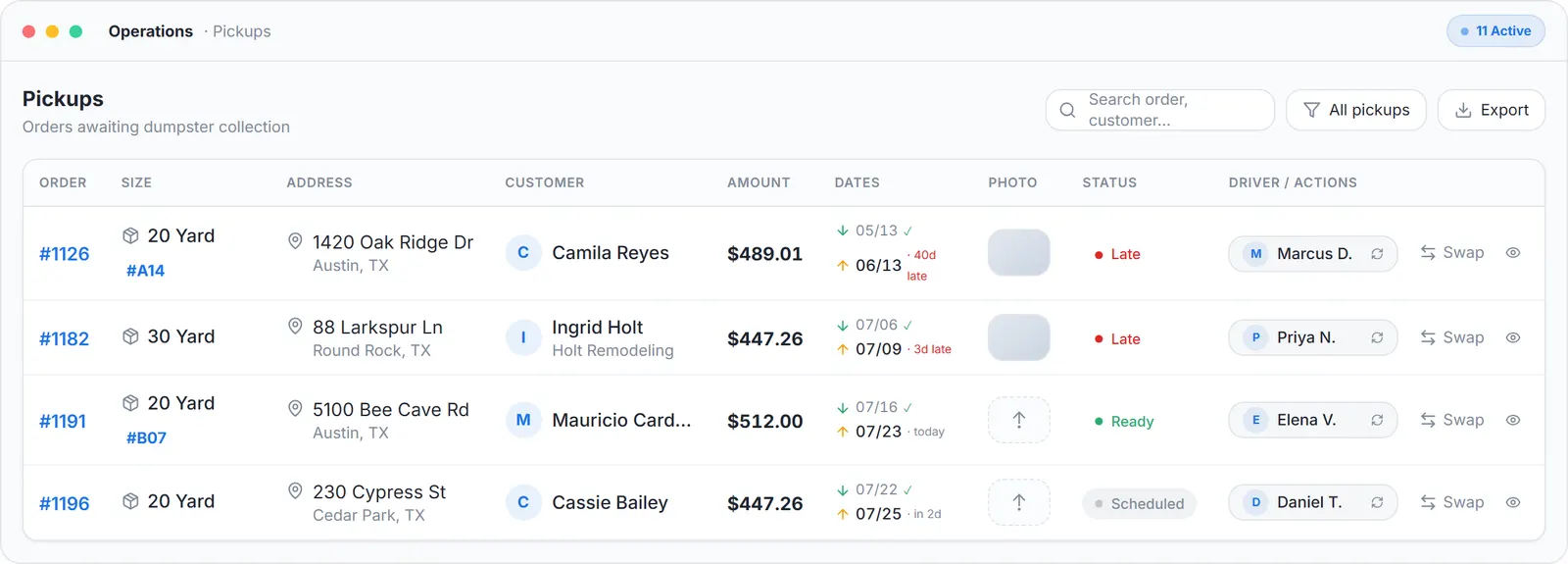
Operations view, sample data.
What this means for you
- Invoicing on completion instead of on Friday removes days of waiting from every job.
- The customer pays from the phone in their hand, from a text, with no account to create.
- The card kept on file at booking covers the overweight fee after the dump, with no second bill to chase.
What dumpster invoicing software costs
The software is free for any fleet size. Card processing is optional and only applies when a customer pays by card through the app.
Free plan
2.99% + $3.99
per card payment, no monthly fee
Lower card rate plan, $169 per month
2.99% + $0.30
per card payment
What this means for you
- Never take a card through the app and you pay nothing.
- Choose who carries the fee per company: the customer, you, or a 50/50 split. It applies retroactively to unpaid invoices.
- Every number, including what paid vendors charge, is on dumpster rental software cost.
The Free Forever Promise
Free means free. Forever.
Invoicing is included free: Stripe-native, unlimited invoices, automatic reminders, AR aging. No billing add-on fee.
$0
Monthly fee
Ever. No surprise charges.
$0
Setup fee
No onboarding cost.
$0
Per-user fee
Unlimited admins, drivers, dispatchers.
$0
Annual contract
Cancel anytime. We never auto-charge.
How we make money: only when you opt in, and the numbers are public. The software is free with unlimited orders and no per-order software fee. If you choose to collect a customer’s card payment through Dumpster Controls, the processing fee is 2.99% + $3.99 per card transaction on the free plan, or 2.99% + $0.30 (the standard Stripe rate) on the optional $169/month lower card rate plan. Take payment by cash, check, Zelle or any other way and you pay nothing at all. Beyond that, our revenue comes from the optional lower card rate plan and from equipment partners and sponsors advertising in the app and on our public directory; our marketplace, the Dumpster Net Hub, charges zero marketplace fees. Run your own business your way and you never pay to use the software. It’s the only model that lets a 1-truck owner-operator run on the same software as a 50-truck fleet.
AR aging inside the dumpster invoicing software
Money you already earned ages in 30+ day receivables while you chase it by phone. The aging view shows who owes what today, in four buckets, with cancelled orders excluded.
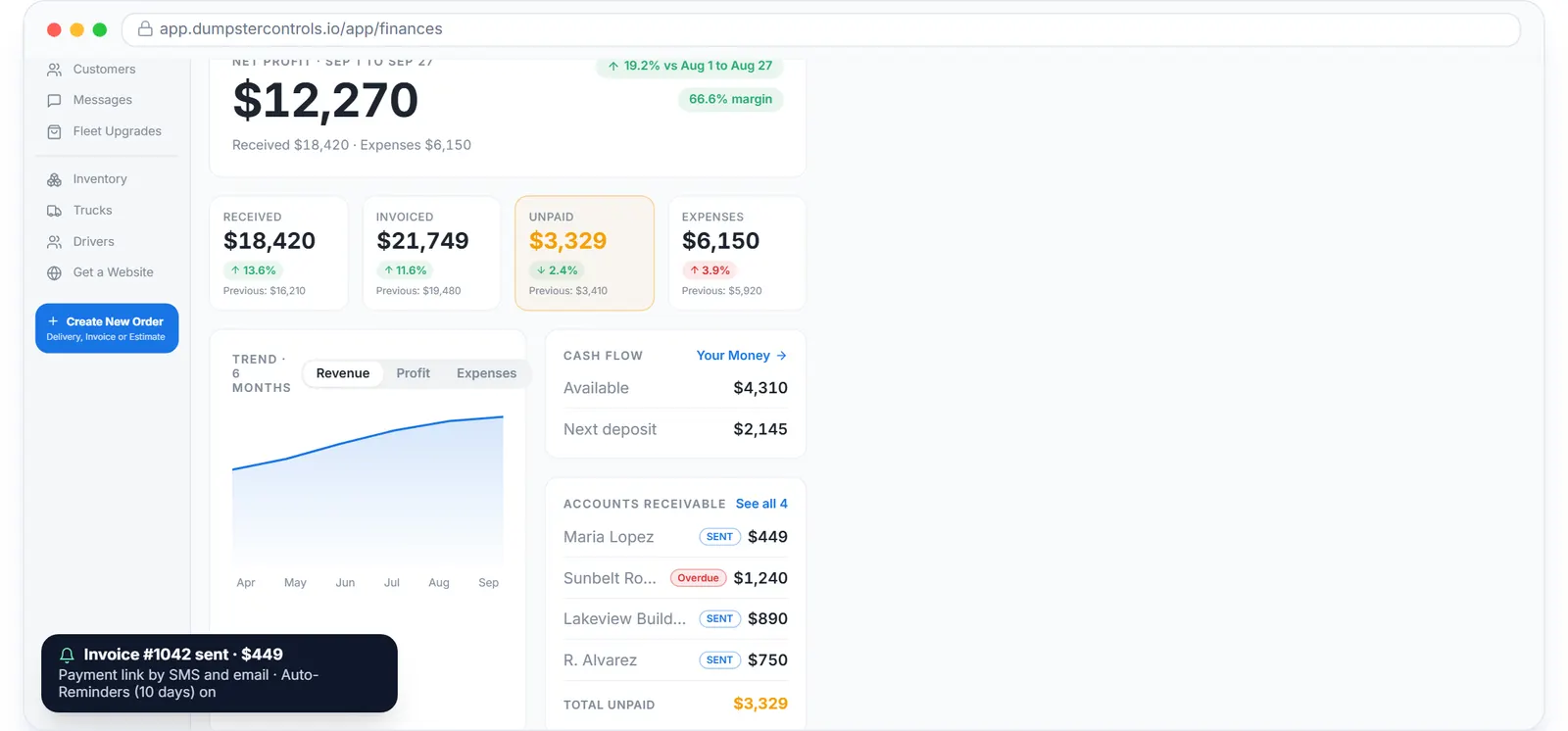
Accounts receivable on the real Finances page, sample data.
What this means for you
- The dashboard, the AR view and rental history show the same unpaid total, because they read the same field.
- You can see which customers are drifting past 30 days before it becomes a collections problem.
- Reminders for those invoices are already going out.
Get paid faster on dumpster rental: reminders by text, with the thread to prove it
Each reminder goes by text, email or both, with the same link to the public invoice, one a day for 5 days. The conversation stays on the order, so anyone in the office can see what was sent and when.
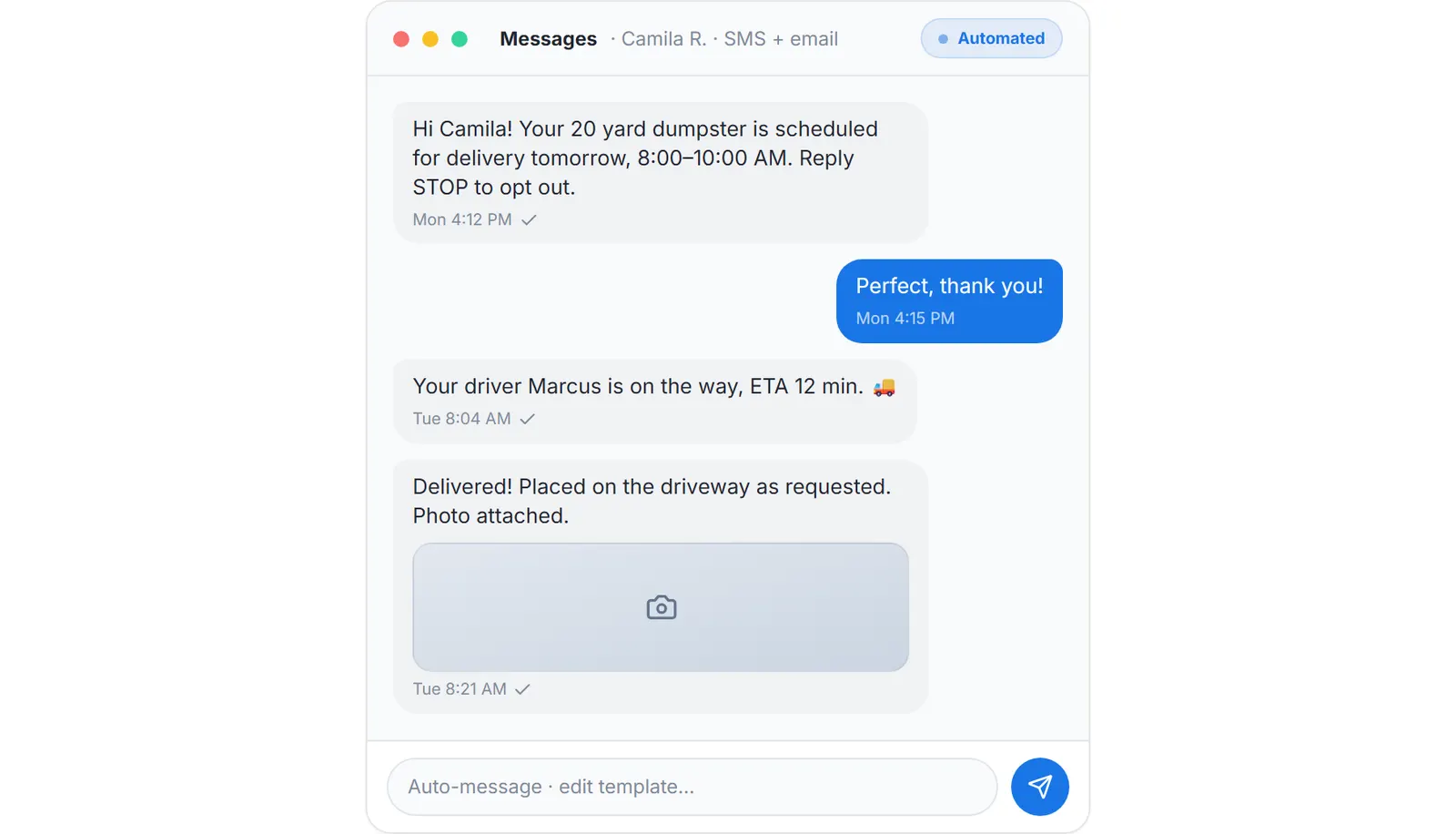
What the customer receives automatically at delivery, sample data.
What this means for you
- You stop being the person who calls about money.
- Reminders pause automatically when the customer is moved to a Super Invoice, so nobody is asked twice.
- Booking, dispatch and messaging feed the same order. See dumpster booking software and dumpster dispatch software.
Under the hood
Stripe-native, isolated per company
Every Stripe call carries the stripeAccount header for your Connect account. Your customers, your funds, separate from every other company on the platform.
Totals computed on the server
Edge functions accept only an invoice_id and recalculate totals server-side. The database is the single source of truth.
Super Invoice mechanics
The Stripe webhook splits the payment proportionally across the child orders and marks each paid. Stripe sessions expire when the Super Invoice is updated or cancelled, so a stale link cannot be paid.
Aging that agrees with the dashboard
Aging buckets exclude cancelled orders. Dashboard, AR view and rental history all use invoices.total in sent or overdue status.
The dumpster rental invoice, paid, in Finances
Received, invoiced and expenses by week, from the same Stripe Connect data.
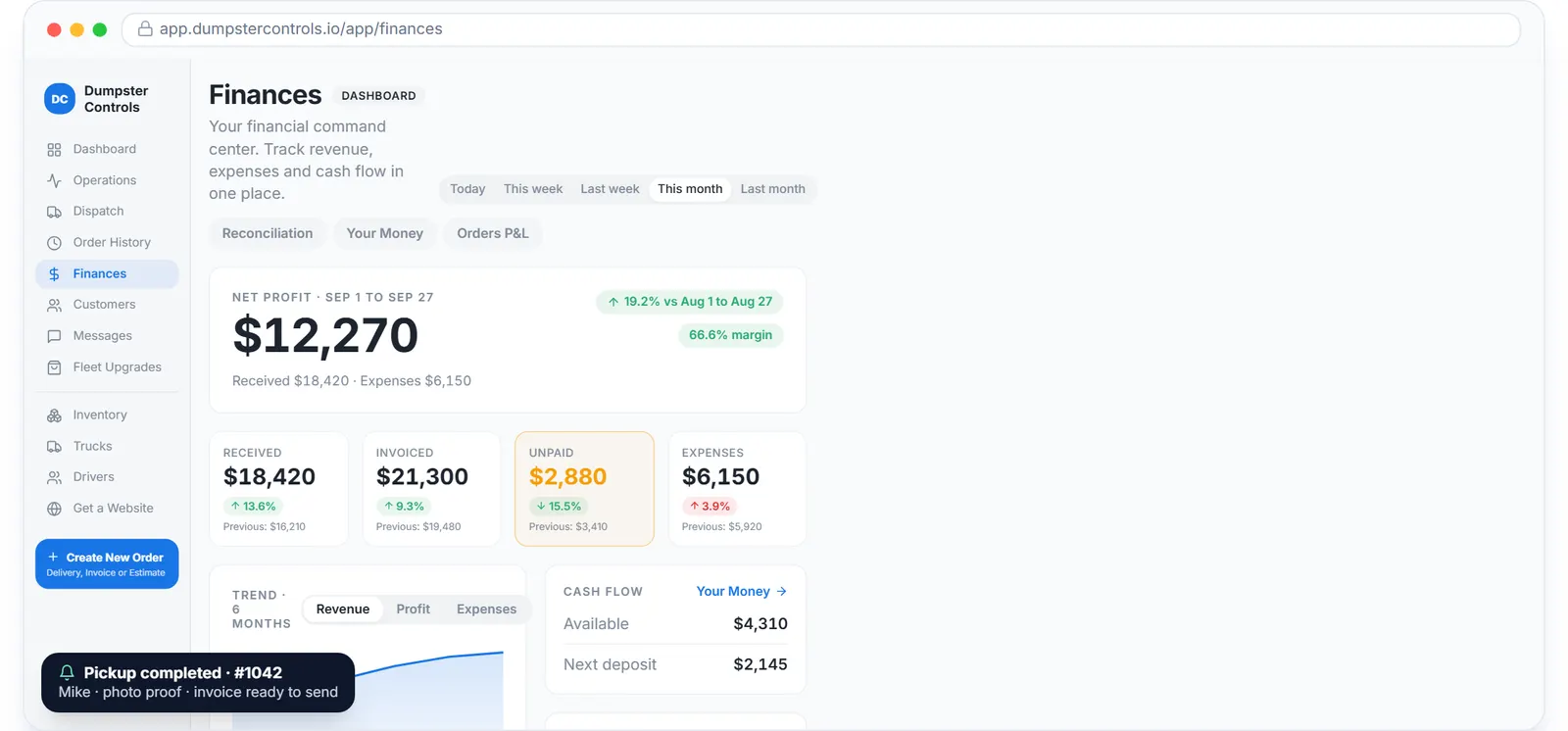
The real Finances overview, sample data.
What this means for you
- Cash received and cash still owed are two different lines, on one chart.
- Margin per order shows up in Finances without a spreadsheet.
- Completed stops from the dumpster driver app are what start the invoice.
Dumpster invoicing software comparison 2026
| Feature | Dumpster Controls | QuickBooks | Hauler Hero | FreshBooks |
|---|---|---|---|---|
| Auto-invoice on completion | ||||
| Automatic SMS reminders | Add-on | Add-on | Add-on | |
| Super Invoice consolidation | ||||
| Card-fee split modes | ||||
| Stripe Connect multi-tenant | ||||
| AR aging dashboard | ||||
| Roll-off domain logic | ||||
| Free plan | Unlimited invoices | Trial only | Trial only |
Competitor features change; confirm with each vendor. Generic accounting tools do not know what a swap or a dump run is.
Who dumpster invoicing software is built for
Owner-operators
You are your own AR clerk. Reminders go out while you sleep.
Small fleets (3 to 10 trucks)
Receivables over 30 days eat working capital. Reminders and Super Invoices go after them on their own.
Multi-yard operators
Separate Stripe Connect accounts per yard if needed, one AR view across the company.
Contractor-heavy haulers
Recurring accounts with several open invoices pay in one transaction with a Super Invoice.
Junk removal companies
Hourly and flat-rate invoicing with crew labor capture, same rails, same Stripe payouts.
Haulers who sub out overflow
Invoice the end customer at retail, pay the sub-hauler at wholesale, margin tracked per order.
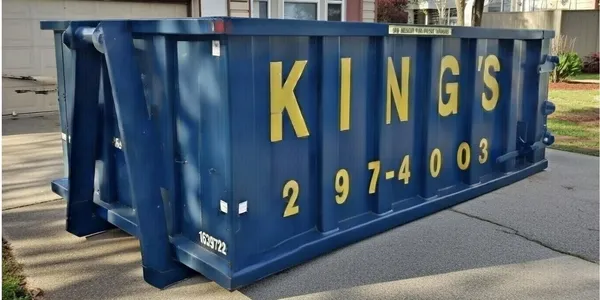
A roll-off container placed in a customer's driveway, the job an invoice is for. Photo courtesy of King's Dumpsters297-4003Used with permission.
Keep reading
- How to get paid faster as a junk removal company
- How to automate billing for a junk removal company
- Online booking and billing automation in one platform
Dumpster invoicing software: FAQ
Topicsdumpster invoicing software invoicing software for dumpster company dumpster rental invoice get paid faster dumpster rental stripe invoicing dumpster AR aging dumpster automatic payment reminders dumpster super invoice consolidation dumpster billing software