Operations
AI dispatcher for dumpster rentals: Tresha creates the order from a text and picks the driver
Tell Tresha the order. She drafts it, you confirm, she picks the driver and the stop order.
- Create this order? A card with the real details, saved only after you confirm
- Driver and truck suggestion with the reason
- AI Routes: the shortest day per driver, you apply or dismiss
No credit card · No contract · Forever free plan
TopicsAI dispatcher dumpster create a dumpster order by text AI driver assignment haulers
Last updated September 28, 2026 Published by Dumpster Controls, built by a software group led by a founder with 20+ years in enterprise IT who also ran a roll-off business for four years
What you get on day one
- Driver and truck suggestion for a delivery, with the reason
- AI Routes: the shortest day for a driver's remaining stops
- Apply or dismiss, with in-progress and completed stops never moved
- Tresha by text or voice, in English, Spanish and Portuguese
- Live answers about revenue, invoices, schedule, inventory and drivers
- Deliveries, pickups and landfill runs completed from the chat, after confirmation
- Drivers get their own Tresha, scoped to their own stops
- Included free, with no AI usage billing
Counted in our production database on October 1, 2026. Updated monthly.
400+
Companies on Dumpster Controls
190+
Drivers on the app
140+
Trucks registered
35 states + Canada
Where it runs
What the AI dispatcher does, from the first text to the board
The AI dispatcher in Dumpster Controls is Tresha. Type or say the order (customer, size, address, date) and she drafts it on a card titled Create this order?, with rental, tax, total and the dates. Nothing is saved until you tap Create order; then the delivery lands on the board and the invoice is ready.
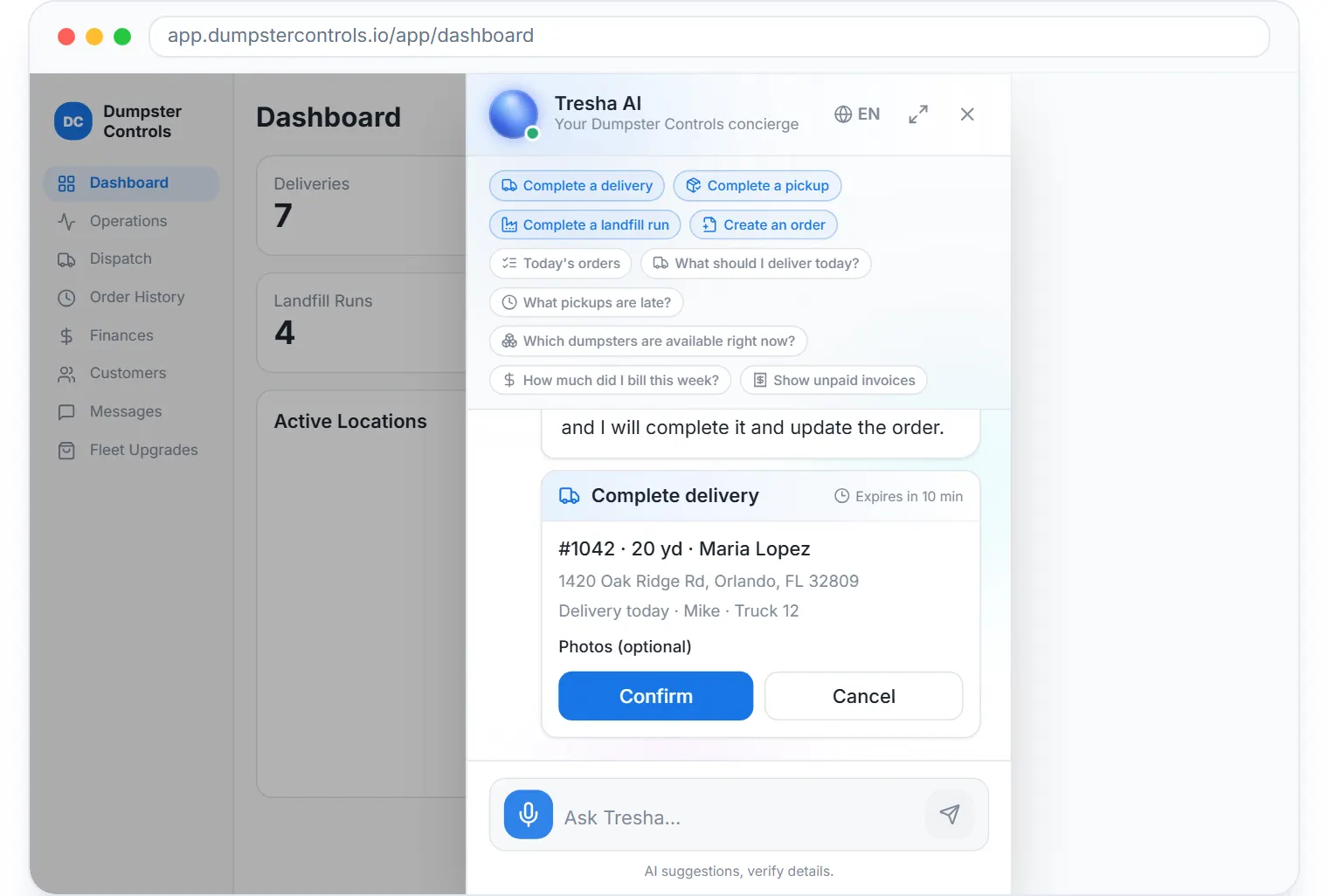
Tresha, the built-in assistant, by chat or voice, sample data.
On the Dispatch board she does two things: suggests a driver and truck for a delivery, and reorders a driver's remaining stops for the shortest day, checked against the real roll-off truck cycle.
A suggestion card appears above the board with the driver or truck name and the reason. Apply gives the delivery to that driver, or the X dismisses it and nothing changes.
Applying never touches stops that are in progress or completed. After applying, a toast shows how many stops changed position and offers a way back.
Answers with your live numbers
Revenue, unpaid invoices, today's dispatch schedule, orders, inventory, customers, drivers, landfills and junk jobs, by text or voice.
Completes work from the chat
Tell her a stop is done and she completes the delivery, pickup or landfill run, after you tap Confirm on a card with the real order details.
Creates orders
A complete order by text or voice, with a confirmation card before anything is saved.
Teaches the app
Ask a how-to question and she answers with the steps from the manual and a link to the article.
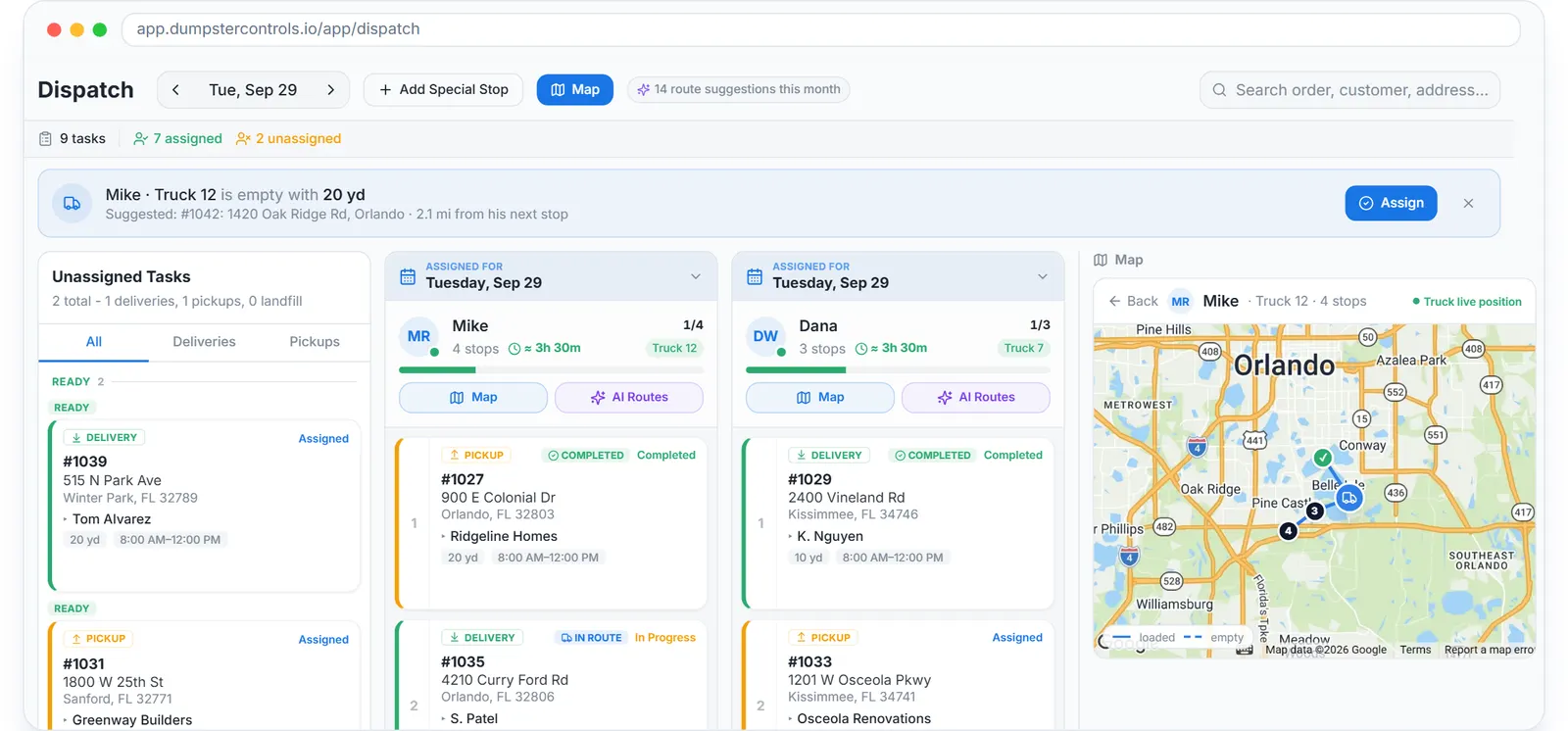
The board the suggestion card sits above.
Before and after
Before
- The dispatcher picks a driver from memory, fifty times a day
- Stops run in the order they were booked
- How much did I bill this week means opening three screens
After
- A suggestion card names the driver and the reason
- AI Routes proposes the shortest day and you apply it
- Tresha answers with the number
Try it free, no card needed
Tell Tresha the order. She drafts it, you confirm, she picks the driver and the stop order.
Frequently asked questions
Related
- dumpster rental software
- dumpster dispatch software
- dumpster route optimization
- dumpster rental software cost
- AI-powered workflow assistance for waste management
[### dumpster dispatch software
Drag-and-drop board, live map, AI route suggestions. Free.](https://dumpstercontrols.io/dumpster-dispatch-software)[### dumpster driver app
iOS and Android app: stops in order, photos, slide to complete.](https://dumpstercontrols.io/dumpster-driver-app)[### dumpster route optimization
Tresha sequences each driver's stops and shows the miles saved first.](https://dumpstercontrols.io/dumpster-route-optimization)