Customer Acquisition
Dumpster quote software that sends the estimate by email and text, and records the yes
Send a numbered estimate by email and text. The customer accepts online. Free.
- Estimate Only: a quote with its own number, no order and no inventory move
- Email and text message with a public link, no login to accept
- Accepted estimates pulse on the Customers page until you acknowledge them
No credit card · No contract · Forever free plan
Topicsdumpster quote software dumpster rental estimate software send a dumpster quote by text
Last updated September 28, 2026 Published by Dumpster Controls, built by a software group led by a founder with 20+ years in enterprise IT who also ran a roll-off business for four years
What you get on day one
- Estimate Only card on the Create New Order page, with Size, Amount, Tax, Fuel Surcharge, Included Weight and quantity
- Estimate Notes for terms and special conditions the customer should read
- Own numbering, separate from order numbers
- Email with the Estimate #, the total and a View Estimate button, plus a text message with the same link
- Public estimate page with Download / Print PDF and Accept Estimate
- Bell alert and email to the office the moment the customer accepts
- Estimates panel on the Customers page with Accepted value and Pending value
- Edit, Resend or Cancel while the estimate is pending; Acknowledge once it is accepted
Counted in our production database on October 1, 2026. Updated monthly.
1,800+
End customers on file
400+
Companies on Dumpster Controls
540+
Users with a login
35 states + Canada
Where it runs
What dumpster quote software does in Dumpster Controls
Dumpster quote software in Dumpster Controls is the Estimate Only card on the Create New Order page. You pick the customer, the size, the amount, tax, fuel surcharge and included tonnage, add notes, and click Send Estimate. The customer gets an email and a text message with a link to accept, and nothing is created in your inventory or your books until you decide.
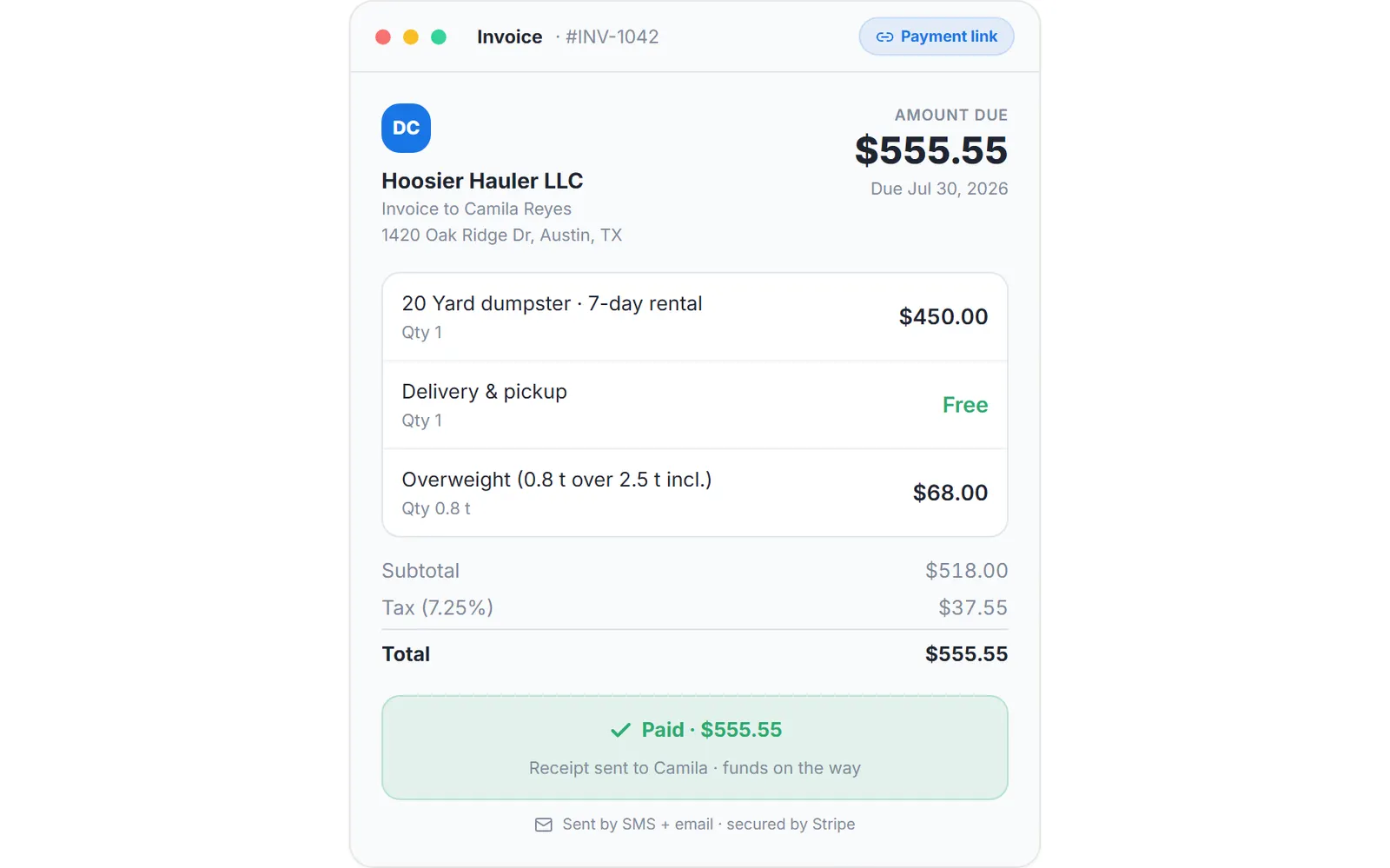
The invoice as the customer sees it from the payment link, sample data.
The estimate carries its own number, separate from order numbers, and opens on a public page with your logo, the line items, the estimated total and the notice that it is a quote only, not an invoice. Accepting takes one tap and no account. The page then shows Estimate Accepted, and the office gets a bell alert and an email that say who accepted which estimate.
Back in the app, the Estimates panel on the Customers page lists every quote you have out with its status, amount and date, and totals the Accepted value and the Pending value. An accepted estimate pulses until you click Acknowledge. It never turns into an order by itself: you create the delivery order from the accepted terms when the job is real.
Who sees what
What the customer sees
An email titled Estimate from your company with the Estimate #, the total and a View Estimate button, a text message with the same link, and a public page with your logo, the line items, the estimated total and the Accept Estimate button. No login.
What you see
The toast Estimate Sent with the number, then a bell alert and an email the moment the customer accepts, a dot on Customers in the sidebar, and the Estimates panel with the Accepted chip, the Accepted value total and the Acknowledge button.
What does not happen by itself
No order, no invoice, no inventory move and no charge. An accepted estimate waits in the panel until you acknowledge it and create the delivery order yourself, so nothing is committed behind your back.
Estimates exist for dumpster orders only, not for junk removal jobs.
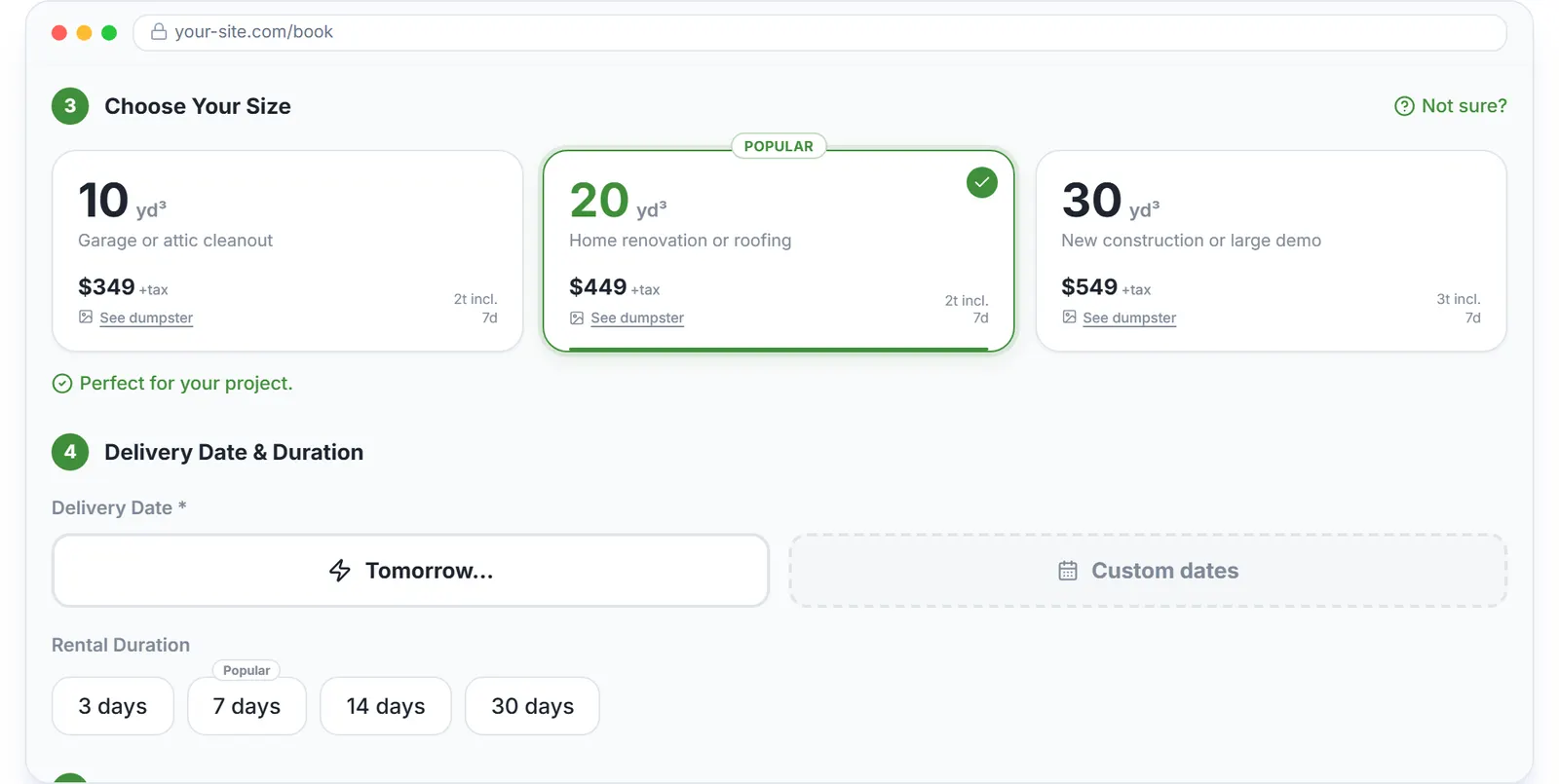
Customers who prefer self-service book and pay on the widget instead.
Dumpster rental estimate software with a page the customer can accept
Most dumpster rental estimate software stops at a PDF. Here the estimate is a page: the customer opens it from the email or the text, reads the size, the included weight, the delivery date, the tax and the fuel surcharge, and clicks Accept Estimate. Download / Print PDF is on the same bar for the ones who still want paper.
The acceptance is recorded on the estimate with the time it happened. Your panel switches the chip from Sent to Accepted on its own, so nobody has to type "customer said yes" into a note.
Send a dumpster quote by text, not only by email
When the customer has a phone number on file, Send Estimate also sends a short text message with the estimate number, the total and the link. A contractor on a job site sees the text without opening email, so the quote reaches them where they are.
The text says it is a quote only and that no payment is due, in the same words as the email, so nobody mistakes it for a bill.
Dumpster quote software that keeps the pipeline in one panel
The Estimates panel on the Customers page splits your quotes into All, Accepted, Pending and Canceled. Each row shows the estimate number, the customer, a status chip, the amount and the date, and the header adds up the Accepted value and the Pending value, so the week's pipeline is one glance.
While a quote is pending you can View it, Edit the size, quantity, unit price, fuel surcharge, tax, weight, dates, address and notes and resend it, or Cancel it. Every customer's own estimates also sit in the Estimates tab of their profile.
Before and after
Before
- Quotes typed in email or texted from a personal phone, lost in the thread
- The customer says yes by phone and nobody writes it down
- Nobody knows how much is out there waiting for an answer
After
- One numbered estimate per quote, sent by email and text from the app
- The yes is recorded on the estimate page and shows up in your bell
- Accepted value and Pending value totals at the top of the Estimates panel
Try it free, no card needed
Send a numbered estimate by email and text. The customer accepts online. Free.
Frequently asked questions
Related
- dumpster rental software
- dumpster booking software
- dumpster invoicing software
- dumpster rental software cost
- how to streamline customer bookings for a dumpster rental business
[### dumpster booking software
Online booking page and widget that take the card while you sleep.](https://dumpstercontrols.io/dumpster-booking-software)[### dumpster rental CRM
Customer profiles, rental history, saved cards and consolidated invoices.](https://dumpstercontrols.io/dumpster-customer-management-software)[### dumpster rental website builder
A full marketing site, built for you, wired to your online booking.](https://dumpstercontrols.io/dumpster-rental-website-builder)