Customer Acquisition
Dumpster Customer Chat & Lead Routing
Live chat on your booking page, answered from the Messages inbox.
- Chat bubble on the booking page
- Conversation in your Messages inbox
- Name and email kept even without a booking
No credit card · No contract · Forever free plan
Topicsdumpster customer chat dumpster website chat lead capture haulers
Last updated September 28, 2026 Published by Dumpster Controls, built by a software group led by a founder with 20+ years in enterprise IT who also ran a roll-off business for four years
What you get on day one
- Chat bubble on the booking page and on the paused screen
- Visitor identified by name and email before the first message
- Conversation in the Messages inbox, replies shown live to the visitor
- Unread indicator on Messages
- Name and email kept even if the booking is abandoned
- Leads panel in Customers for website form and funnel leads
- Convert a lead into a customer in one step
- Included free
Counted in our production database on October 1, 2026. Updated monthly.
1,800+
End customers on file
400+
Companies on Dumpster Controls
1,386
Dumpster companies in our public directory
35 states + Canada
Where it runs
Where dumpster customer chat leads go
Dumpster customer chat in Dumpster Controls is the live chat bubble on your booking page. A visitor clicks it, enters a name and an email, and types; the conversation appears in your Messages inbox as a booking chat, identified by that name and email.
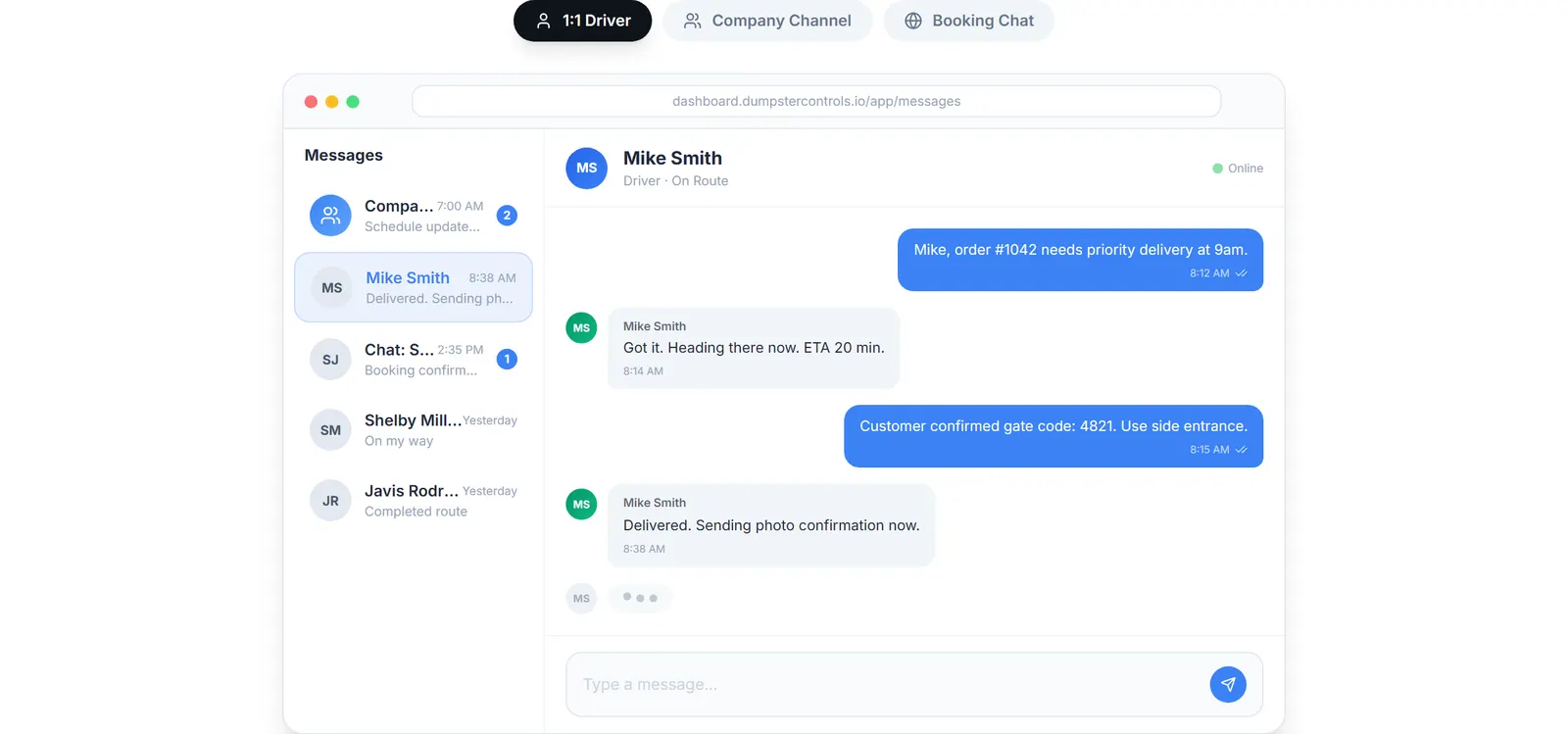
The real Messages screen: team chat, driver chats and booking-page customer chat, sample data.
You reply from Messages like any other conversation and the visitor sees the answer live on the booking page. The chat also works on the paused screen, so a company still setting up can talk to visitors.
The name and email are captured even when the visitor never finishes the booking. That is the lead.
Messages
Booking-page customer chats, driver chats and the company channel in one screen, with an unread dot in the sidebar. Customer SMS and email go out automatically from the order.
Leads panel
Leads pushed from your website forms or funnels through the API land in Customers under Leads, where you mark them contacted or convert them.
Webhooks
A lead.created webhook fires so you can chain a Slack or email alert.
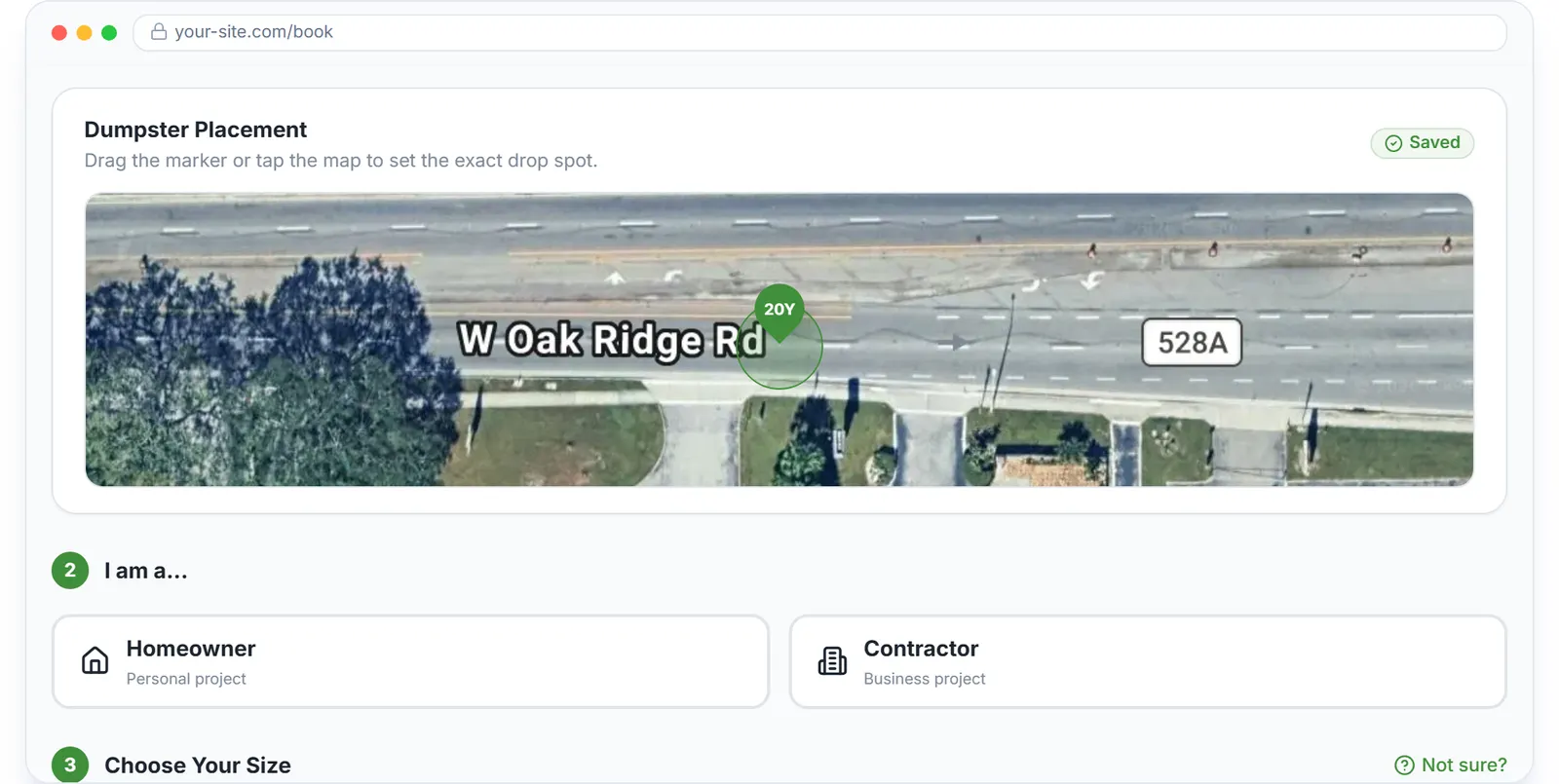
The booking page the chat bubble sits on.
Before and after
Before
- The visitor with one question leaves and calls a competitor
- Questions arrive by phone while the dispatcher is on the other line
- No record of who asked what
After
- The question is answered on the page
- The chat waits in Messages until someone is free
- Name, email and the whole thread are on file
Try it free, no card needed
Live chat on your booking page, answered from the Messages inbox.
Frequently asked questions
Related
- dumpster rental software
- dumpster booking software
- dumpster rental CRM
- dumpster rental software cost
- how to handle online bookings for a dumpster rental business
[### dumpster booking software
Online booking page and widget that take the card while you sleep.](https://dumpstercontrols.io/dumpster-booking-software)[### dumpster rental CRM
Customer profiles, rental history, saved cards and consolidated invoices.](https://dumpstercontrols.io/dumpster-customer-management-software)[### dumpster rental website builder
A full marketing site, built for you, wired to your online booking.](https://dumpstercontrols.io/dumpster-rental-website-builder)