Finances
Dumpster rental payment software : cards online, by phone and on file, paid into your own Stripe
Cards online, by phone and on file. Payouts to your own bank.
- Stripe checkout on booking and invoices
- Card by phone and card on file
- Payouts to your own bank account
No credit card · No contract · Forever free plan
Topicsdumpster rental payment software dumpster rental credit card processing card on file dumpster rental stripe dumpster rental
Last updated September 28, 2026 Published by Dumpster Controls, built by a software group led by a founder with 20+ years in enterprise IT who also ran a roll-off business for four years
What you get on day one
- Stripe connection with payouts to your own bank account, setup in about 2 minutes
- Online checkout on the booking page and the embeddable widget
- Public invoice link the customer pays from any device, no login
- Card by phone: the customer reads the number, you charge it, the order is created as paid
- Saved card on file for overweight, extra days and other fees
- Card Fee Handling on every invoice: customer pays, company absorbs, or split 50/50
- Refunds to the original card, with the fee breakdown shown first
- Automatic payment reminders for 5 days
Counted in our production database on October 1, 2026. Updated monthly.
400+
Companies on Dumpster Controls
1,800+
End customers on file
35 states + Canada
Where it runs
540+
Users with a login
What dumpster rental payment software does on the day the customer pays
Dumpster rental payment software is the part of Dumpster Controls that takes the card and shows you where the money went. Payments run on Stripe, connected to your own account, and the software is free for any fleet size: you pay card processing only when you choose to take a card.
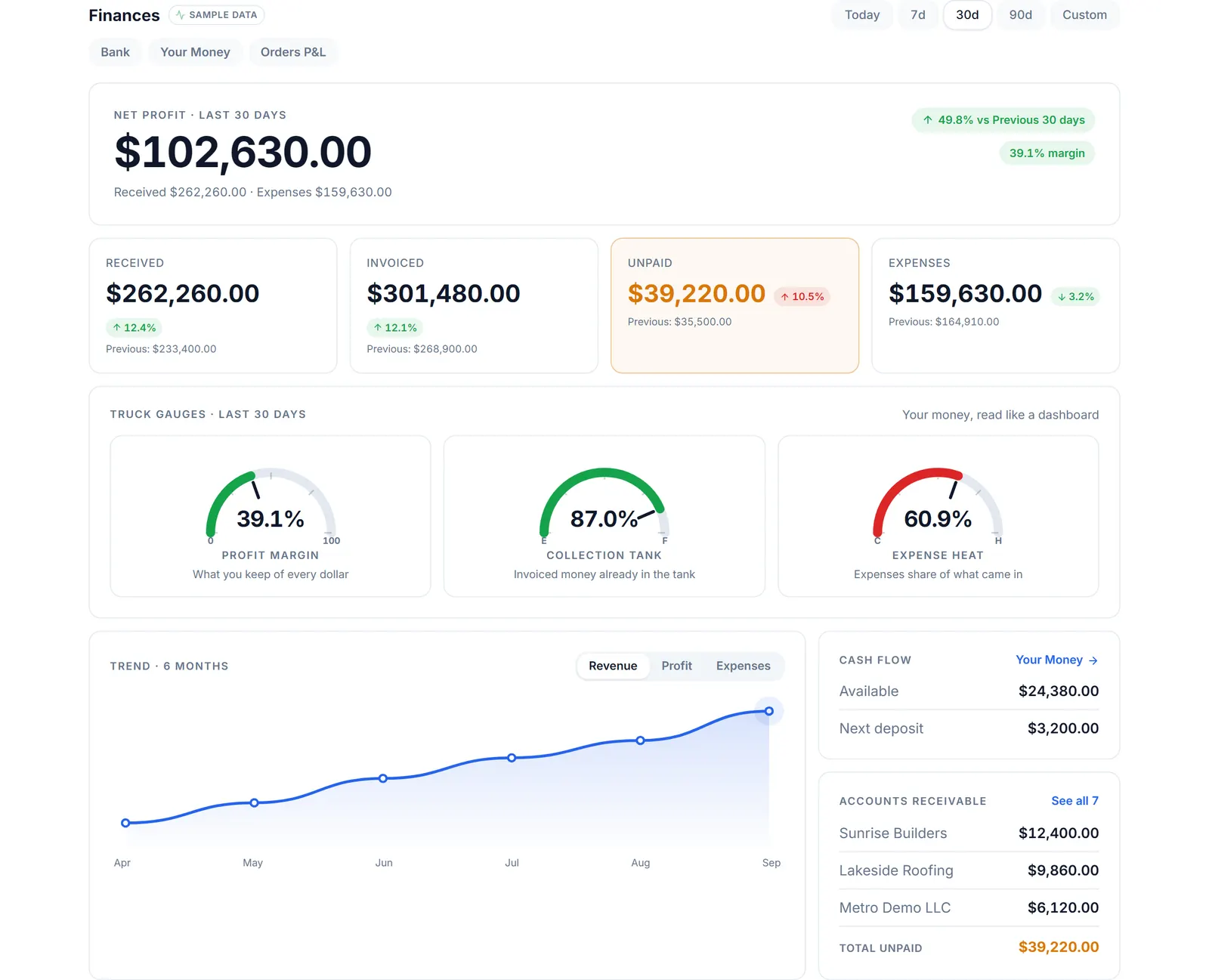
The real Finances page after an invoice is paid, sample data.
A customer can pay at booking, from the public invoice link, or by reading the card over the phone. Every card payment lands on the Your Money page with its gross, the Stripe price, the platform part, your net and the journey from charge to bank deposit.
Cash and offline payments are recorded by hand: no fee, no payout, nothing moves through Stripe.
What it costs
Software
Free for any fleet size. Unlimited orders, users and trucks.
Card processing, Free plan
2.99% + $3.99 per card transaction. You choose whether the customer or your company pays the fee.
Card processing, lower card rate plan
2.99% + $0.30 per card transaction on the lower card rate plan at $169 per month.
Cash and offline
Record a cash or offline payment by hand. No fee, no payout, nothing moves through Stripe.
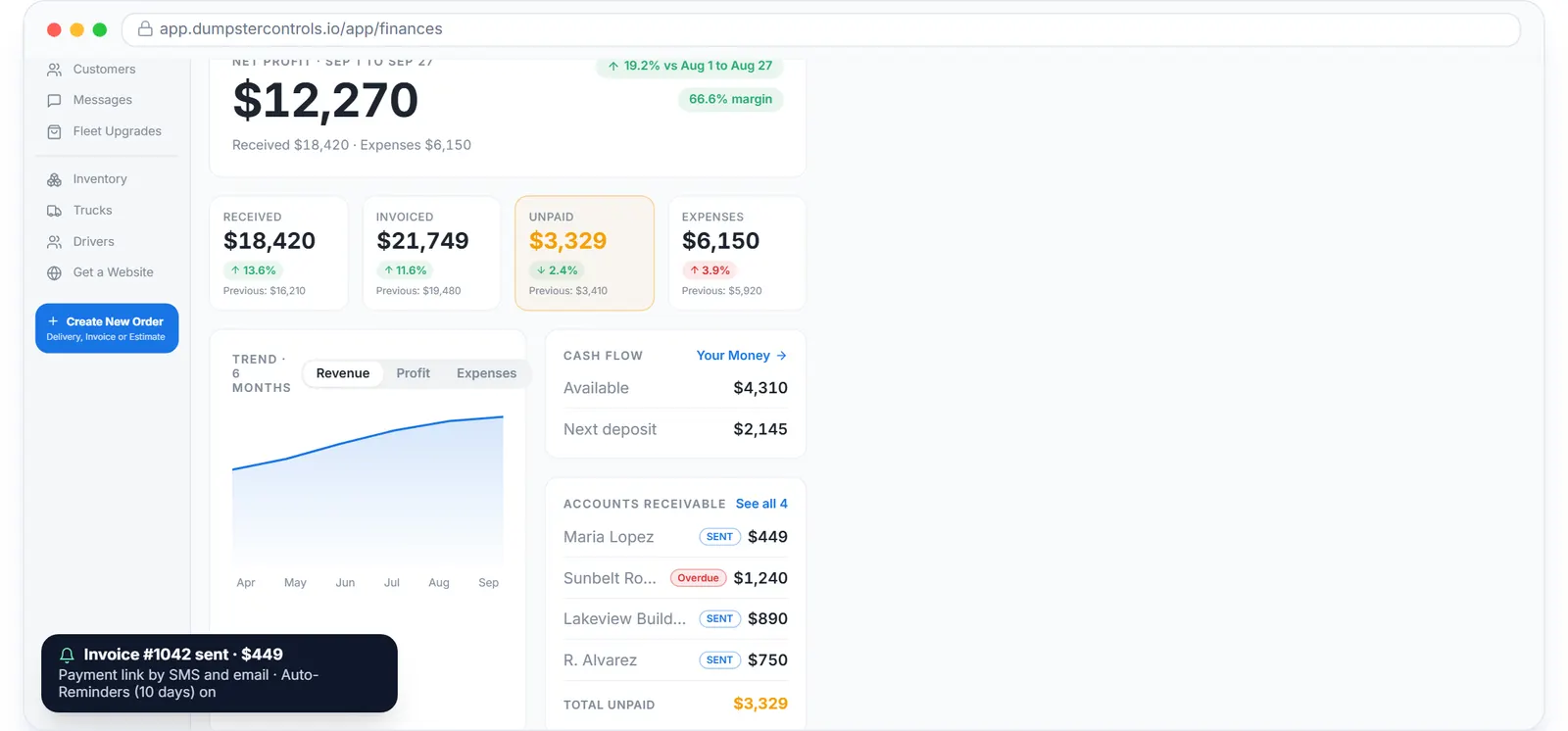
Unpaid invoices with reminders running, sample data.
Dumpster rental credit card processing, priced in the open
On the Free plan a card payment costs 2.99% + $3.99. On the lower card rate plan ($169 per month) it costs 2.99% + $0.30, the Stripe price and nothing more, which the Your Money page states as $3.69 saved on every single payment.
The Invoice Preview shows the fee before anything is sent. Under Card Fee Handling you pick who covers it: "Customer pays fee" adds it to the customer total, "Company absorbs fee" deducts it from your payout, "Split 50/50" does half and half.
Historical rows always show the fee charged at the time, so a payment from last year never changes when pricing does.
Card on file for dumpster rentals: overweight and extra days without a phone call
When a customer pays online, Stripe keeps the card saved. From Order History you open Charge Extra Fee, pick the charge type, review the total and confirm; the card is charged and the receipt goes to the customer.
Nothing is charged without that explicit confirmation, and the card details never touch the app: the form is Stripe's.
Stripe for dumpster rental companies: held until delivery, then released
A card payment taken at booking is held until the driver confirms delivery, then released to your Stripe balance and paid out to your bank on Stripe's schedule, about two business days.
The Your Money page tracks each stage as Held, Released, Queued or Deposited, and the Transaction journey lists the six steps of one payment: customer paid, fees, your net, released after delivery, in your Stripe balance, deposit to bank.
Dumpster rental payment link by text and email
An order created with Payment Link sends the invoice by SMS and email with a Pay Now button. If the invoice stays unpaid, reminders go out daily for 5 days and stop the moment it is paid.
The public invoice page needs no login, works on any phone, and shows the same Subtotal, Tax, Fuel Surcharge and Processing Fee lines the owner saw in the preview.
Before and after
Before
- Card payments in one terminal, invoices in another tool, refunds by phone with the bank
- Fees appear as a lump sum on a statement
- An overweight charge means calling the customer for the card again
After
- Booking, invoice links, phone charges and refunds in one dashboard
- Each payment shows gross, fee and net, and the deposit it landed in
- The card saved at booking is charged after you confirm
Try it free, no card needed
Cards online, by phone and on file. Payouts to your own bank.
Frequently asked questions
Related
- dumpster rental software
- dumpster invoicing software
- dumpster rental software pricing
- dumpster rental software cost
- how to get paid faster as a junk removal company
[### dumpster invoicing software
An invoice for every order, payment links, reminders for 5 days.](https://dumpstercontrols.io/dumpster-invoicing-software)[### dumpster SMS reminders
Confirmation, on the way, delivered, invoice and payment reminders, texted for you.](https://dumpstercontrols.io/dumpster-rental-sms-reminders)[### dumpster rental reporting software
Profit and margin per order, net profit dashboard, Monthly Revenue chart.](https://dumpstercontrols.io/dumpster-rental-reporting-software)