Fleet
How to Increase Dumpster Fleet Utilization: Strategies for Higher Asset ROI
A container sitting in the yard earns nothing, and a container sitting on a job site past its rental period earns nothing either. Utilization is the number between those two.
By Daniel Teixeira Founder, Dumpster ControlsUpdated September 27, 2026 3 min read
The short version
- Utilization is deployed cans divided by all cans. The healthy range is in the FAQ below; the formula is the only math on this page.
- Two levers move it: how fast a can comes back (dwell time) and how fast it goes out again (dispatch). Both are visible on one screen when every unit has a serial.
- Idle inventory can earn from other haulers' orders. The Dumpster Net Hub lists nearby jobs; take one and the completing hauler receives the full asking amount.
- Tracking is free. Serialized inventory, the dashboard and the Hub ship on the free plan of dumpster rental software from Dumpster Controls.
Fleet utilization is the most important financial number in a dumpster rental business, because a container in the yard depreciates while earning nothing. Every point of utilization you gain is revenue from steel you already own.
This guide covers practical ways to raise dumpster fleet utilization at every stage of growth, and what to track so you know it worked.
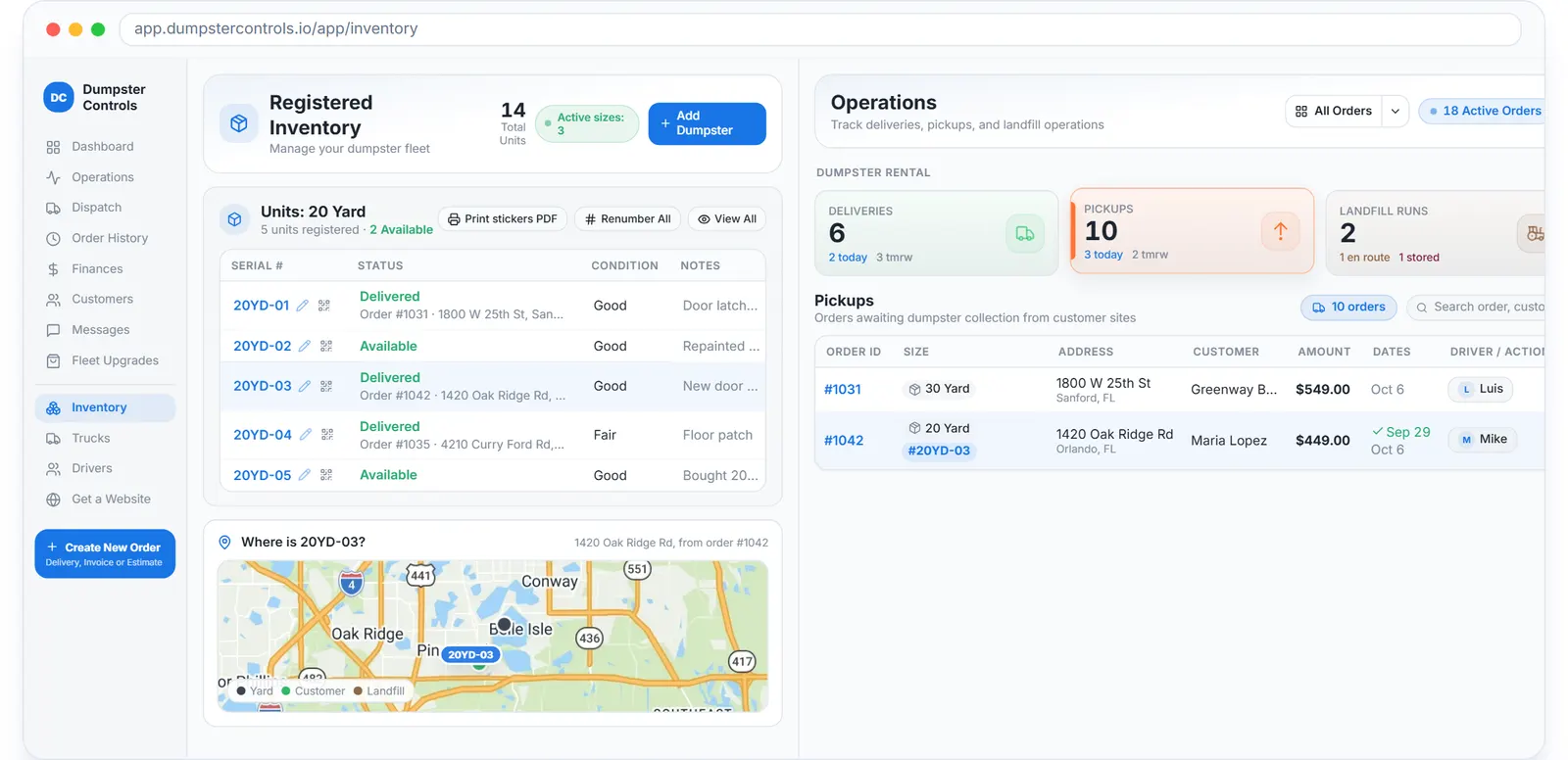
Inventory in Dumpster Controls: every can by serial number and status. Sample data.
What fleet utilization is, and the range to aim for
Utilization rate is containers deployed divided by total containers, times 100. If you own 60 cans and 40 are on job sites, you are at 67 percent.
Below 50 percent
Excess inventory or a demand problem. Review pricing, marketing and the mix of sizes before buying anything.
65 to 80 percent
The healthy range for most operators: enough availability to say yes, enough deployment to pay for the steel.
Above 85 percent
You are probably turning orders away. Expand the fleet, or use the Hub to hand overflow to a nearby hauler and keep the customer.
Lever one: shorten the time a can sits on site
The longer a container sits on a job site, the lower its turn rate. Most of that time is not the customer's fault; it is nobody asking.
A pickup date on every order
Scheduled pickups live on the order, so the office sees what is due today instead of remembering it. The customer sees the same date in the order portal.
Extra days priced in advance
Set an additional-day price on each size. A customer who needs more time requests an extension from their tracking link, and it waits for your approval.
Early pickup on request
The order portal lets the customer ask for an early pickup with one tap. A can that comes back two days early is two days of utilization.
Swaps instead of long single rentals
For a contractor who fills cans, schedule swaps: the driver drops an empty and takes the full one in one visit. See dumpster container tracking for how the serial follows the can.
Lever two: get the can out again the same day
Slow dispatch means containers wait in the yard between jobs. The fix is to line up the next delivery before the can is back.
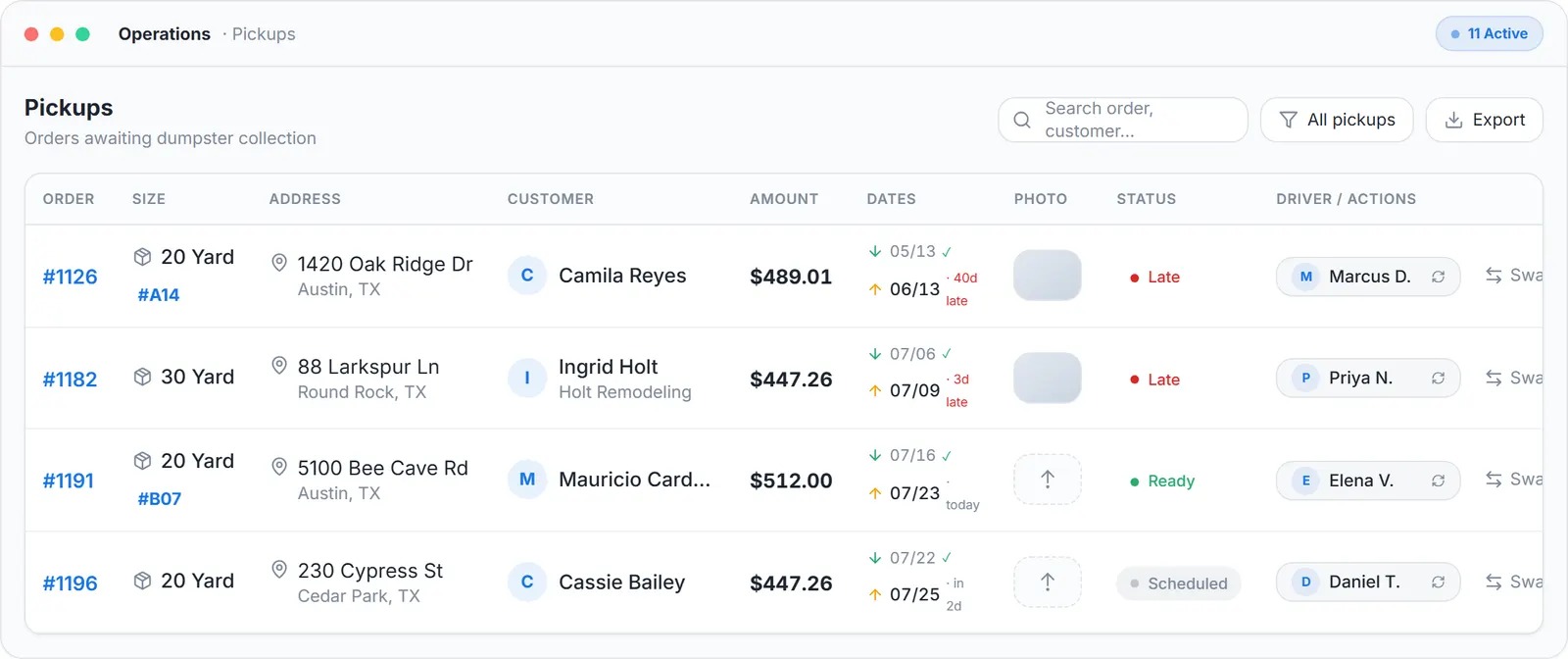
The operations list: today's deliveries, pickups and landfill runs with their status. Sample data.
Next-delivery suggestion
When a truck frees up with an empty can of a matching size, the dispatch board suggests the next delivery for it. One click assigns it and the can never touches the yard.
Store a full can for later
A full container that cannot go to the landfill today is recorded as stored, at the yard or on site, so it stays visible instead of vanishing from the board.
Route by the truck cycle
AI route suggestions sequence a driver's remaining stops around the roll-off cycle, so pickups land next to deliveries. Detail in how to optimize dumpster dispatch routes.
Lever three: put idle inventory to work on other haulers' orders
Even a well run company has slow weeks. The Dumpster Net Hub lists jobs from nearby companies that have more orders than trucks; you take the job, deliver the can and collect the full asking amount.
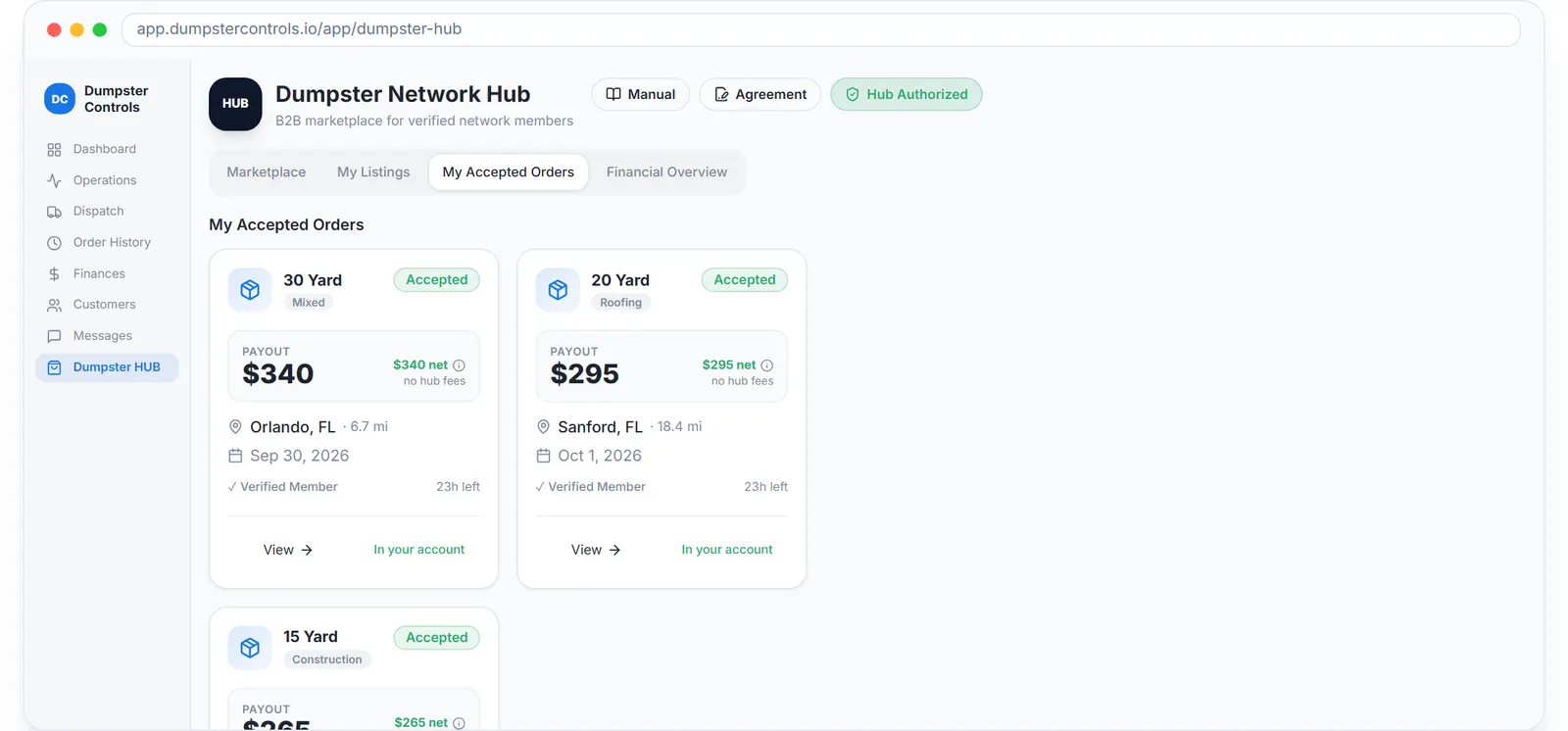
The Hub board with listed jobs and offers, sample data. No listing fee and no percentage cut on either side.
Before
- A slow week means cans in the yard and trucks parked.
- Overflow from a busy competitor goes to a broker.
- Idle capacity has no price and no buyer.
After
- A slow week means taking two or three listed jobs nearby.
- Overflow moves hauler to hauler inside the software.
- A can has a job because a neighbour had one to spare.
How the listing, escrow and payout work is on the Dumpster Net Hub page. For companies that also broker work, see dumpster rental broker software.
Container mix, seasons and condition
Not every size turns at the same speed, and not every month brings the same demand. Three smaller habits keep the fleet earning.
Right-size the mix
Track deployment by size. Buy more of the size with a waiting list, and sell or repurpose the size that sits. Test a new size with a leased unit before buying.
Plan for the season
Lease extra cans for the peak months instead of owning them all year. Use the slow months for repairs and refurbishment.
Keep cans in service
Inspect every can at the yard on return and fix small damage before it takes a unit out of service. Keep a small reserve of ready cans so a repair never costs a job.
Dumpster fleet management software: what to track
Past a certain fleet size, a whiteboard cannot answer where every can is. Dumpster fleet management software answers it by serial, in real time.
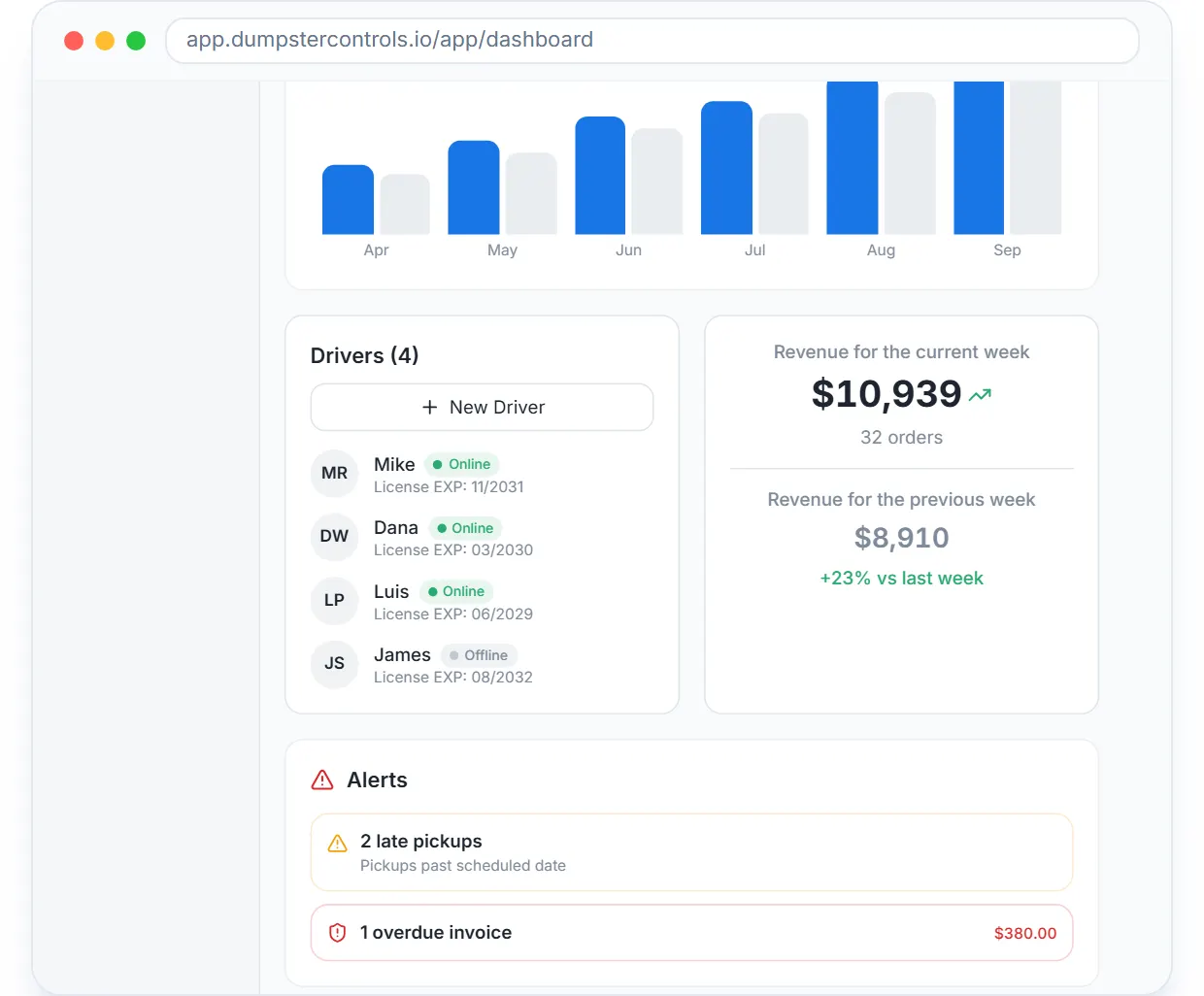
The dashboard: what is waiting for delivery, what is due for pickup, landfill runs, the live fleet map and weekly revenue. Sample data.
Status per unit
Available, delivered or at the yard, on every can with a serial. Print QR stickers and scan a can on delivery and pickup so the status follows the steel.
Who has what, and since when
Each deployed can is tied to an order with its address and pickup date. The list of cans out longest is the list of calls to make.
The day at a glance
The dashboard counts orders waiting for delivery and pickup, landfill runs and drivers on the road, next to the live map.
Profit per order
Utilization only matters if the rental made money after the dump. Orders P&L shows price minus landfill, fuel and driver time; see dumpster rental reporting software.
Every can you cannot locate is a can you will eventually buy twice. Serial numbers are cheaper than steel.
For the broader picture of how software supports a growing fleet, see the roll-off management software guide. What other vendors charge for the same tracking is on the dumpster rental software cost page.
Frequently asked questions
What is a good fleet utilization rate for dumpsters?
A healthy utilization rate is 65-80%. Below 50% suggests excess inventory. Above 85% may mean you are turning away orders.
How do I calculate fleet utilization?
Containers deployed divided by total containers, multiplied by 100. For example, 40 deployed out of 60 total equals 67%.
What reduces fleet utilization?
Long rental periods, containers awaiting repair, seasonal demand drops, inefficient dispatch, and lack of proactive customer follow-up.
Should I buy or rent containers to improve utilization?
Leasing containers during peak seasons avoids capital commitment while maintaining availability. This works well for seasonal variation.
How does a marketplace improve fleet utilization?
A marketplace allows you to accept overflow orders from other haulers, keeping containers deployed even when direct demand is low.