ROLL OFF COMPANY SOFTWARE, MODULE BY MODULE, FREE FOR ANY FLEET SIZE
Roll off management software : orders, dispatch, drivers, cans and invoices in one place
What roll off management software does, module by module, and which parts you need on day one to manage a roll off business from one truck. The dashboard at the top of this page is the real one. Free for any fleet size, USA and Canada.
- Orders, dispatch, driver app, container tracking and invoicing in one system
- How it differs from front-load, generic field service and logistics software
- Same-day setup, with the assisted-onboarding numbers vendors publish
- Nine questions haulers ask before they switch, answered
Get Roll-Off Software FreeSee features
4.7 on the App Store Available in all 50 US states and Canada
Last updated September 27, 2026 Published by Dumpster Controls, built by a software group led by a founder with 20+ years in enterprise IT who also ran a roll-off business for four years
Roll off management software is the category of business software built for waste haulers who rent temporary containers. It manages the whole life of a dumpster rental order: intake, scheduling, dispatch, the driver's day, which container is where, what the customer is told, the invoice and the numbers at the end of the month. In Dumpster Controls every one of those modules is included free for any fleet size. Generic business software covers none of that workflow; it has no idea that one order means a delivery today, a pickup in nine days and a landfill stop in between.
The term "roll-off" describes the container: an open-top dumpster loaded onto and off the truck with a hydraulic hoist. Customers rent one for 3 to 14 days for construction, renovation, cleanout and demolition work, and that multi-day, multi-stop shape is what the software has to model.
The Free Forever Promise
Free means free. Forever.
Every module on this page is on the free plan: orders, dispatch, driver app, container tracking, landfill tickets, invoicing and online booking. No per-module fee, no per-order software fee.
$0
Monthly fee
Ever. No surprise charges.
$0
Setup fee
No onboarding cost.
$0
Per-user fee
Unlimited admins, drivers, dispatchers.
$0
Annual contract
Cancel anytime. We never auto-charge.
How we make money: only when you opt in, and the numbers are public. The software is free with unlimited orders and no per-order software fee. If you choose to collect a customer’s card payment through Dumpster Controls, the processing fee is 2.99% + $3.99 per card transaction on the free plan, or 2.99% + $0.30 (the standard Stripe rate) on the optional $169/month lower card rate plan. Take payment by cash, check, Zelle or any other way and you pay nothing at all. Beyond that, our revenue comes from the optional lower card rate plan and from equipment partners and sponsors advertising in the app and on our public directory; our marketplace, the Dumpster Net Hub, charges zero marketplace fees. Run your own business your way and you never pay to use the software. It’s the only model that lets a 1-truck owner-operator run on the same software as a 50-truck fleet.
How to manage a roll off business: the core modules
Order management
An order carries the customer, the delivery address, the container size, the rental period, the price, the debris type and any placement instructions. It is created by the office or arrives by itself from online booking, and from that moment its status tells everyone where it stands: pending, scheduled, delivered, awaiting pickup, completed. Extensions, size changes and extra services are edits to the same order, not new ones, and every action on it is kept as an audit trail, so a billing question three weeks later is answered by the history, not by memory.
Dispatch and scheduling
Dispatch assigns deliveries, pickups, swaps and haul-offs to drivers and lays the day out on a board, a calendar or a map. It is usually the module that pays for the switch, because how the stops are sequenced decides fuel spend and how many jobs a truck finishes before dark. The same board absorbs the 10am phone call: a same-day request or a cancellation is dragged into the schedule and the driver sees it on the phone without a call.
Driver management
The driver app replaces the paper route and the phone-based coordination. A driver opens the day's stops in order, navigates to the site, takes the proof-of-delivery photo, records the landfill ticket on a dump run and moves on. Dispatch watches the truck move on the map, so "where are you" stops being a question anyone has to ask.
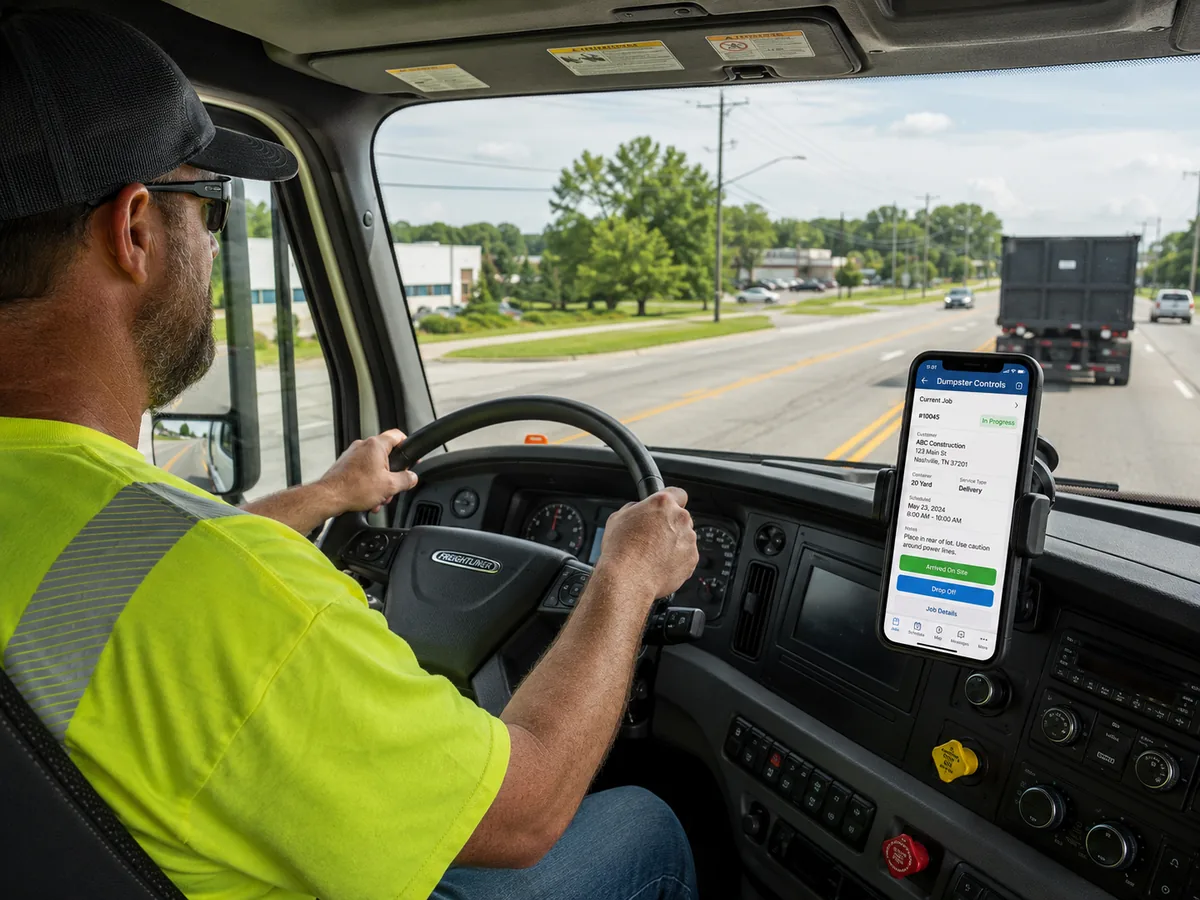
The driver app on a delivery: the day's stops in order, photo proof on every drop and pickup, landfill ticket on the dump run.
Fleet and container tracking
Container tracking is what keeps fleet utilization honest. Every unit has a status, available, deployed, in transit, at the landfill or out of service, and an address: which job site it is on and for how long. Repairs, condition notes and service history hang off the same record, and turn rates per container are read straight from it, which is how the two 30-yards that spend half the year in the yard get noticed.
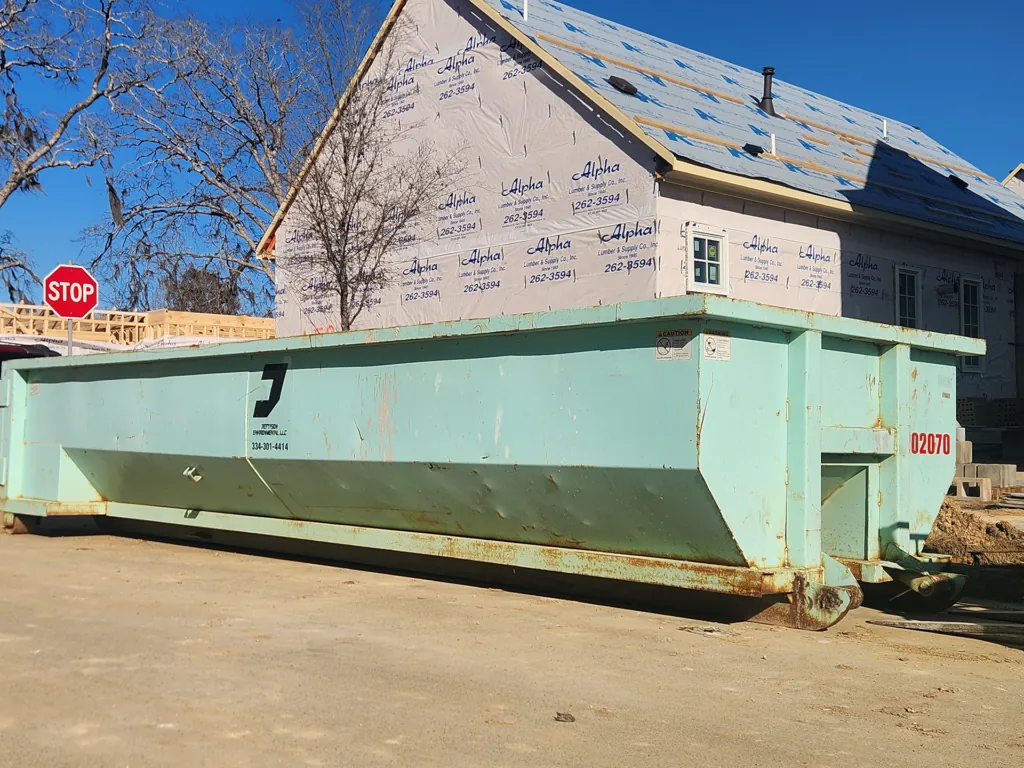
Jettson Environmental running a roll-off on an active new-build site. Photo courtesy of Jettson Environmental 334-301-4414Used with permission.
Invoicing and payments
Billing is generated from the completed order, not retyped from it: the invoice goes out with a payment link, the card is charged on the spot or held on file for the final total, and the payment processor and the accounting export (Stripe, QuickBooks) are connected rather than reconciled by hand. Late invoices are tracked and reminded automatically, which is where most of the recovered receivables come from.
Online booking
A booking widget on the operator's own website takes the order directly, at any hour, with the price shown before the customer commits. It removes the phone call from the sale and removes the re-keying from the office; the order lands in dispatch already complete.
How roll off company software differs from other tools
Versus general business software
Spreadsheets, Google Calendar and QuickBooks each manage one slice of a hauling business, and none of them talks to the others. The order lives in one place, the schedule in another, the invoice in a third, and a person carries the data between them by hand. Every carry is a chance for a wrong date or a missed charge, and the gaps show up as unbilled extra days and containers nobody can find.
Versus front-load waste software
Front-load software is built for recurring commercial collection: the same containers serviced on a fixed weekly route. Roll-off is the opposite shape, on-demand orders with their own delivery and pickup dates. The scheduling logic, the workflows and the billing models are different enough that a platform built for one is usually a poor fit for the other.
Versus general logistics software
Fleet management and delivery routing platforms know how to sequence stops, and nothing else a roll-off company needs: container status, rental periods, landfill integration, debris types and overage fees are all outside their model. They will route the truck well and leave the rest of the business on paper.
Implementation: same day, or six to twelve weeks
The most practical question when choosing roll-off software is how soon it runs a real order. Cloud-native platforms like Dumpster Controls are built for a fast start: signup is self-serve with no demo or quote, and most operators process real orders the same day they sign up, with no formal training sessions.
Platforms sold through a demo pair it with structured onboarding: training sessions, data migration planning and configuration cycles. DRS states up to 30 days, adding that many operators transition in under a week; ServiceCore, Docket's parent, states six to twelve weeks. Both figures come from their own pages, checked August 2026, and neither is a criticism: assisted migration has real value for a company moving hundreds of active rentals and years of billing rules.
Getting started on a self-serve platform
- 1
#### 01. Sign up and configure
Container sizes, pricing, service zones and driver accounts. One to two hours. - 2
#### 02. Invite the team
Dispatchers and drivers get role-based access; drivers install the app. - 3
#### 03. Run the first order
Most operators complete their first real order within the first day. - 4
#### 04. Parallel operation, if switching
Run alongside the old process for one to two weeks, then drop it.
Evaluating roll off management software
Start with the pricing model, because it decides what the software costs at your volume and at the volume you plan to reach; the 2026 buyer's guide compares per-order, per-user and flat models side by side. Then test the dispatch workflow against how your team actually assigns a day, and put the driver app in a driver's hands in the field before signing anything: an app the crew avoids is a module you paid for and do not have.
After that, check the integrations you already depend on, accounting and payments first, and weigh the features that only some platforms carry, a marketplace for overflow orders, an AI assistant, a landfill database with published tipping fees. Support and onboarding matter more the more active rentals you are moving. For operators planning to scale, picking the platform before the second truck saves the migration that otherwise happens at the fourth.
Roll off management software: FAQ
Topicsroll off management software manage roll off businessroll off company software roll off dumpster management software roll off software dumpster management software waste hauling software roll off dispatch software container tracking software free roll off software