CUSTOMER BOOKINGS, FREE
How to streamline customer bookings for a dumpster rental business
The customer sees the price, sets the drop spot on a satellite map and pays in one screen. What they typed follows the order to the driver, and a text with a tracking link answers the when are you coming call before it happens.
- Total on the screen before the card, no quote form
- Placement pin and notes go straight to the driver
- Tracking link by text, no login
- Chat bubble for questions, answered from your inbox
Get the Free SoftwareSee features
4.7 on the App Store Available in all 50 US states and Canada
Last updated September 27, 2026 Published by Dumpster Controls, built by a software group led by a founder with 20+ years in enterprise IT who also ran a roll-off business for four years
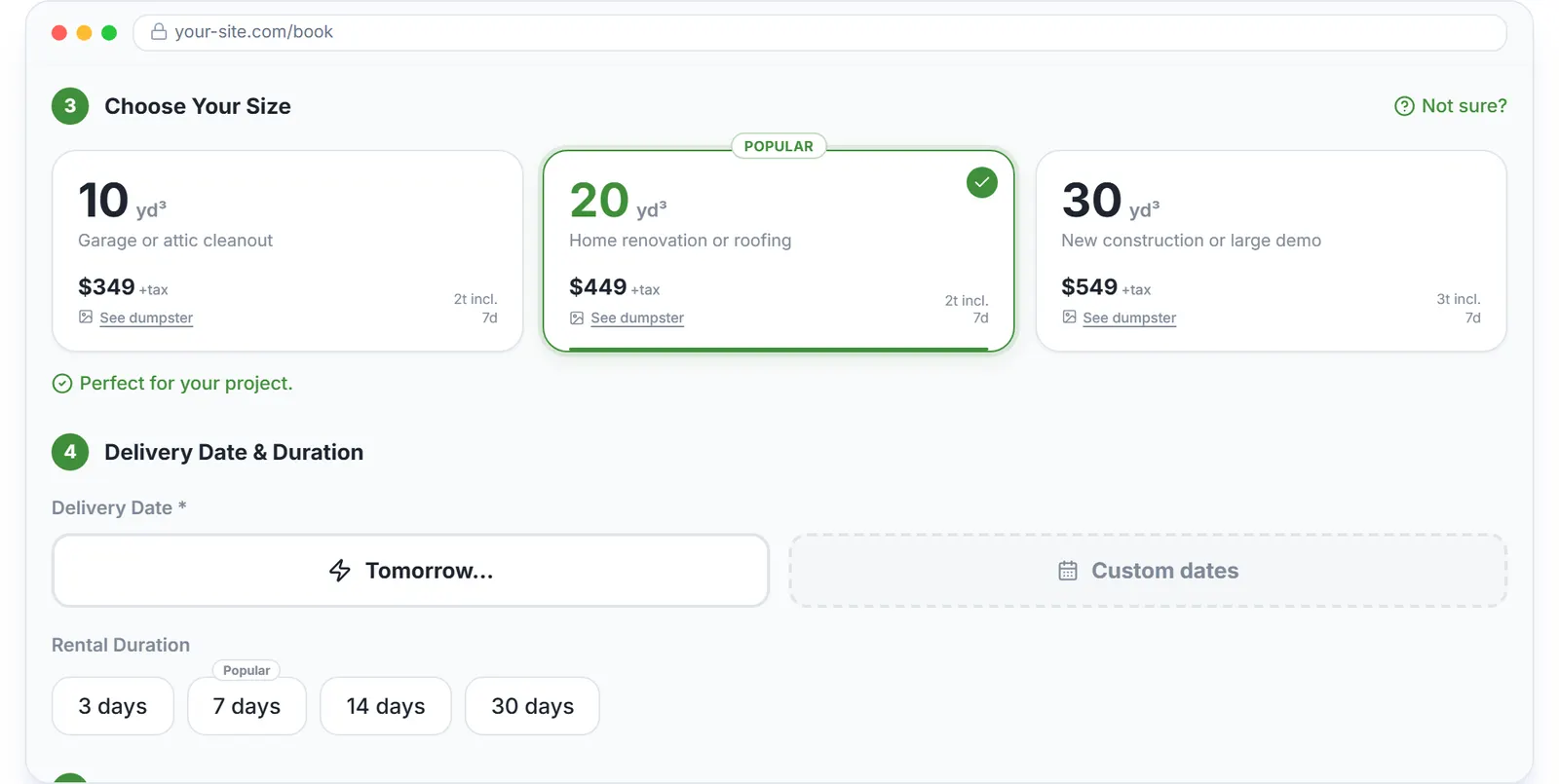
In Dumpster Controls, a customer books in one screen with the price on it: ZIP, address, a drop spot on a satellite map, size, dates, debris type, card, with no quote form and no callback. The order is paid and confirmed before your office sees it, the customer gets a text with a tracking link, and everything they typed follows the order to the driver. The software is free for any fleet size.
Streamlining is mostly removing steps the customer used to wait on. Below is what each of those steps became.
How a streamlined booking works in Dumpster Controls
- Show the price before the form. Sizes appear as cards with a photo, the included tonnage and the price for the selected duration. The Order Summary updates with base price, extra days, promo discount, fees, tax and processing fee, so the total is never a surprise.
- Take the address once. The ZIP tells the customer at once whether they are inside your service area. Google address suggestions fill the rest, and the placement map lets them drag a marker to the exact drop spot. That pin and any note become the driver's instructions on the task.
- Let contractors say so. Under I am a, the customer picks Homeowner or Contractor. A contractor can add a company name, an estimated number of dumpsters per month and the job type, and the customer record is created or updated from the booking.
- Confirm without a phone call. The Payment Confirmed screen shows the order number and a Download Receipt button, and the customer gets an email and an SMS with the size, delivery date, address, total and a link to the paid invoice. If you set a Booking Confirmed Page URL, they land on your own thank-you page.
- Answer questions before they leave. The chat bubble on the booking page asks for a name and email and starts a conversation that lands in your Messages inbox; your reply shows live on their screen. You keep the name and email even if the visitor never finishes the booking.
- Keep them informed during and after the rental. Status texts go out at on the way, delivered and picked up. The tracking link shows a step tracker and lets the customer request an earlier pickup or a paid extension that waits for your approval. After the pickup, one click sends a Google review request by email and text.
Every step above is documented screen by screen in the manual: How the customer booking flow works.
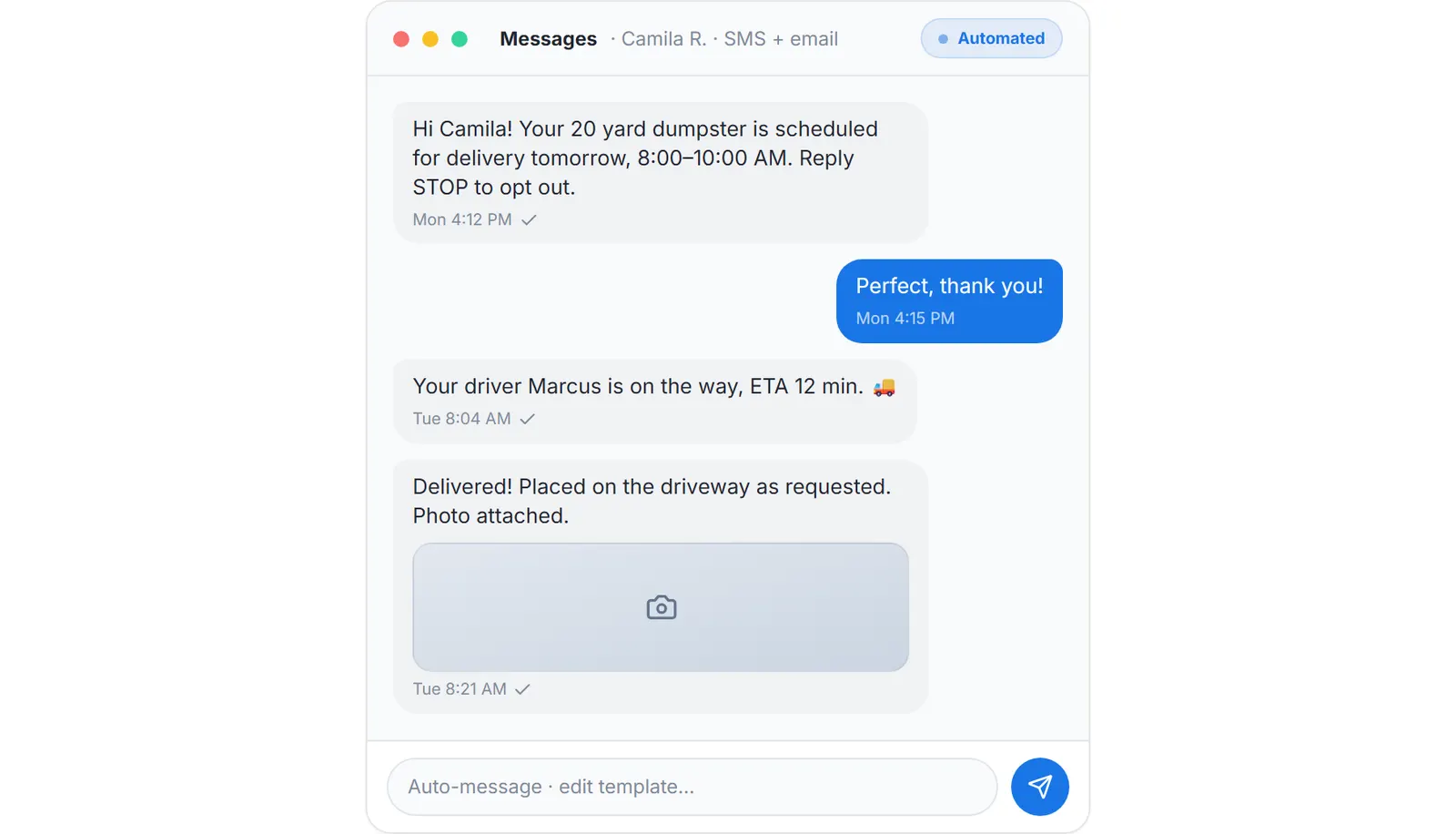
After the booking: the delivery window, the driver on the way and the delivered note, sent without anyone typing.
What you need
A free account
With sizes and prices registered.
An approved Stripe payout account
To take the card at checkout.
Your service radius, days off and agreement
Set once in Booking Page.
Your Google review link
For the request at the end; your own website, optionally, for the embedded widget.
Where this fits
The booking page itself, with promo codes, the rental agreement and fraud screening, is described at dumpster booking software; the service moments after the booking are at dumpster rental services software. What other vendors charge per month for the same flow is on dumpster rental software cost; here it is on the free plan, with card processing the only cost on the free plan.
Next guide: how to handle online bookings for a dumpster rental business.
How to streamline customer bookings for a dumpster rental business: FAQ
Topicsstreamline customer bookings dumpster rental dumpster rental customer booking dumpster booking flow customer portal dumpster rental free dumpster rental software