DRIVER SUPPORT, FREE
How to improve driver support for a waste management company
The driver never has to call the office to know what to do next: the day is on the phone in run order, the next stop is one tap from navigation, and a voice assistant answers in the driver's language.
- Free iOS and Android app, day list in run order
- Truck mode and Truck Tablet Mode, screen awake, next stop one tap away
- Works without signal; queue replays when it returns
- Tresha by voice in English, Spanish and Portuguese
Get the Free SoftwareSee features
4.7 on the App Store Available in all 50 US states and Canada
Last updated September 27, 2026 Published by Dumpster Controls, built by a software group led by a founder with 20+ years in enterprise IT who also ran a roll-off business for four years
In Dumpster Controls, driver support means the driver never has to call the office to know what to do next. The day is in the free iOS and Android app in run order with the placement note and a call button for the customer, a Truck mode keeps the screen awake and hands the next stop to Google Maps, and Messages reach dispatch with photos attached. Tresha, a voice assistant, answers in English, Spanish or Portuguese and can mark a stop done, all free for any fleet size.
How driver support works in Dumpster Controls
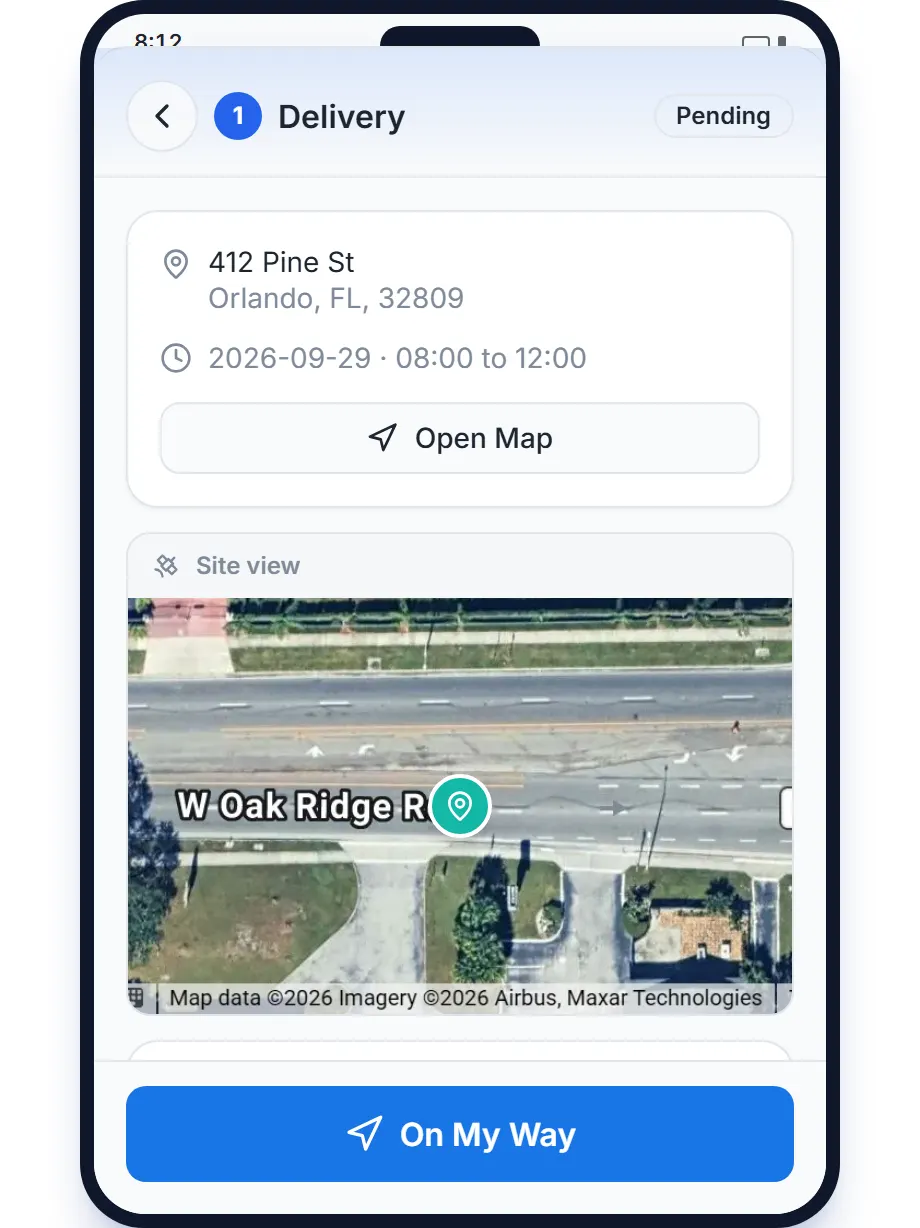
- Give them the day, not a phone call. My Tasks shows the stops for one day in run order. Each card carries the stop number, type, size, time window, address, any note from dispatch, a red LATE chip when the date has passed, and call and text buttons for the customer.
- Make every stop four moves. On My Way starts a timer dispatch can see, and Open Map hands the address to Google Maps. I've Arrived opens the photo slots, stamped with date, time, location and company name. Slide to complete finishes the stop, and the office sees it in real time.
- Mount it in the truck. Truck mode on the phone keeps the screen awake and pins a Next task card with a Go button. A tablet mounted in landscape runs Truck Tablet Mode: day list on the left, map on the right, drivers switching with a 4 digit PIN. Both keep working without signal.
- Take the landfill guesswork away. The landfill picker sorts sites by distance from the truck, favorites on top. At the gate, the driver photographs the scale receipt and the app reads the net weight and the total; if it cannot, the driver types them.
- Let them talk instead of type. From the tablet rail Tresha opens already listening. The driver asks what is next, in English, Spanish or Portuguese, and hears the answer back. Finished the delivery at Miller shows a confirmation card; nothing happens until the driver taps it.
- Keep the conversation in one place. The Messages tab holds conversations with the office and with teammates, with attachments, so a photo of a blocked driveway goes to dispatch instead of a text thread nobody can find later. New messages arrive as push notifications.
Every step above is documented screen by screen in the manual: How to run a delivery from start to finish.
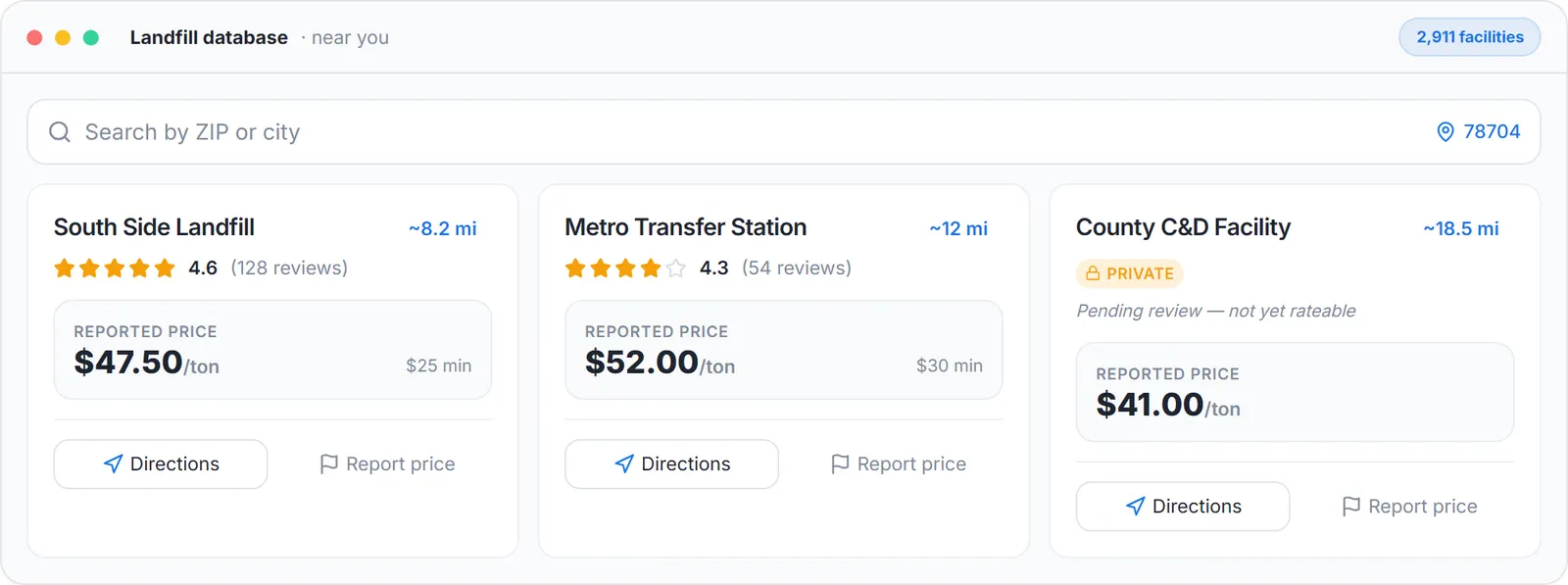
The landfill guesswork, removed: sites by distance, the reported gate price and directions, from the cab.
What you need
A free account
With each driver invited from the team page.
The free app on each phone
App Store or Google Play.
For the tablet, a mount and a charger
Any iOS or Android tablet, paired from the Trucks page, with a PIN per driver.
Your usual landfills starred
So they sort first in the cab.
Where this fits
The driver app screen by screen, with proof photos, swaps and the review of a landfill, is at dumpster driver app and, for the roll-off cab specifically, roll-off driver app. The board the driver's day comes from is at waste management dispatch software. Vendors that charge per driver are listed on dumpster rental software cost.
Next guide: how to track containers and inventory for a hauling company.
How to improve driver support for a waste management company: FAQ
Topicsimprove driver support waste management driver app waste management roll-off driver app truck tablet mode free driver app haulers