JUNK REMOVAL DRIVER APP, FREE FOR ANY FLEET SIZE
Junk removal app for the crew in the driveway
The app for a junk removal company: the job on the crew's phone with the address, the time window, the load fraction, stamped photos and the extra charge when the pile is bigger than quoted. The phone at the top of this page is the real driver app, working a day on sample data.
- Native app on the App Store and Google Play, same login as the office
- Push notification the moment a junk job is assigned
- Photos stamped with date, time, location and company name
- Free for any fleet size: no monthly fee, no per-user fee, no per-job fee
4.7 on the App Store Available in all 50 US states and Canada
Last updated September 27, 2026 Published by Dumpster Controls, built by a software group led by a founder with 20+ years in enterprise IT who also ran a roll-off business for four years
A junk removal app is the phone app the crew lead uses in the driveway: the job with its address and time window, the load fraction that was sold, the before and after photos stamped with the date, time, location and company name, and the extra charge when the pile is bigger than the quote. In Dumpster Controls it is the same driver app the roll-off drivers use, called Dumpster Controls on both stores, free for any fleet size. The phone at the top of this page is the real app working a day on sample data; a junk job sits in that same list with its J- number, in run order with the dumpster stops.
This page is about the screen in the driveway. The office side, quoting, dispatch, invoicing and the marketplace, is covered at software for junk removal, and the whole platform at dumpster rental software.
What you get on day one
- The app on the App Store and Google Play, same login as the office
- Push notification titled Junk Job Assigned, with the address
- The day's list in run order, junk stops mixed with dumpster stops
- Load fraction chip on the card: 1/4, 1/2, 3/4 or full load
- Photos stamped with date, time, location and company name
- Extra charge added on the job when the pile is bigger than quoted
- Send Payment Link and Mark as Paid on every junk job
- Truck Tablet Mode on any Android tablet or iPad
Counted in our production database on October 1, 2026. Updated monthly.
400+
Companies on Dumpster Controls
190+
Drivers with a login
140+
Trucks registered
35 states + Canada
Where it runs
App for a junk removal company: what is on the screen
The job travels from the dispatcher's board to the crew's phone in five steps, and every one of them is a tap, not a call.
- 1
#### 01. Assigned
A dispatcher drags the job into the driver's lane or taps Assign. The phone gets a push notification titled Junk Job Assigned, with the address. - 2
#### 02. In the day's list
The job sits in run order with its J- number, the customer, the time window and the load fraction chip, mixed with any dumpster stops the same truck has. - 3
#### 03. Notes on the card
Notes from the office travel with the job, so gate on the left, dog in the yard is on the card and not in a text thread. - 4
#### 04. On the map
The job draws as a J marker. A Junk layer chip toggles junk stops next to Deliveries, Pickups, Landfills, Team and HQ. Truck mode keeps the screen awake and pins a Next task card with a Go button for turn-by-turn directions in Google Maps. - 5
#### 05. Status, one tap each
Scheduled, on site, loading, to landfill, completed. The office board shows Pending, In Progress or Completed the same second, which is what ends the are you there yet calls.
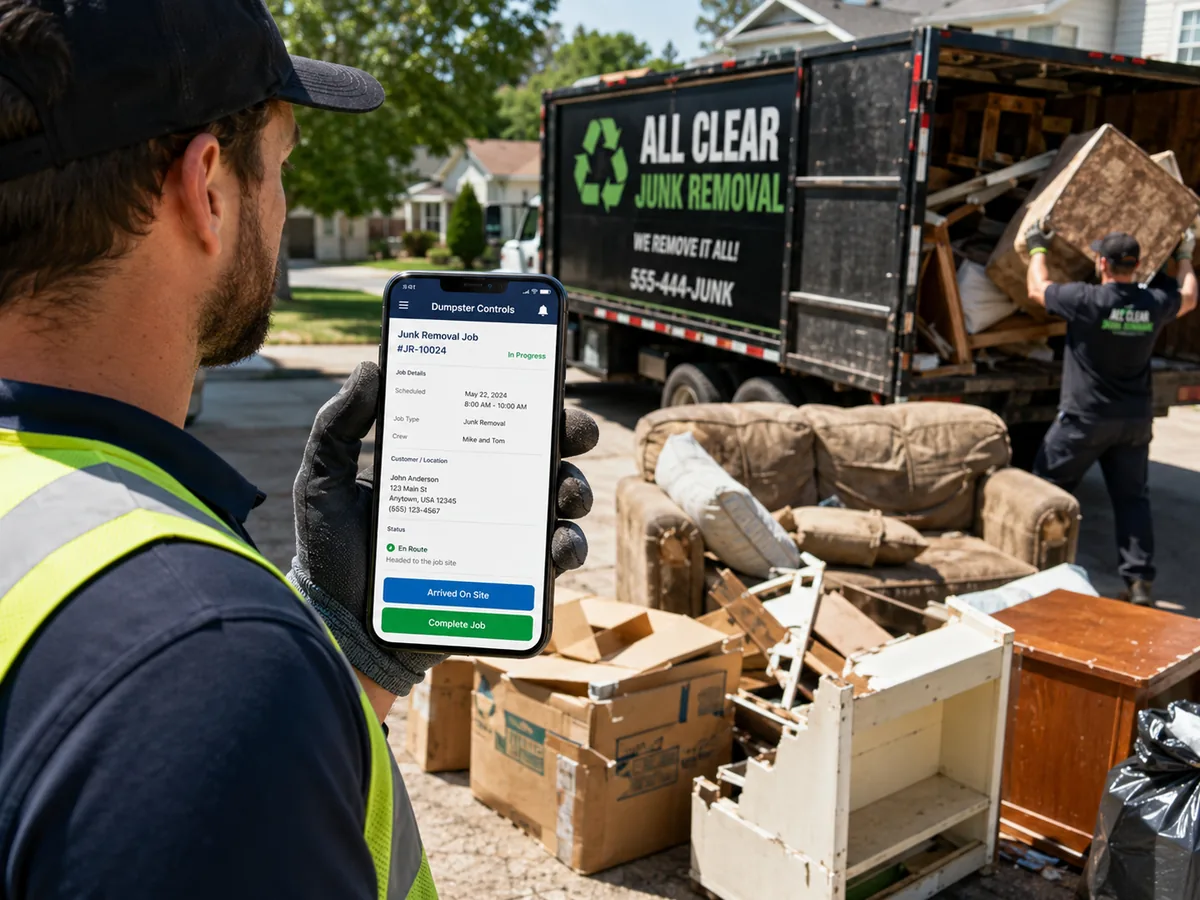
The junk job as the crew sees it, on site.
Junk removal driver app versus the office screen
Junk removal apps for drivers and the office board look at the same job from two sides. Everything in both columns is on the free plan.
| Feature | On the crew's phone | On the office board | Free plan |
|---|---|---|---|
| Getting the job | Push notification, job in the day's list | Drag into a lane or tap Assign | |
| Load and price | Load fraction chip on the card | Load Pricing table, quarter to full | |
| Status | On site, loading, to landfill, completed | Pending, In Progress, Completed, live | |
| Proof | Stamped photos in the job | Photos on the job record instantly | |
| Money | Extra charge on the job, payment link | Send Payment Link, Mark as Paid, Finances | |
| Where the truck is | Map tab with Junk layer, Truck mode | Live marker on the Dispatch map |
One junk job, two screens. Both included at $0.
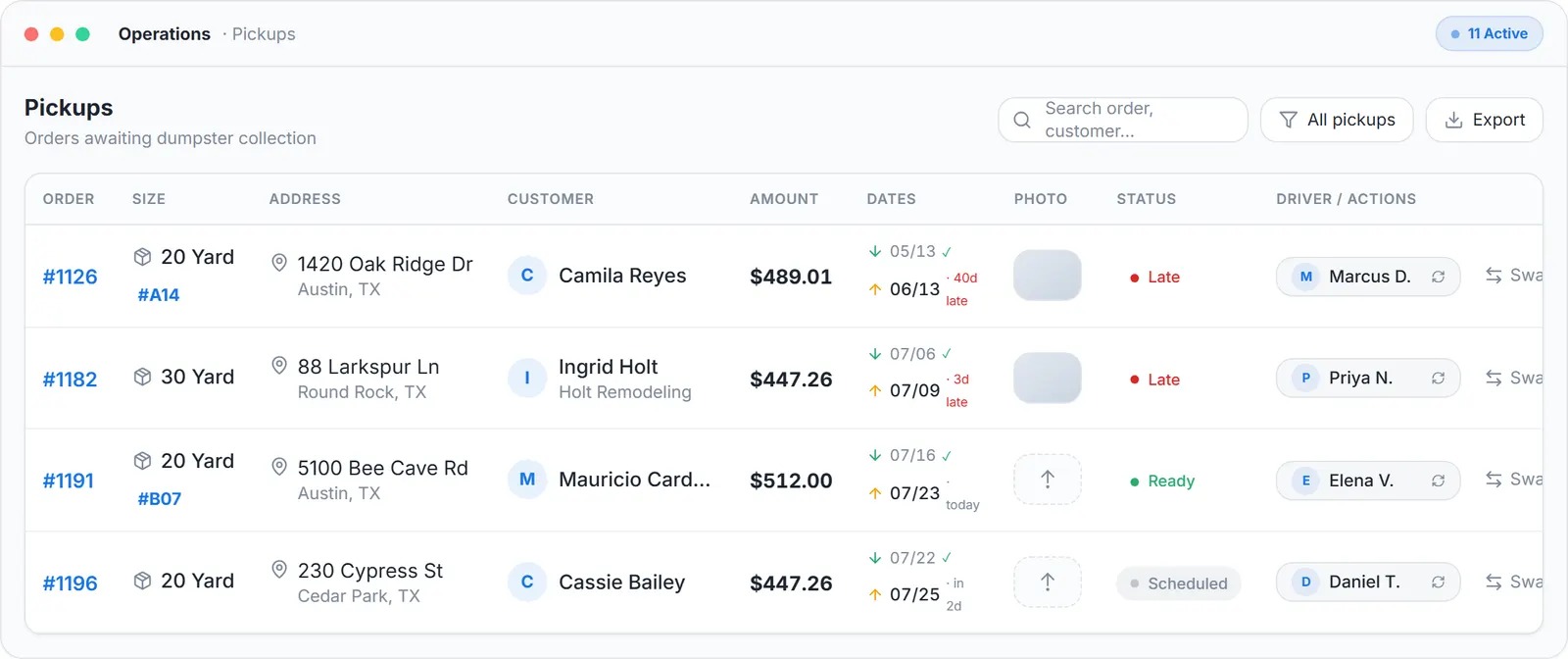
The office side of the same job: the operations list with statuses and actions, sample data.
The Free Forever Promise
Free means free. Forever.
The app, the dispatch board and the junk module are all on the free plan, with unlimited jobs, unlimited users and unlimited SMS, email and push notifications.
$0
Monthly fee
Ever. No surprise charges.
$0
Setup fee
No onboarding cost.
$0
Per-user fee
Unlimited admins, drivers, dispatchers.
$0
Annual contract
Cancel anytime. We never auto-charge.
How we make money: only when you opt in, and the numbers are public. The software is free with unlimited orders and no per-order software fee. If you choose to collect a customer’s card payment through Dumpster Controls, the processing fee is 2.99% + $3.99 per card transaction on the free plan, or 2.99% + $0.30 (the standard Stripe rate) on the optional $169/month lower card rate plan. Take payment by cash, check, Zelle or any other way and you pay nothing at all. Beyond that, our revenue comes from the optional lower card rate plan and from equipment partners and sponsors advertising in the app and on our public directory; our marketplace, the Dumpster Net Hub, charges zero marketplace fees. Run your own business your way and you never pay to use the software. It’s the only model that lets a 1-truck owner-operator run on the same software as a 50-truck fleet.
Photos, the bigger pile, and getting paid
Three things happen in the driveway that decide whether the job was worth the drive. The app handles each one without a call to the office.
Stamped photos
Every photo taken in the app carries the date, time, location and the company's name, and attaches to the job so the office sees it immediately.
That stamp settles a dispute two weeks later about how the garage looked before the crew touched it.
The extra charge
When the pile is bigger than the quote, the extra charge is added on the job and collected through the same payment flow as the base price.
Getting paid
Junk jobs carry their own Send Payment Link and Mark as Paid actions. Every card payment shows in Finances with the gross amount, the exact fees and the net; cash jobs cost nothing in fees. The billing side is the same dumpster invoicing software the roll-off orders use.
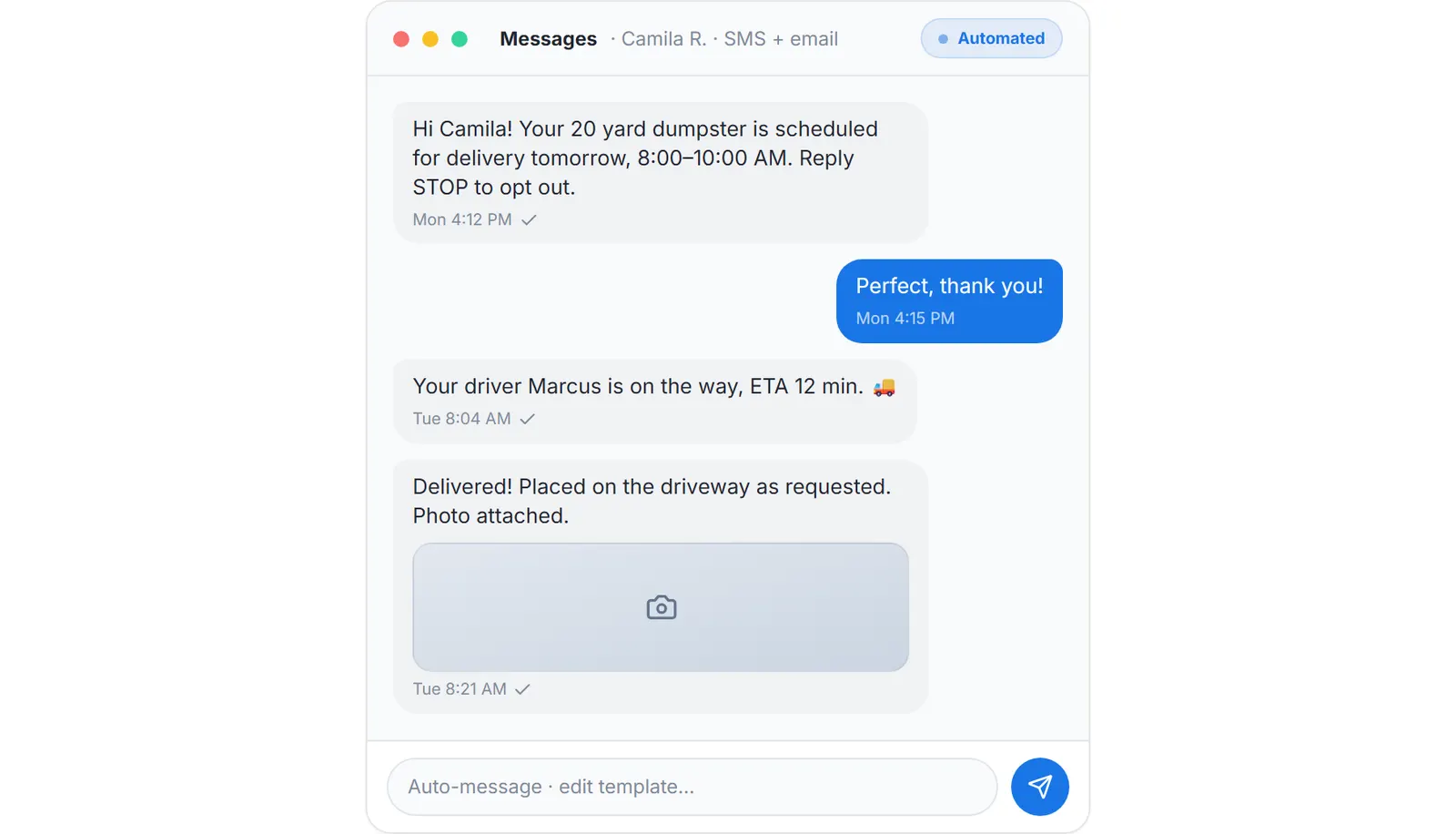
Status texts and the payment link reach the customer by SMS, and the office reads the thread on the job.
What the junk removal app connects to
Orders P&L gives each junk job a row with revenue, fees, costs, profit and margin. The public REST API reads jobs at /v1/junk-jobs and sends signed webhooks for junk_job.created and junk_job.status_changed. Customers who book a dumpster online come in through the same dumpster booking software.
If your crew also runs roll-off, the dumpster driver app page covers deliveries, pickups, swaps and landfill receipt scanning in the same app. What the rest of the market charges for a driver login is on dumpster rental software cost.
Keep reading
- How to run a junk removal business with one app
- How to provide proof of service for junk removal customers
- How to dispatch junk removal jobs to crews
Junk removal app: FAQ
Topicsjunk removal app app for junk removal company junk removal driver app junk removal apps for driversfree junk removal app junk removal crew app