ANSWER PAGE · FREE FOR ANY FLEET SIZE
How to dispatch junk removal jobs to crews
The job lands on the Dispatch board with its load fraction, you drag it into a crew's lane, the crew's phone buzzes with the address, and the status moves on the board as they work. Free, USA and Canada.
- Junk jobs and dumpster stops on one board, one route
- Drag-and-drop or one-click assign, push to the crew
- Live map with a J marker per junk stop and the truck's position
- AI Routes to shorten the day, applied only when you say so
Get the Free SoftwareSee features
4.7 on the App Store Available in all 50 US states and Canada
Last updated September 27, 2026 Published by Dumpster Controls, built by a software group led by a founder with 20+ years in enterprise IT who also ran a roll-off business for four years
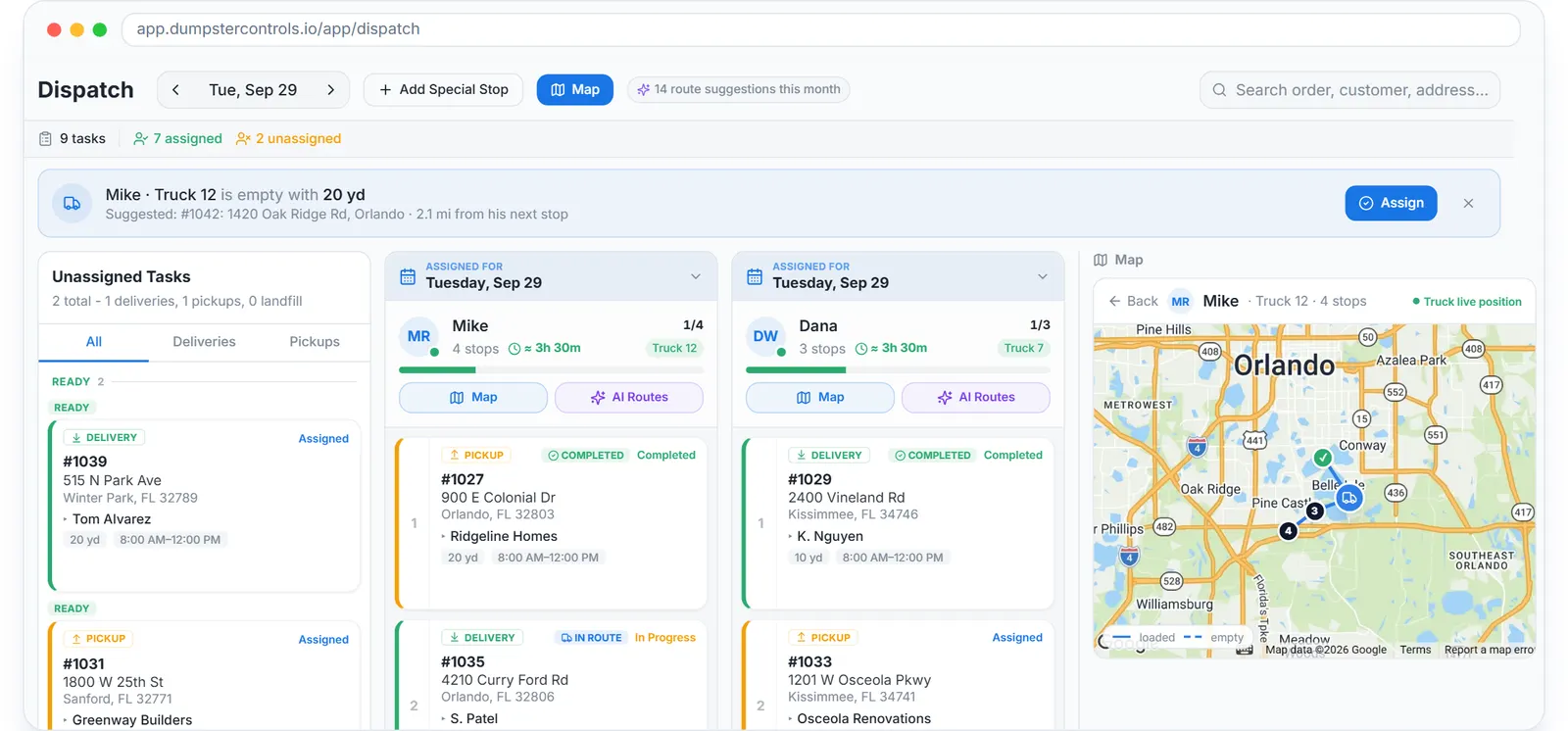
In Dumpster Controls, dispatching a junk removal job to a crew is one drag. The job appears in the board's pool with a blue JUNK REMOVAL badge, its J- number and the load fraction sold; you drop it into a crew's lane or tap Assign, and the crew's phone receives a Junk Job Assigned push with the address. From then on the status, scheduled, on site, loading, to landfill, completed, updates on the same board that runs your dumpster stops.
How dispatching a junk job works in Dumpster Controls
- Create the job. New Job on the Junk Removal tab of Operations, or by chat or voice with Tresha, who takes the customer, the load fraction from your Load Pricing table, a morning or afternoon window, the address and notes, then a confirmation card. See managing junk jobs from Operations.
- Find it on the board. Unassigned junk jobs add a Junk tab to the pool. Each card shows the badge, the J- number and a load fraction chip such as 1/2 Load. See dispatching junk removal jobs.
- Assign it. Drag the job into a driver's lane, or use the Assign button and the Assign to sheet. The driver gets the push notification right away. See assigning with drag-and-drop.
- Order the day. Junk jobs slot into the driver's sequence like any stop and count toward the day estimate. Reorder by dragging within the lane, or let AI Routes propose a shorter order and click Apply. See reordering a driver's stops.
- Watch it move. The board shows Pending, In Progress or COMPLETED as the crew works; the map panel draws the junk stop with a J marker next to the truck's live position. See the live map panel.
- Dispatch from wherever you are. The board has a phone layout with the same actions, and the crew's tablet runs the driver app in Truck Tablet Mode. See Dispatch on your phone.
Every step above is documented screen by screen in the manual: How to dispatch junk removal jobs.
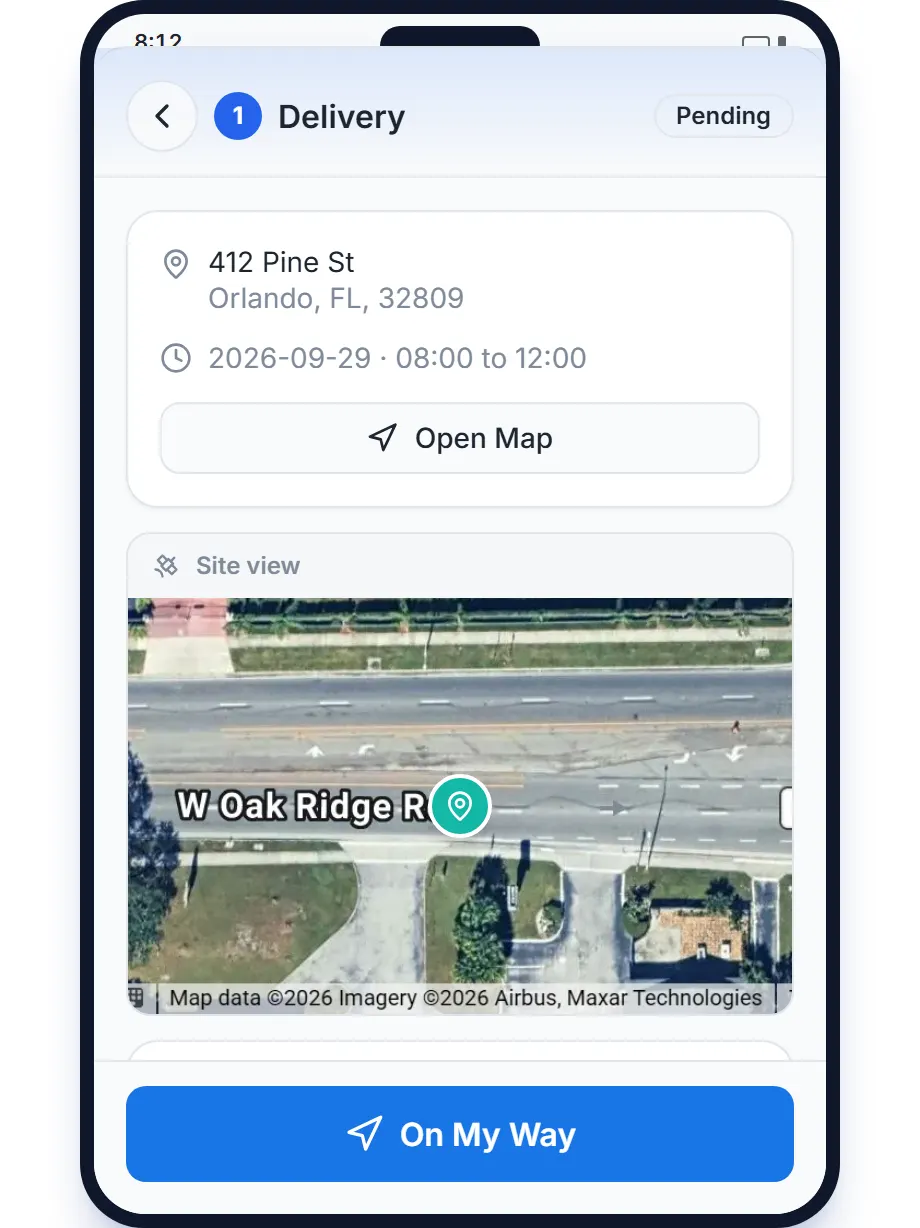
The crew's side: the day in run order on the phone, with the window and the taps that update the board.
What you need
A free account
With your crews invited as drivers.
The free app on their phones
App Store or Google Play, with notifications allowed.
Your load fractions priced once
In the Load Pricing table on the Junk Removal tab.
Any tablet in the cab, optionally
Android or iPad runs Truck Tablet Mode; there is no hardware to buy.
Where this fits
The board in depth, lanes, statuses, special stops, the landfill destination and route colors, is on dumpster dispatch software. The crew's side is on junk removal app, the whole operation on software for junk removal, and what dispatch seats cost elsewhere on dumpster rental software cost.
Next guide: how to provide proof of service for junk removal customers.
How to dispatch junk removal jobs to crews: FAQ
Topicsdispatch junk removal jobsjunk removal dispatch board assign junk jobs to crewsjunk removal crew scheduling