ROLL OFF TRUCK DRIVER APP, FREE FOR ANY FLEET SIZE
Roll off driver app for the four moves of the day
Drop, pick up, dump, swap. One job on screen at a time: stops in order, On My Way, I've Arrived, the stamped photo, the can you dropped, slide to complete. The phone at the top of this page is the real app, working three stops on sample data.
- Delivery, pickup, landfill run and swap as four different flows
- Unit picker by serial or QR scan, so the right can is on the order
- Receipt scan reads net weight and cost on dump runs
- Truck Tablet Mode for a tablet mounted in the cab, drivers switch by PIN
Get the Driver App FreeSee features
4.7 on the App Store Available in all 50 US states and Canada
Last updated September 27, 2026 Published by Dumpster Controls, built by a software group led by a founder with 20+ years in enterprise IT who also ran a roll-off business for four years
A roll off driver app is the phone app a roll off truck driver uses for the four kinds of stop in a day: drop an empty can, pick up a full one, dump it, and sometimes both at once as a swap. In Dumpster Controls it comes included with the roll-off dumpster software, free for any fleet size, on the App Store and Google Play with the same login as the office. The phone at the top of this page is the real app working three stops on sample data: My Tasks, On My Way, the route bar, I've Arrived, the stamped photo, Which dumpster did you drop? and Slide to complete.
Open My Tasks and the day is a list in running order, each card with the task type on a colored edge, the size, the time window, the address and the note from dispatch. Nothing on it shows prices or card details; that stays with the office.
What you get on day one
- My Tasks: the day in running order, one job on screen at a time
- On My Way, I've Arrived, stamped photo, slide to complete
- Unit picker by list, QR scan or typed label
- Receipt scan that reads net weight and cost on dump runs
- Swaps as SWAP OUT and SWAP IN on one stop
- A red LATE chip that appears by itself when a date has passed
- Truck Tablet Mode with drivers switching by PIN
- Free for any fleet size, unlimited drivers, English, Spanish and Portuguese
Counted in our production database on October 1, 2026. Updated monthly.
190+
Drivers on the app
140+
Trucks registered
400+
Companies on Dumpster Controls
35 states + Canada
Where it runs
A roll off delivery is four moves in the roll off driver app
Every tap tells dispatch something, and the last one starts the rental clock on the order.
- 1
#### 01. On My Way
A driving timer starts and dispatch sees the stop as started. Open Map hands the address to Google Maps, and the route bar shows the minutes to the next stop. - 2
#### 02. I've Arrived
The sheet asks for the After Delivery photo, stamped with the date, the location and the company name by itself. - 3
#### 03. Which dumpster did you drop?
Pick the unit from the list, scan the QR sticker on the can, or type the label painted on it. - 4
#### 04. Slide to complete
Drag all the way right: confetti fires, the stop turns green, and the rental clock starts on the order.
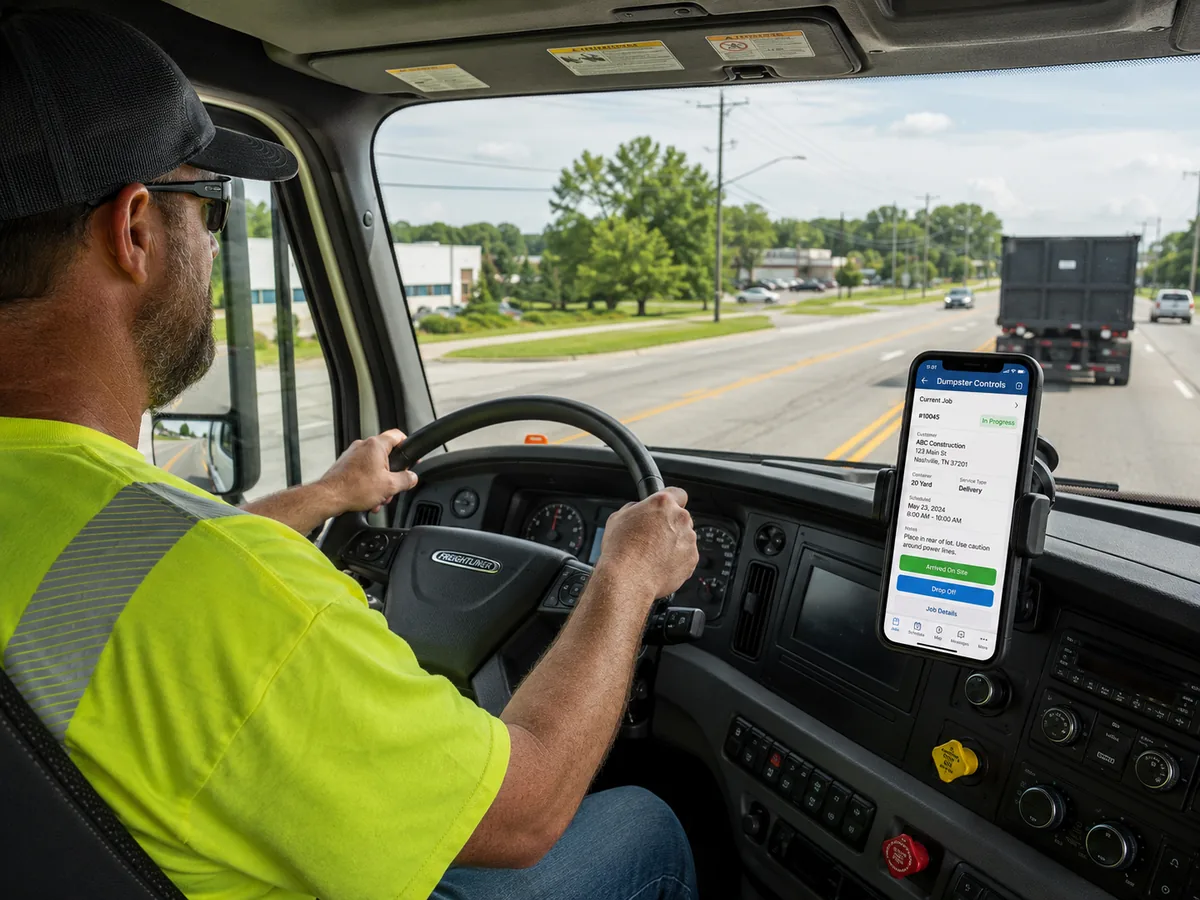
The roll off driver app on the dash mount, one job on screen and the next action at the bottom.
Pickup, landfill run and swap in the roll off truck driver app
A pickup runs like a delivery with one twist: when the can you collected is full, the toast says "Pickup completed. Landfill task prepared." and the landfill run opens by itself, closest landfills first.
| Feature | Required photo | Extra step | What it changes |
|---|---|---|---|
| Delivery | After Delivery | Pick the unit dropped (list, QR scan or label) | Rental clock starts; can bound to the order |
| Pickup | After Pickup | Scanner checks it is the same unit that was delivered | Landfill task created and opened |
| Landfill run | Landfill Receipt | Receipt scan reads net weight and cost; confirm both | Disposal cost lands on the order; truck marked empty |
| Swap | Both of the above | SWAP OUT and SWAP IN as linked tasks on one stop | Full can leaves, fresh can placed, one visit |
The four kinds of stop in the roll-off driver app and what each one asks of the driver.
The Free Forever Promise
Free means free. Forever.
The driver app is free for any fleet size, with unlimited drivers and no per-seat fee, in English, Spanish and Portuguese, on the App Store and Google Play.
$0
Monthly fee
Ever. No surprise charges.
$0
Setup fee
No onboarding cost.
$0
Per-user fee
Unlimited admins, drivers, dispatchers.
$0
Annual contract
Cancel anytime. We never auto-charge.
How we make money: only when you opt in, and the numbers are public. The software is free with unlimited orders and no per-order software fee. If you choose to collect a customer’s card payment through Dumpster Controls, the processing fee is 2.99% + $3.99 per card transaction on the free plan, or 2.99% + $0.30 (the standard Stripe rate) on the optional $169/month lower card rate plan. Take payment by cash, check, Zelle or any other way and you pay nothing at all. Beyond that, our revenue comes from the optional lower card rate plan and from equipment partners and sponsors advertising in the app and on our public directory; our marketplace, the Dumpster Net Hub, charges zero marketplace fees. Run your own business your way and you never pay to use the software. It’s the only model that lets a 1-truck owner-operator run on the same software as a 50-truck fleet.
Truck Tablet Mode: the driver app for a roll off company, on a tablet that belongs to the truck
On a tablet mounted in the cab the app becomes a different layout, built like a navigation head unit. Any Android tablet or iPad works, and there is no hardware to buy from us.
Built for the cab
The day list on the left, the live route map on the right, a rail of large buttons. Every control is at least 48 by 48 pixels and no text is below 14 pixels.
Paired to the truck, not a person
At shift change the next driver taps a face and types a 4 digit PIN. Every stop, photo and shift hour is still attributed to the individual.
Works through the dead zone
The day is cached on the device, every action queues, and the queue replays in order when the signal returns. The sync badge never says synced while something is waiting.
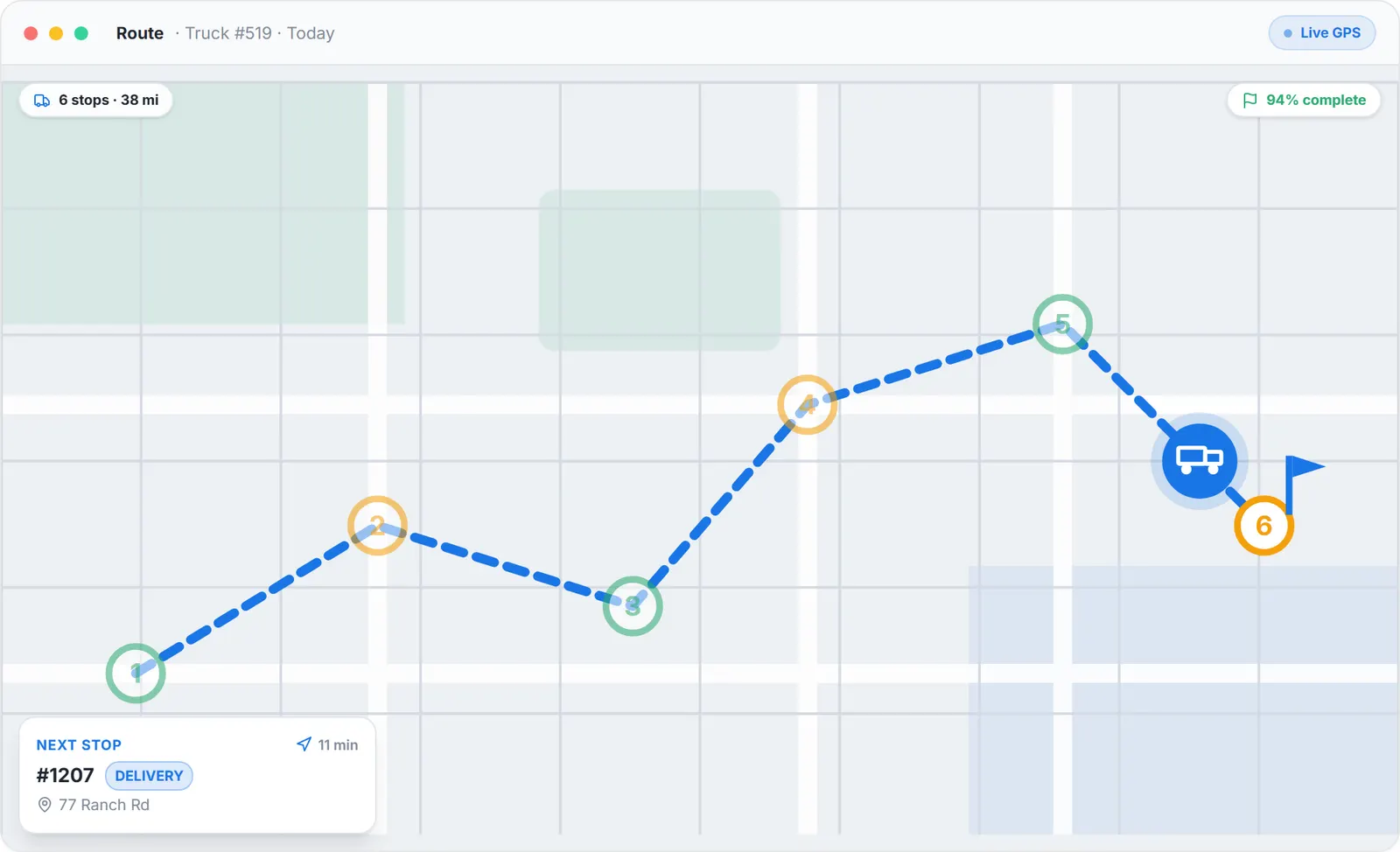
The route panel of the dispatch board, sample data.
What the office sees from the roll off driver app
Every tap in the cab moves a card in the office. Truck position updates about every 30 seconds while a route is running, through the phone, with no GPS hardware.
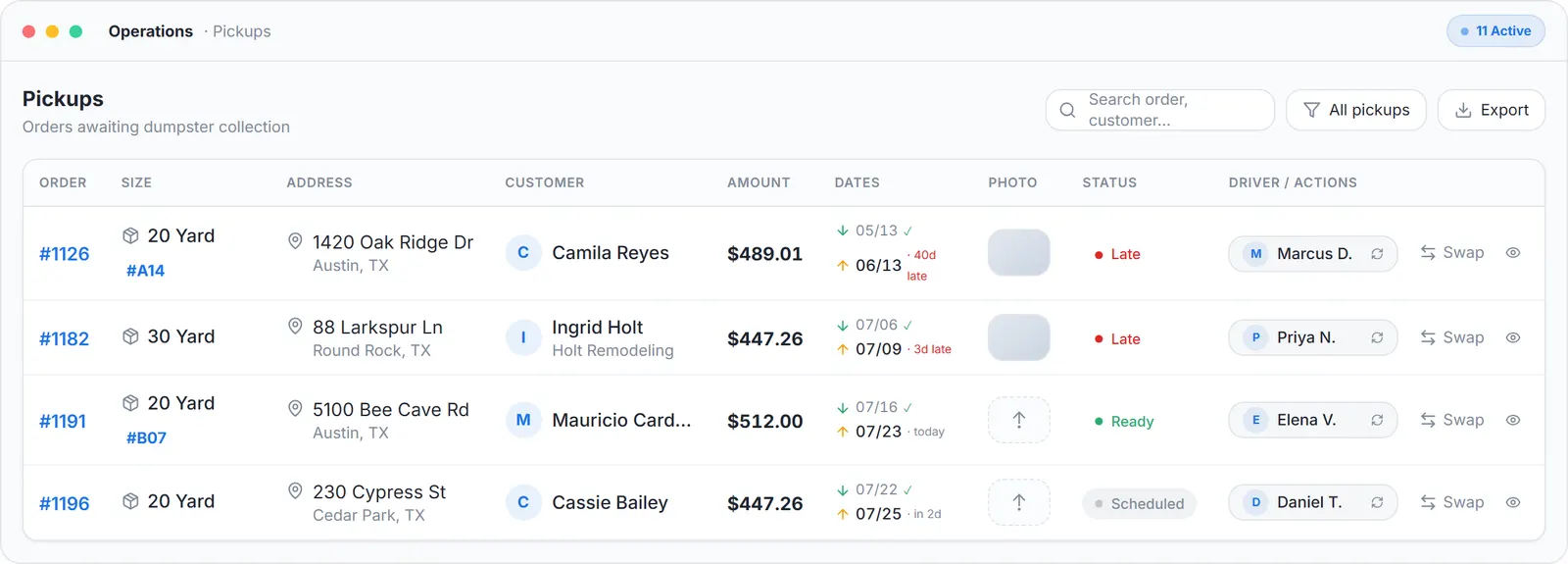
Operations view, sample data.
The rest of the day in the same app
Messages
Chat with the office, on the stop.
Map tab
The day with numbered pins, your position, the yard and nearby landfills with star ratings.
Ask Tresha
The built-in assistant by text or voice. She can complete a stop when you tell her it is done.
Your language
The globe icon switches between English, Spanish and Portuguese.
The board that assigns the stops is at roll-off dumpster software; the cans, from empty to full and back, at roll-off container software; the longer feature-by-feature page, GPS and vendor comparison included, at dumpster driver app.
How the office follows trucks and cans is at dumpster tracking software. The orders come in from dumpster booking software, the whole platform is our free dumpster rental software, and what it costs against every vendor's published price is at dumpster rental software cost.
Keep reading
- How to improve driver support for a waste management company
- How to send proof-of-service photos to customers automatically
- Truck Tablet Mode for roll-off trucks
Roll off driver app: FAQ
Topicsroll off driver app roll off truck driver app driver app for roll off company roll off truck app dump truck driver app truck tablet mode