ROUTE PLANNING, FREE
How to plan efficient routes for a dumpster rental service
A roll-off truck carries one container at a time, so an efficient route is one where the truck arrives at every stop in the right state. The map shows it, the warnings catch it, and AI Routes proposes the shortest order for you to apply.
- Stop order is the route; drag to change it
- Solid line carrying a can, dashed line running empty
- Landfill leg chosen per run from 1,750 US and Canadian sites
- AI Routes: one driver, today, apply or dismiss
Get the Free SoftwareSee features
4.7 on the App Store Available in all 50 US states and Canada
Last updated September 27, 2026 Published by Dumpster Controls, built by a software group led by a founder with 20+ years in enterprise IT who also ran a roll-off business for four years
In Dumpster Controls, a route is the order of one driver's stops on the Dispatch board, drawn on a map that shows whether the truck is carrying a can on each leg. An AI Routes button reorders the remaining stops for the shortest day and waits for you to apply it. It plans stops for roll-off trucks, not residential curbside collection, and it is free for any fleet size.
The hard question in roll-off routing is not the shortest path. It is whether the truck has an empty can on it when it reaches a delivery, or still carries a full one when it reaches a pickup. Every tool below is built around that cycle.
How route planning works in Dumpster Controls
- Build the day by dragging. On the Dispatch board, drag a card from Unassigned Tasks into a driver's lane. The position you drop at becomes the stop's sequence number, and the driver gets a push notification and an SMS with the address.
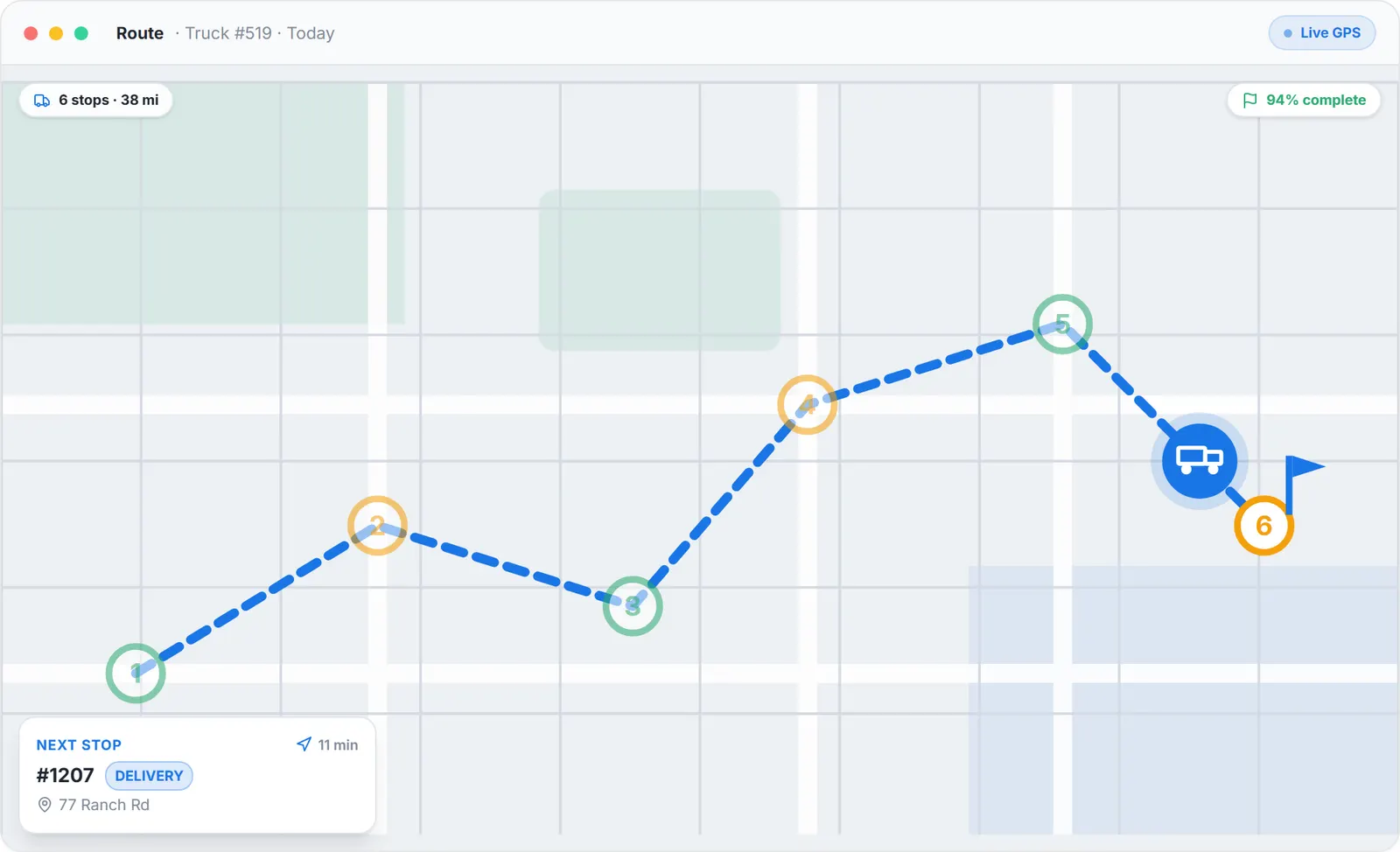
- Open the route map. Click the driver's block and the map panel switches to that route: numbered pins, the estimated day length at drive time plus 10 minutes per stop, a projected finish time and total miles.
- Read color and line. Green legs are deliveries, orange pickups, brown the landfill, blue a special stop. Solid means the truck is carrying a dumpster, dashed means it is driving empty, and an impossible sequence gets a warning such as Truck arrives with no can, stop at HQ for an empty one.
- Set the landfill leg. Landfill runs start as Location TBD. Set landfill opens your active landfills sorted by distance, with hours and a tipping fee estimate; the choice is saved on the order and the driver app points at the same site.
- Ask AI Routes, then decide. The purple AI Routes button reorders that driver's remaining stops for the shortest day, checked against the truck cycle, swaps, stored dumpsters and landfill runs. The preview shows the new order and an estimated saving, and nothing changes until you click Apply order.
- Drive it from the cab. The driver's list is in run order. Truck mode keeps the screen awake, pins a Next task card and hands the stop to Google Maps with one tap on Go. If the driver reorders their own day, the board shows a Reordered by toast.
Every step above is documented screen by screen in the manual: How to suggest a driver route with AI.
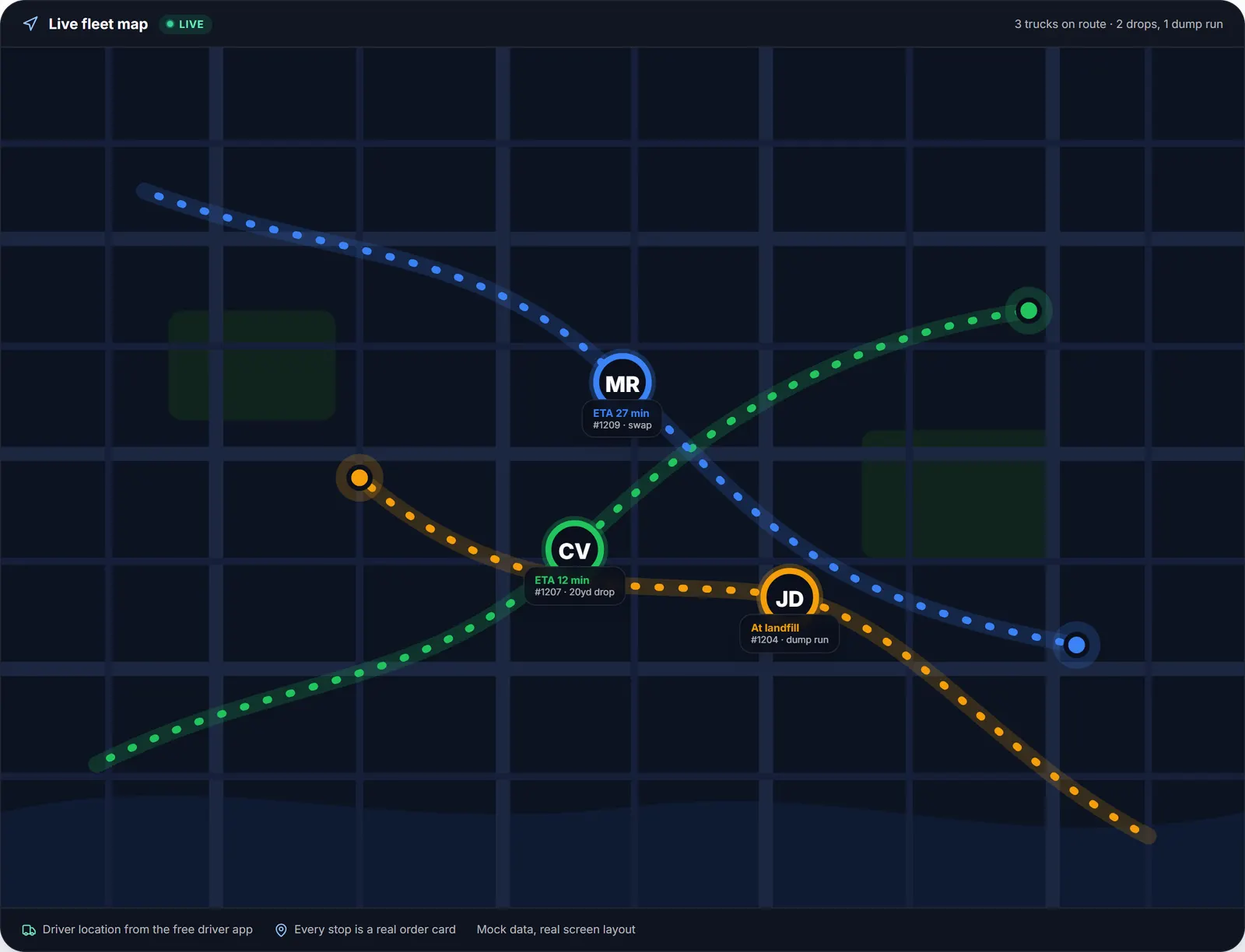
The whole operation while the routes run: three trucks, their ETAs and the dump run, live.
What you need
A free account
With your headquarters address set, since every day starts at the yard.
Drivers on the free app
iOS or Android, or a tablet paired to the company in Truck Tablet Mode.
Your usual landfills starred
So they sort to the top of the picker.
At least two stops on a day
So AI Routes has something to reorder.
Where this fits
The long version of this answer, with the full does and does not table, is at waste management routing software; the dumpster-specific guide is dumpster route optimization, and the board around it is dumpster dispatch software. Per-truck and per-route prices from other vendors are on dumpster rental software cost; here the map, AI Routes and the driver app are on the free plan.
Next guide: how to improve dispatch operations for a waste management company.
How to plan efficient routes for a dumpster rental service: FAQ
Topicsefficient route planning dumpster rental dumpster rental route planning roll-off route planning dumpster route optimization free dumpster rental software