ONLINE BOOKING, FREE
How to handle online bookings for a dumpster rental business
A hosted booking page and a widget for your own site, the total on the screen before the card, and the paid order on your Dispatch board with the customer already told by text and email.
- Booking page live the day you connect Stripe
- Customer pays at checkout; order arrives paid
- Confirmation by SMS and email, at no charge
- Delivery task created in Dispatch automatically
Get the Free SoftwareSee features
4.7 on the App Store Available in all 50 US states and Canada
Last updated September 27, 2026 Published by Dumpster Controls, built by a software group led by a founder with 20+ years in enterprise IT who also ran a roll-off business for four years
In Dumpster Controls, online bookings come in through a hosted booking page and a widget you embed on your own site. The customer picks a size, dates and a debris type, sees the total, pays by card, and the order lands on your Dispatch board as an unassigned delivery with a confirmation already sent by text and email. The software is free for any fleet size; the only cost on the free plan is card processing when the customer pays online.
It works without a callback because the booking page reads your own inventory and prices. There is no quote form to answer at 9 pm: what the customer typed is the order the driver reads at the curb.
How online bookings work in Dumpster Controls
- Register your sizes and prices. In Inventory, Add Dumpster opens a wizard: the yardage, how many of that size you own, a photo, the base rate and the duration tiers, then weight limits and fees. The count you enter controls availability; a size with zero units cannot be booked.
- Connect Stripe and switch booking to LIVE. In Booking Page, the Online Booking switch turns your page on once you have an approved Stripe payout account. The hero card shows your Booking URL to share, and the section below it gives you the widget code for your own website.
- Set where and when you deliver. The Delivery Coverage tab takes your headquarters address, a maximum distance in miles and a charge per extra mile. Weekly Schedule marks the days you are off, and Holidays and Blackout Dates blocks US federal or Canadian holidays and up to 60 custom dates.
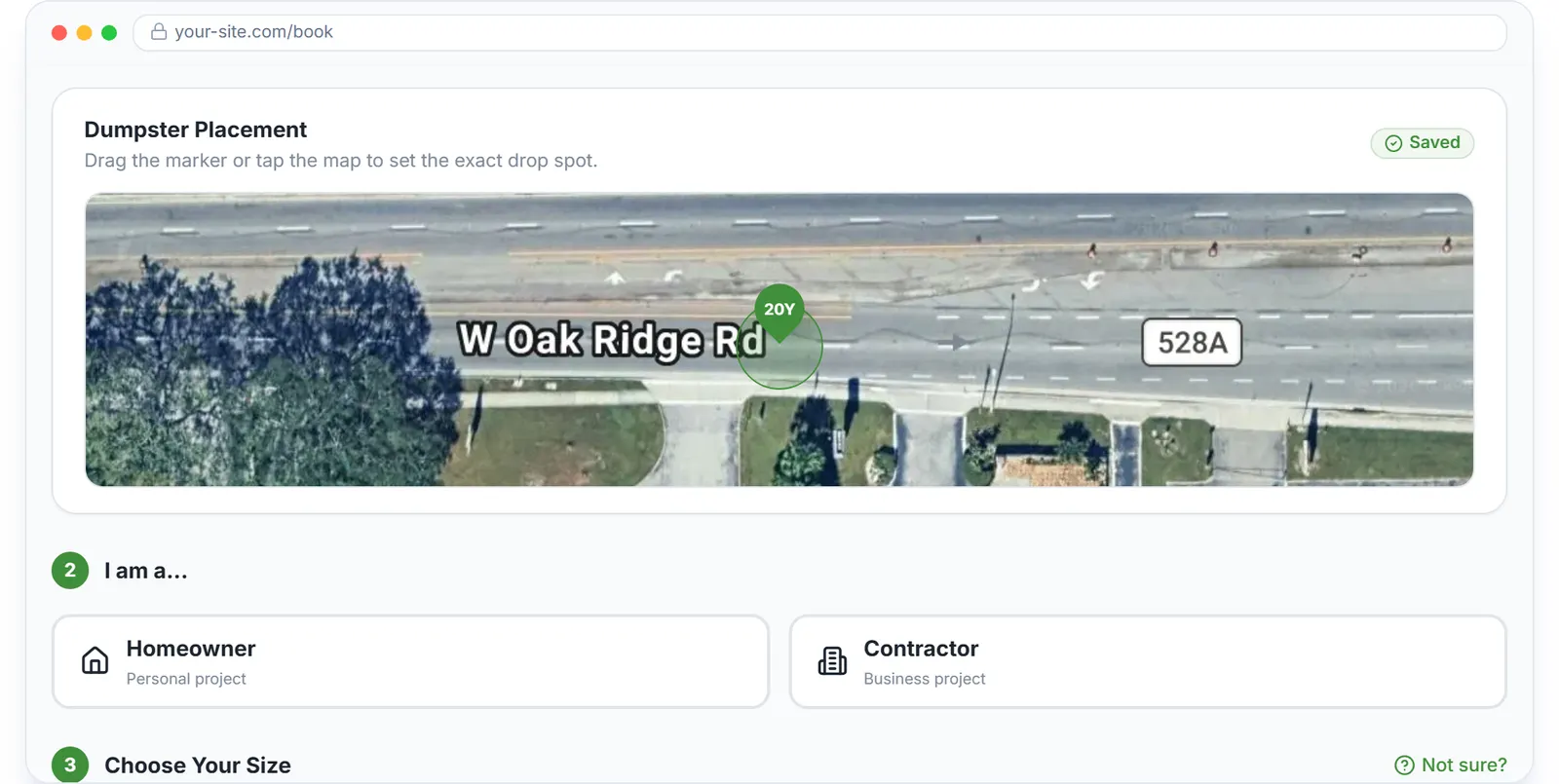
- The customer books and pays. They enter a ZIP and address, drop a pin on a satellite map, choose Homeowner or Contractor, a size, dates and a debris type. At checkout they accept your rental agreement and pay by card.
- The order lands in your operation. Admins get an email and an SMS starting with New online order; the customer gets a confirmation with the order number, dates, address and total. The order appears in Operations with a paid invoice, and a delivery task waits in the Dispatch pool.
- Assign it like any other delivery. Drag the task into a driver's lane or tap Assign. The driver receives a push notification and an SMS with the address, and the placement note and map pin from the booking are on the task.
Every step above is documented screen by screen in the manual: How to handle a new online order.
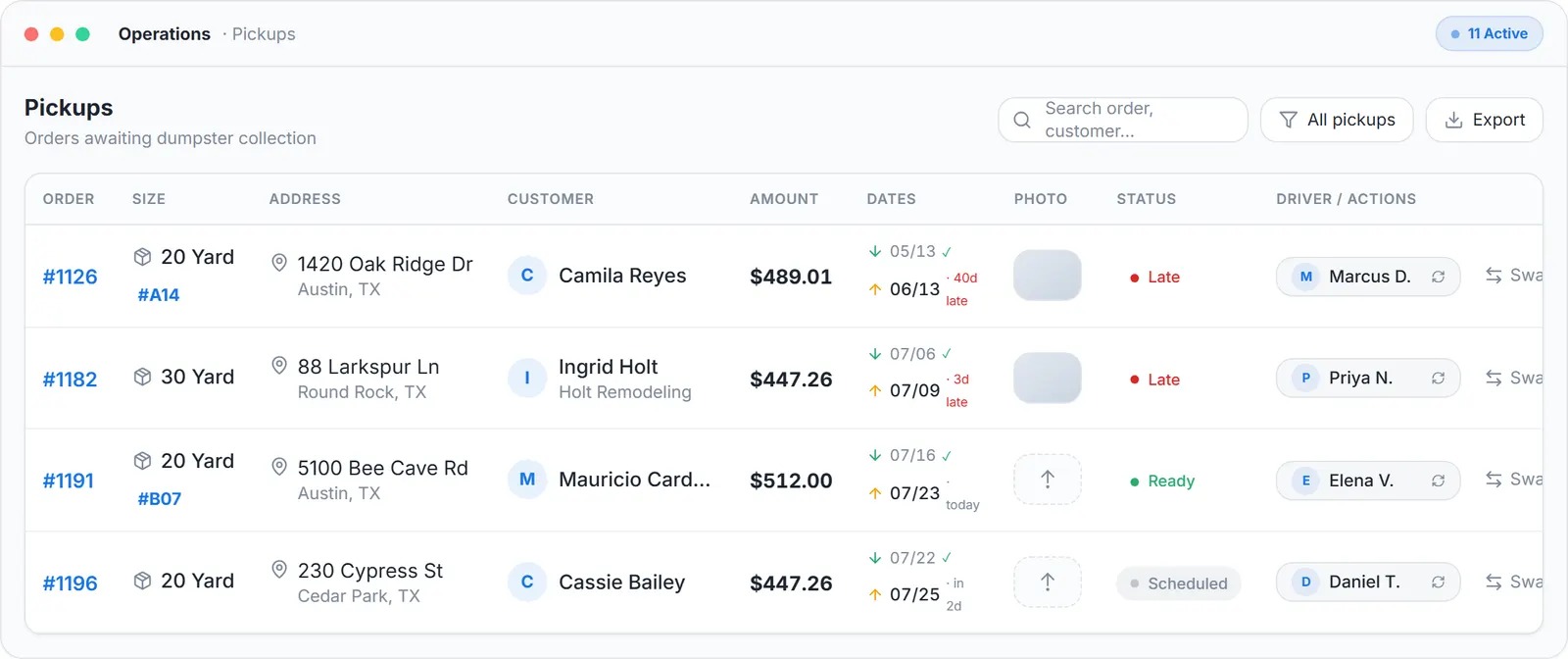
Where the online booking ends up: a row in Operations with its dates, its paid amount and a driver to assign.
What you need
A free account
No card required to sign up.
At least one size with a count above zero
The count controls what can be booked.
An approved Stripe payout account
That is what turns the LIVE switch on.
Your service radius and days off
Plus, optionally, your own website for the embedded widget.
Where this fits
This page answers the booking question only. The full description of the booking page, the widget, promo codes, the rental agreement and the fraud screening is at dumpster booking software; the customer-facing side after the booking is at dumpster rental services software. What booking software costs elsewhere per month is on dumpster rental software cost, and our own numbers are on the pricing page.
Next guide: how to streamline customer bookings for a dumpster rental business.
How to handle online bookings for a dumpster rental business: FAQ
Topicsonline bookings dumpster rental dumpster rental booking platform dumpster booking page book a dumpster online free dumpster rental software