JUNK REMOVAL CRM, FREE FOR ANY FLEET SIZE
Junk removal CRM that brings the customer back
The CRM for a junk removal business: one record per customer with every job and dumpster order, the photos, the invoices and what they were worth, the chat from your booking page in Messages, and the texts that go out on their own. The screen on this page is the real one, with sample data.
- Every junk job and dumpster order on one customer record, with the lifetime value
- Booking-page chat lands in Messages; your reply shows live on the customer's screen
- Confirmation, on the way, delivered and picked up texts and emails, sent on their own
- Import from CSV or QuickBooks Online, matched by email, no duplicates
4.7 on the App Store Available in all 50 US states and Canada
Last updated September 27, 2026 Published by Dumpster Controls, built by a software group led by a founder with 20+ years in enterprise IT who also ran a roll-off business for four years
A junk removal CRM is the record a junk removal business keeps for every customer: contact, type, every job and dumpster order, the photos, the invoices, the notes and what they were worth. In Dumpster Controls it is the Customers page, with the Messages inbox next to it: the chat a visitor opens on your booking page lands there, your reply shows live on their screen, and the confirmation, on the way, delivered and picked up texts go out from the job on their own. It is free for any fleet size, and the screen at the top of this page is the real one, with sample data.
The customer who booked a garage cleanout in March calls back in August. Winning the second job in thirty seconds depends on four answers: what did we charge her, what did the garage look like, did she pay on time, and who was the crew. The record answers that from one screen, shared with the dumpster side of the business.
This page covers the customer record. Quoting, the crew app and dispatch for junk work are at software for junk removal, the phone side is at junk removal app, and the whole platform is at dumpster rental software.
What you get on day one
- One row per customer with type, phone, Lifetime Value, order count and status
- Profile drawer with six tabs: Overview, Details, Orders, Invoices, Estimates, Activity
- Residential, contractor and broker profiles, each with its own fields
- Automatic SMS and email on every status change, unlimited
- Per-customer switch for transactional notifications
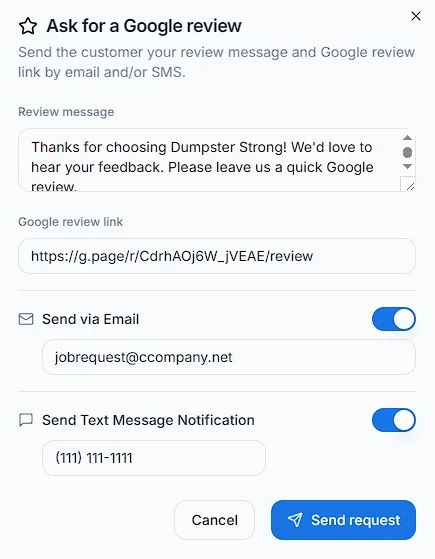
- Google review request by email, SMS or both, from any completed job
- Consolidate unpaid invoices into one Super Invoice with one payment link
- CSV importer and one-click QuickBooks Online customer import
Counted in our production database on October 1, 2026. Updated monthly.
400+
Companies on Dumpster Controls
1,800+
End customers on record
540+
Users with a login
35 states + Canada
Where it runs
What one junk removal CRM record holds
The Customers page opens with four cards, Total Customers, Active Rentals, Revenue This Month and Contractors, and a table with one row per person or company. Clicking a row opens the profile drawer with six tabs.
Overview
Lifetime Value, Total Orders, Member Since and Type, then the contact block, the notifications switch and Notes.
Details
The fields the customer type carries: gate code and property type for a homeowner, license, EIN and net terms for a contractor.
Orders
Every job with Contracted, Expenses and P&L, so the tab that shows the history shows whether the customer is profitable.
Invoices
Each invoice with its status and payment link; two or more unpaid ones can be merged into a Super Invoice.
Estimates
Accepted, pending and canceled quotes, with a pulsing new badge when a customer accepts one.
Activity
A timeline pulled from all of that customer's orders, newest first, which is how you reconstruct what happened without opening each job.
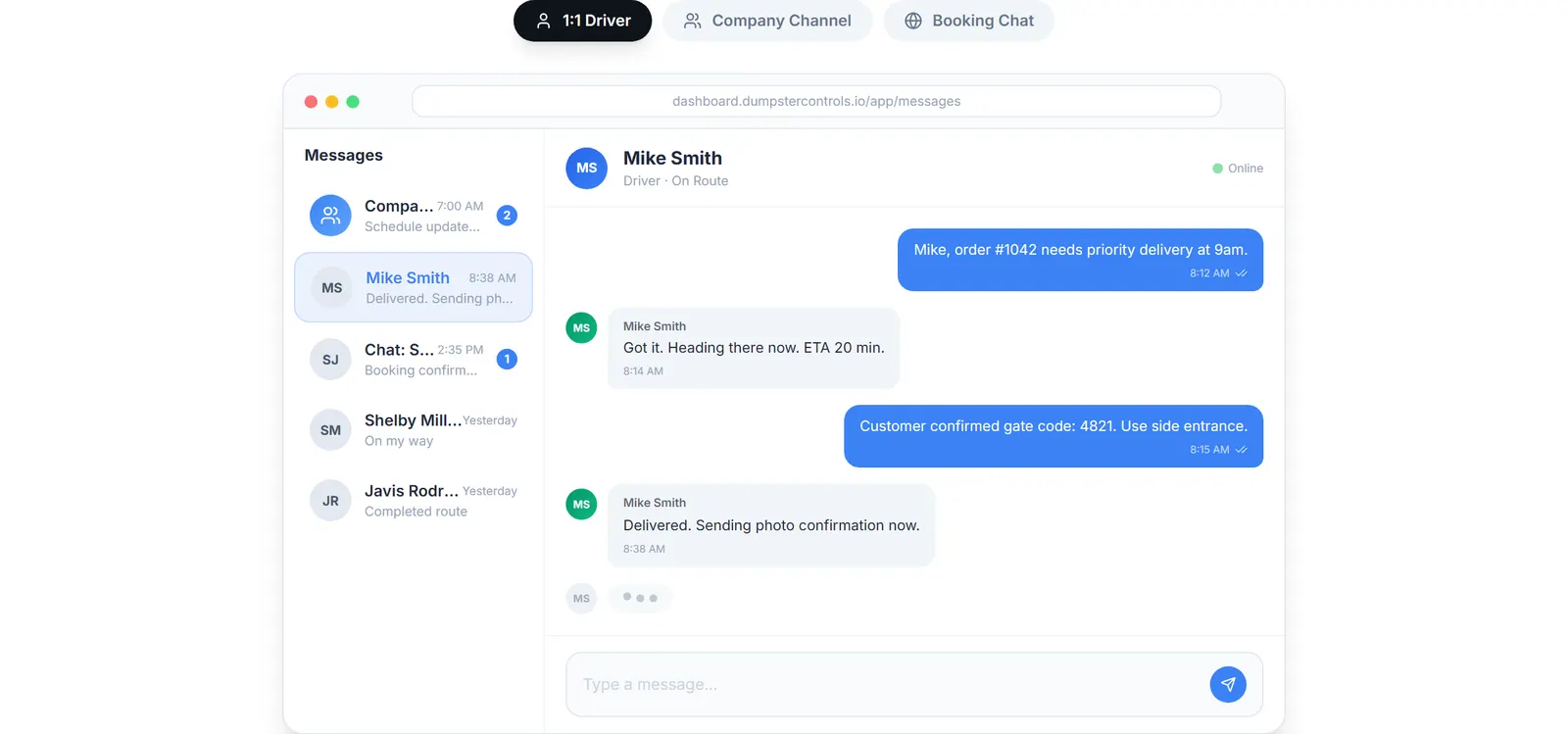
The real Messages screen: team chat, driver chats and booking-page customer chat, sample data.
Junk removal customer management: three profile types
Three profile types, chosen at creation, decide which fields the record carries. A homeowner does not need net terms, and a broker does not need a gate code.
| Feature | Who it is for | What the profile carries | Free plan |
|---|---|---|---|
| Residential | Homeowners and property residents | Property type, gate code, preferred contact (call, text, email), payment preference, HOA and tax exempt switches | |
| Contractor | Construction companies and trades | Company name, license number, EIN, billing email, AP contact, net terms, credit limit, PO required, risk rating, W9 and insurance uploads | |
| Broker | Intermediaries managing several projects | Broker license number, commission %, default markup %, payment terms up to Net 60, broker agreement upload |
The three customer types and what each profile stores. All on the free plan.
The Free Forever Promise
Free means free. Forever.
The CRM, the crew app, the dispatch board and unlimited SMS and email are all on the free plan, with no contact limit and no per-user fee.
$0
Monthly fee
Ever. No surprise charges.
$0
Setup fee
No onboarding cost.
$0
Per-user fee
Unlimited admins, drivers, dispatchers.
$0
Annual contract
Cancel anytime. We never auto-charge.
How we make money: only when you opt in, and the numbers are public. The software is free with unlimited orders and no per-order software fee. If you choose to collect a customer’s card payment through Dumpster Controls, the processing fee is 2.99% + $3.99 per card transaction on the free plan, or 2.99% + $0.30 (the standard Stripe rate) on the optional $169/month lower card rate plan. Take payment by cash, check, Zelle or any other way and you pay nothing at all. Beyond that, our revenue comes from the optional lower card rate plan and from equipment partners and sponsors advertising in the app and on our public directory; our marketplace, the Dumpster Net Hub, charges zero marketplace fees. Run your own business your way and you never pay to use the software. It’s the only model that lets a 1-truck owner-operator run on the same software as a 50-truck fleet.
CRM for a junk removal business: where new customers come from
A new customer arrives from three doors, and all three write into the same record. None of them needs a second tool.
Your booking page
Visitors on your booking page can open a chat, and the office answers from inside the app. The page itself is the dumpster booking software, embedded on your website.
Your website forms
Forms on your website and funnels in tools like GoHighLevel push leads in through the public REST API (POST /v1/leads), which fires a lead.created webhook you can route anywhere.
Your existing books
The CSV importer ships a template, validates every row and reports Imported, Duplicates and Failed. With QuickBooks Online connected, Import from QuickBooks brings in active customers in one click, matched by email.
Running either import twice only picks up what is new. A row whose email already belongs to a customer is skipped, never overwritten.
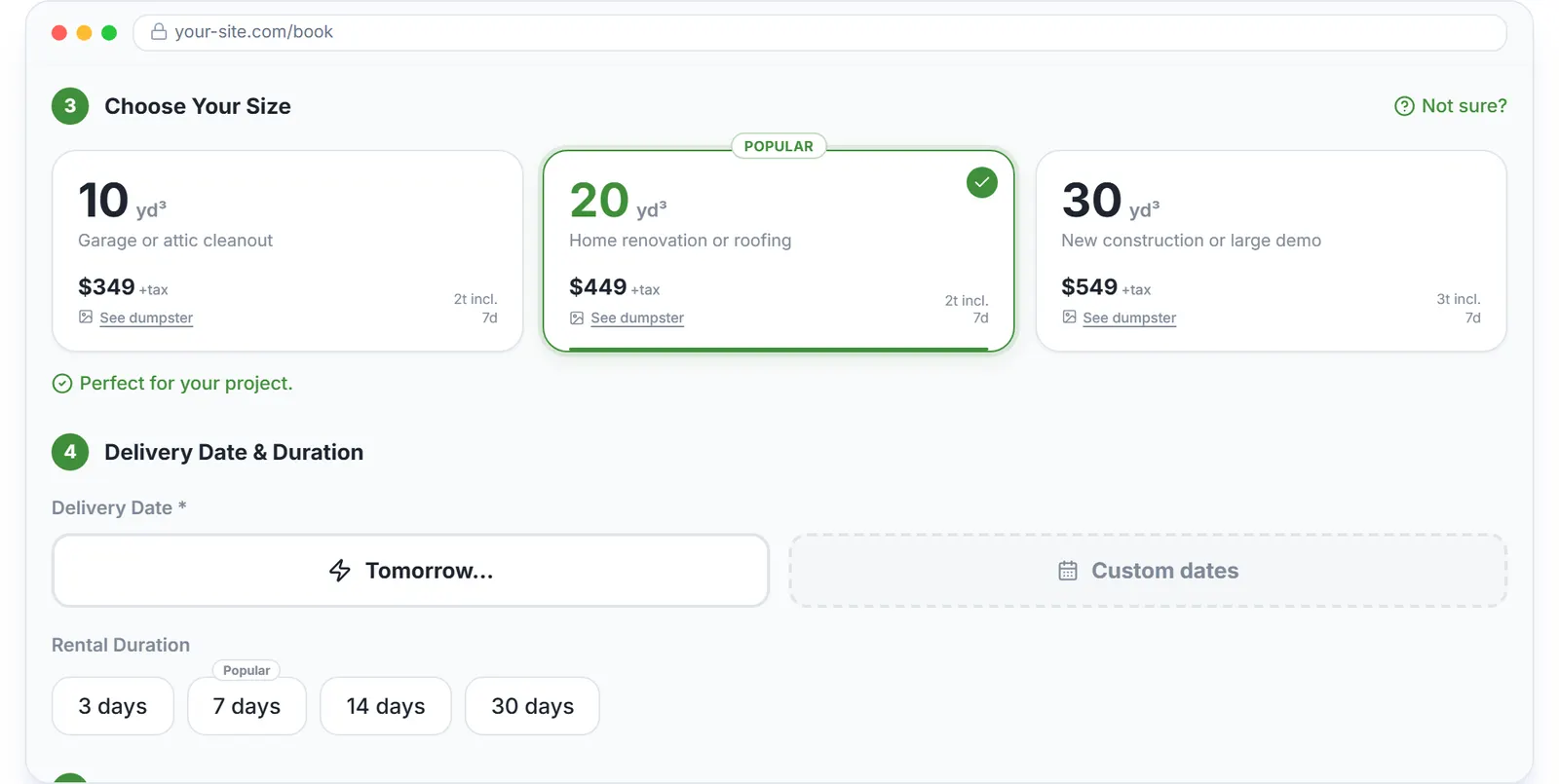
The booking widget on a company website: the customer who books here is the customer on the record.
Repeat customers and the money they owe
A row with two or more unpaid invoices shows an amber Consolidate pill. Expanding it lists the customer's orders with a checkbox on each unpaid invoice, and Consolidate into Super Invoice merges them into one payment link.
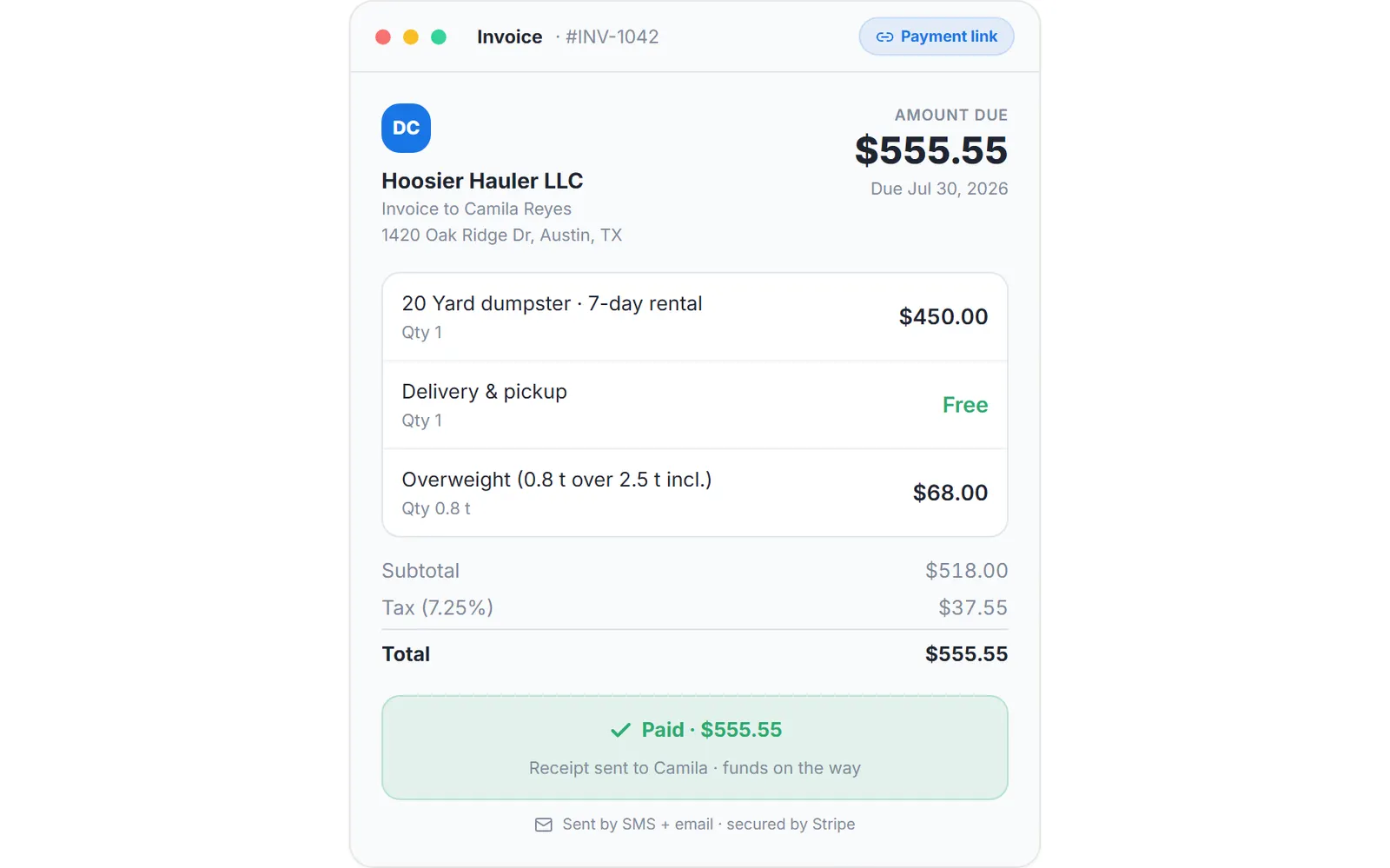
An invoice with its payment link. The billing side of the record is the same dumpster invoicing software the roll-off orders use.
Invoices, payment links and reminders are covered on dumpster invoicing software, and why the sync into the ledger runs one way is on dumpster rental software with QuickBooks integration. What the rest of the market charges for a CRM seat is on dumpster rental software cost, and the crew side of the same record is on dumpster driver app.
Keep reading
- Software for customer management in a junk removal business
- How to manage customer relationships in junk removal
- How to get paid faster as a junk removal company
Junk removal CRM: FAQ
Topicsjunk removal crm crm for junk removal businessjunk removal customer management junk removal customer database crm for junk haulersfree junk removal software