Operations Updated 2026-09-27 10 min read
Dumpster Dispatch Software: How to Dispatch in Seconds
DC
Dumpster Controls Team
Editorial team, reviewed against the shipped product
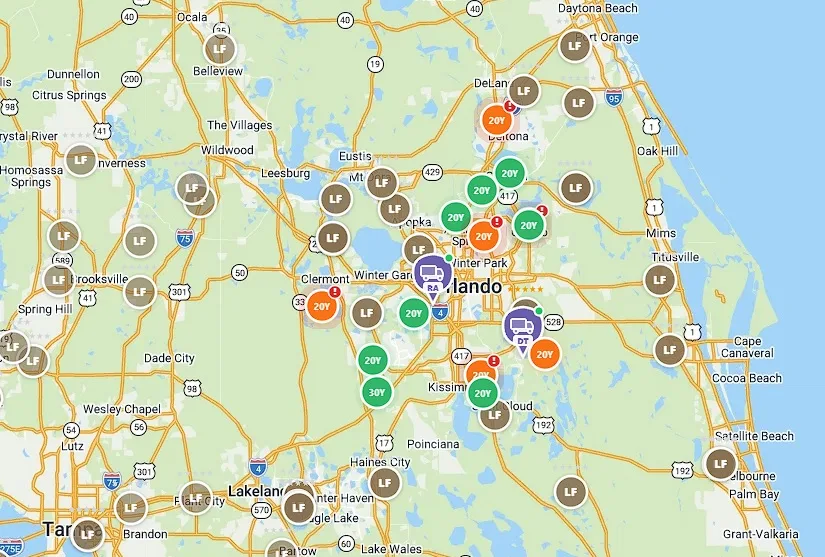
Stop calling drivers. Start dispatching in seconds. That is the whole promise of dumpster dispatch software, and it is the biggest operational upgrade most hauling companies make.
If you still run dispatch on a whiteboard, a group chat or a chain of phone calls, every late order and every changed address is another call. This guide covers how the software works, what to look for, and how to roll it out without losing a driver. It is one module of the full platform described in dumpster rental software.
The Free Forever Promise
Free means free. Forever.
Among vendors that publish a price, the cheapest plan with routing is $99 a month (iCANS) and DRS labels its $79.95 tier NO ROUTING. Dumpster Controls includes the dispatch board, live map, AI routes and driver app free, with unlimited orders.
$0
Monthly fee
Ever. No surprise charges.
$0
Setup fee
No onboarding cost.
$0
Per-user fee
Unlimited admins, drivers, dispatchers.
$0
Annual contract
Cancel anytime. We never auto-charge.
How we make money: only when you opt in, and the numbers are public. The software is free with unlimited orders and no per-order software fee. If you choose to collect a customer’s card payment through Dumpster Controls, the processing fee is 2.99% + $3.99 per card transaction on the free plan, or 2.99% + $0.30 (the standard Stripe rate) on the optional $169/month Unlimited plan. Take payment by cash, check, Zelle or any other way and you pay nothing at all. Beyond that, our revenue comes from the optional Unlimited plan and from equipment partners and sponsors advertising in the app and on our public directory; our marketplace, the Dumpster Net Hub, charges zero marketplace fees. Run your own business your way and you never pay to use the software. It’s the only model that lets a 1-truck owner-operator run on the same software as a 50-truck fleet.
What is dumpster dispatch software?
It is the screen that replaces the phone for assigning deliveries, pickups, swaps and landfill runs. It shows every job that needs doing today, every driver and truck available, and lets the dispatcher assign work with a drag instead of a call.
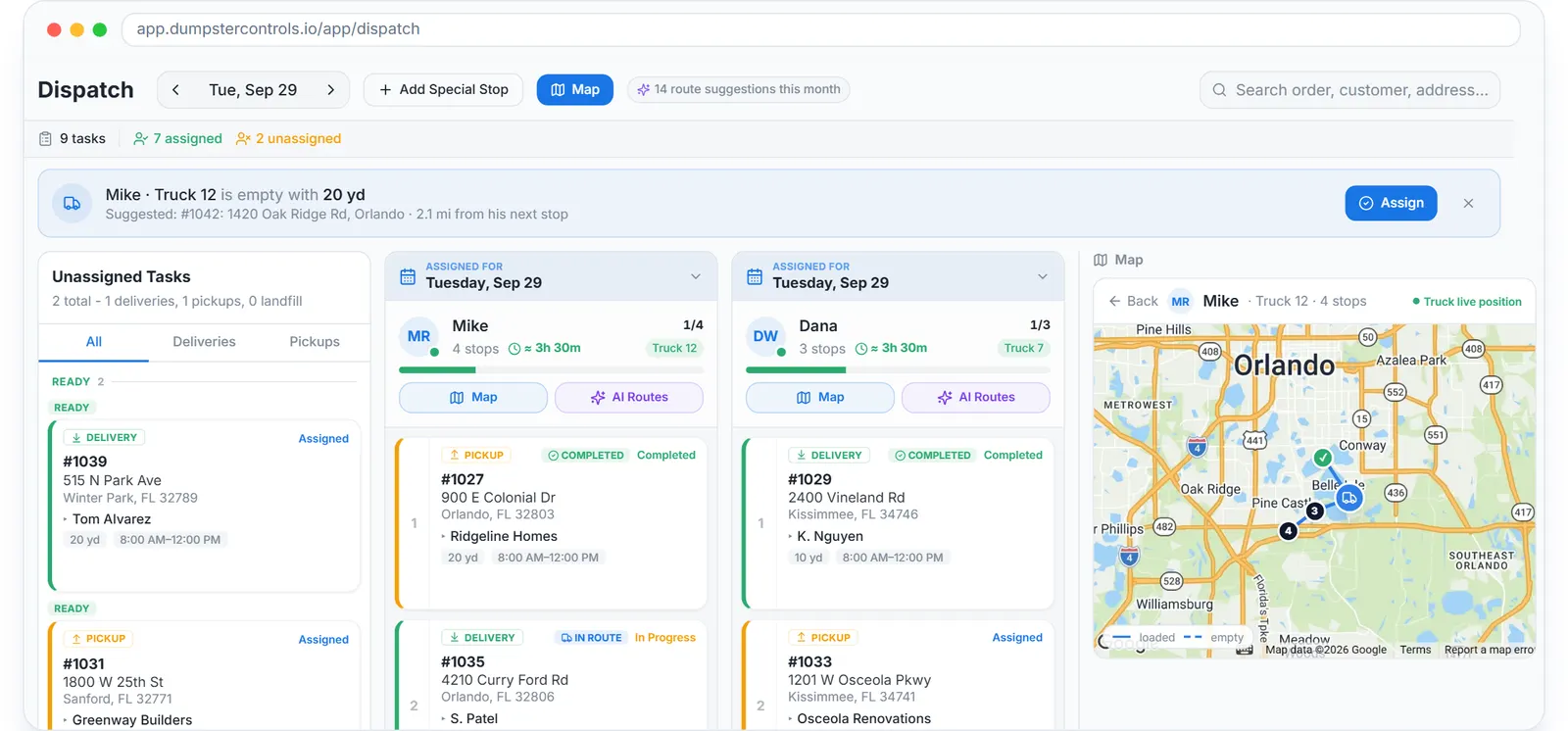
The real dispatch board, drag a card to assign, sample data.
The downstream effect is what matters. The driver gets the address, the size and the notes on the phone, the customer gets a text when the truck is on the way, and the office watches progress without asking anyone.
The cost of phone-based dispatch
Phone dispatch has a loop hidden inside it. The dispatcher calls the driver, the driver is backing into a driveway and does not answer, the dispatcher calls again, then the customer calls asking where the truck is.
None of those calls move a container. They carry information that a board and a driver app already show on both screens. That is the time you get back, and it is the same on a 2-truck fleet or a 12-truck one.
How dumpster dispatch software runs the morning
The dispatcher opens one browser tab and sees the whole day.
Today's tasks
Every delivery, pickup, swap and landfill run, as cards in a pool or in a driver's lane.
Every truck on the map
Live GPS, with a badge that says whether the truck is loaded or empty.
Stop order per driver
The route of the day, color-coded by status, reorderable by drag.
Unassigned pool
New online bookings land here, already paid, waiting for a lane.
Messages
Driver chats, the company channel and booking-page customer chats in one place; customer SMS and email go out automatically from the order.
Alerts
Late pickups, unpaid orders and drivers who have not started.
A job that arrives mid-morning is dropped onto a lane. The driver's phone buzzes, the customer gets a confirmation, and the dispatcher never dials.
The dispatch board: anatomy of a good one
One lane per driver
Each driver has a vertical lane with the day's stops in order. Cards are colored by type (delivery, pickup, swap, landfill) and by status.
Drag to reassign
Driver A is running late? Drag the card to Driver B. The app on B's phone updates in seconds.
One-click assign
For a new order the board offers the nearest free driver. Accept it or pick another.
The map beside the board
A live map alongside the lanes shows every truck, so you know Driver C is stuck on I-95 without calling.
Quick-add for the phone that still rings
A contractor calls for a same-day container. Create the order, drop it on a lane and send the confirmation in under a minute.
Dumpster driver app: the other half of dispatch
The board only matters if the driver receives the work and completes it with proof. That takes a native app, not a mobile website.
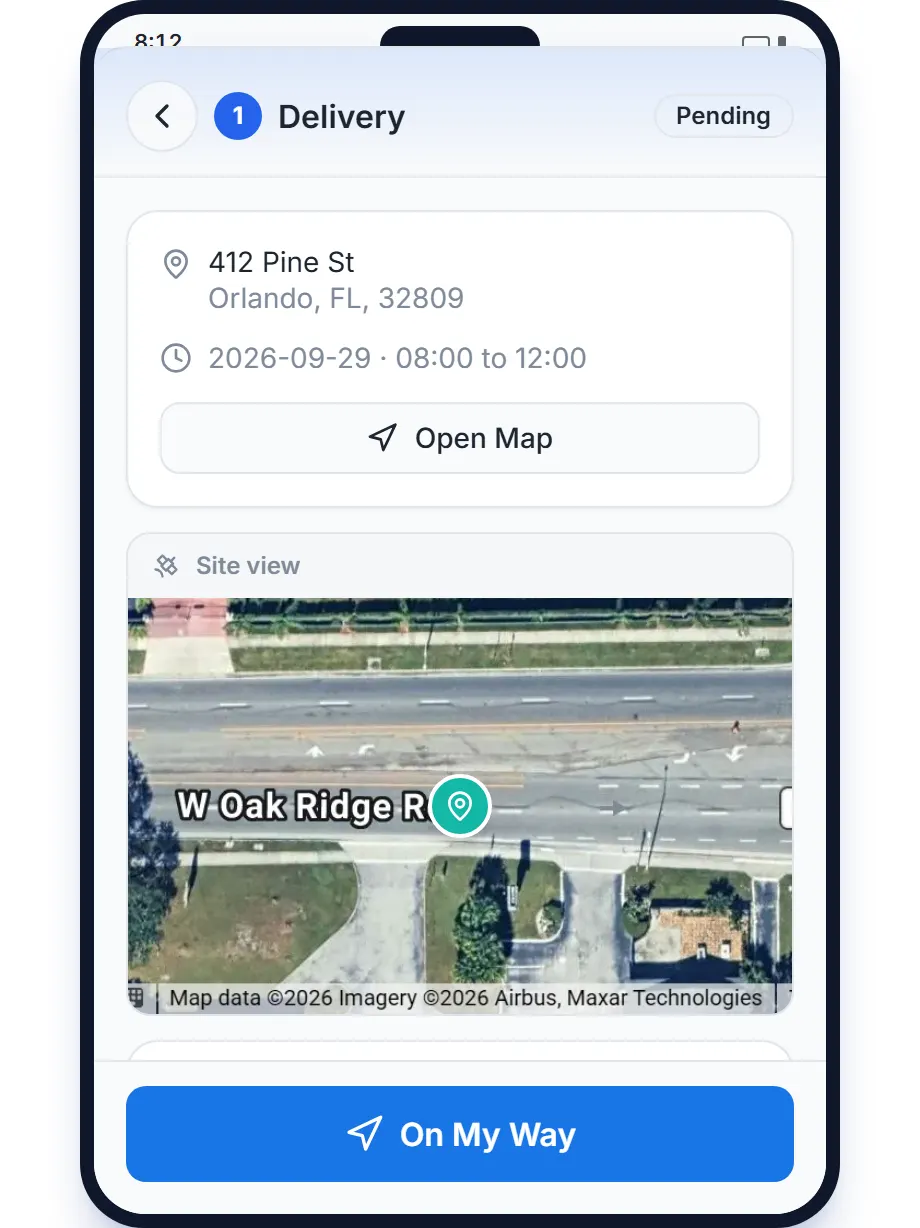
The real driver app, iOS and Android, sample data.
- The day's stops in order, with one-tap navigation in truck mode.
- New assignments pushed to the phone the moment they are dropped.
- Photo proof at delivery and pickup, GPS and time stamped.
- Landfill receipt scan that reads the weight and cost off the ticket.
- A swap handled as one stop: drop the empty, take the full.
- Messages to dispatch and teammates without leaving the app.
The full page is dumpster driver app. For a tablet mounted in the cab, read about Truck Tablet Mode.
Route optimization for roll-off trucks
Roll-off routing is harder than package delivery because the truck carries one container at a time. A delivery needs an empty truck, a pickup fills it, and a landfill run empties it again.
AI Routes on the Dumpster Controls board reorders a driver's remaining stops for the shortest day, checked against that cycle, including swaps and stored dumpsters. It shows the assumption it made about the truck, and nothing changes until you click Apply. More at dumpster route optimization.
Live tracking the office and the customer both use
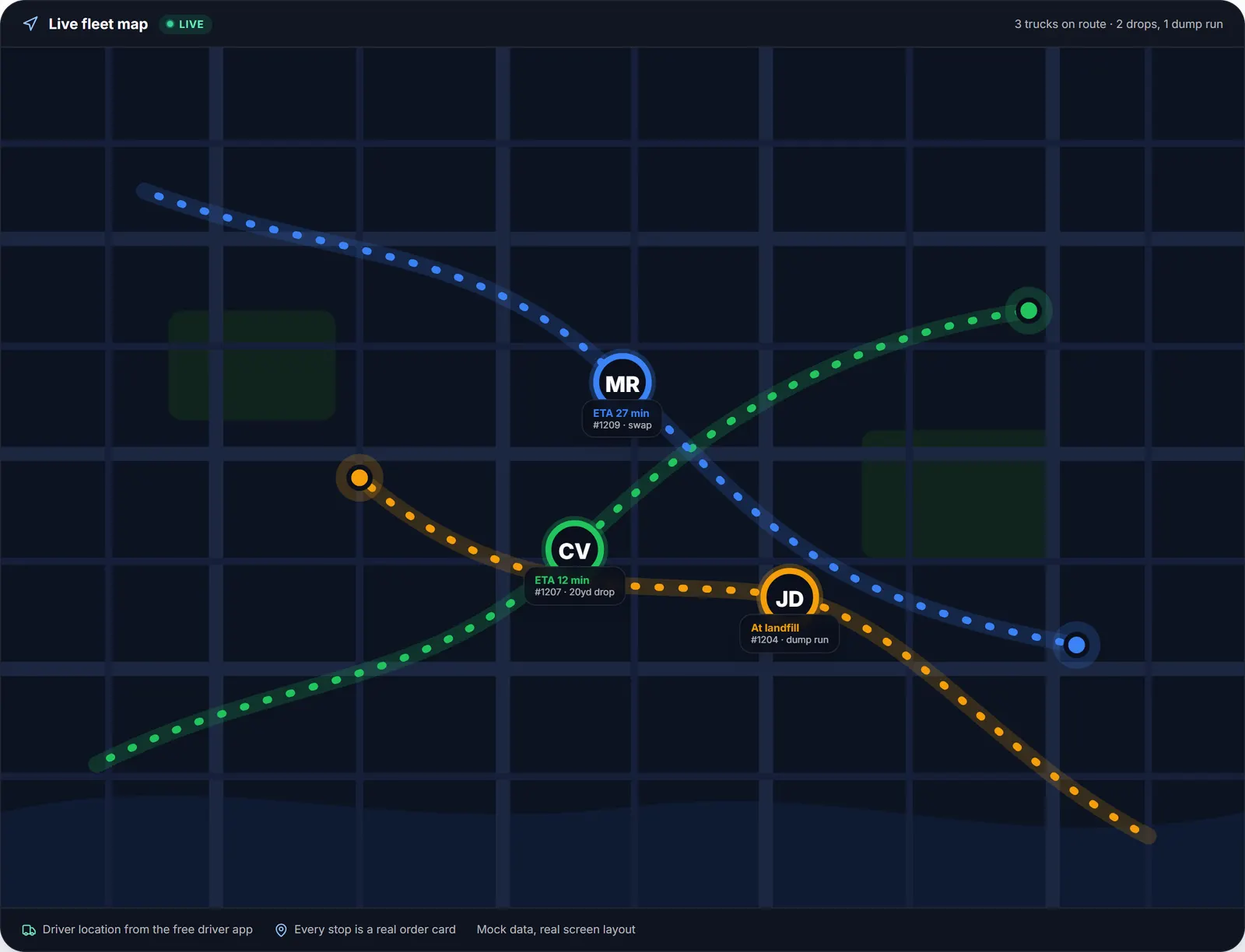
The live dispatch map for one driver, sample data.
The map shows each truck and whether it is carrying a loaded can, an empty one or nothing. That is the difference between guessing who can take the next delivery and knowing.
Customers get a text or email when the driver is on the way and when the container is placed, with the photo. On Dumpster Controls those messages are unlimited and free; there are no message packs.
AI dispatch suggestions: what is real
Every vendor claims AI dispatch in 2026. Here is what actually runs on the Dumpster Controls board today.
- AI Routes: a proposed stop order for a driver, with the truck premise stated, applied only on your click.
- Delivery suggestions: the board proposes a driver for a new delivery, and you accept or override.
- Tresha: completes deliveries, pickups and landfill runs, and creates orders, from chat or voice, behind a confirmation card.
What that looks like in practice is in the AI that completes your orders.
Roll-off and junk removal on one board
Many haulers run both. Two boards means double-bookings and two revenue reports.
Dumpster Controls puts junk removal jobs on the same board as roll-off tasks, so a crew can take both in one route and the owner reads one dashboard.
What the whole stack costs, vendor by vendor: dumpster rental software cost.
Roll out dispatch software without driver pushback
Driver pushback is the most common reason a rollout fails, and the most preventable. Involve drivers from day one.
- Pick one or two driver champions and let them test the app first.
- Hold a 30-minute session with hands-on practice deliveries.
- Run parallel for one full day so drivers can check the new system against reality.
- Cut over with the dispatcher available to answer questions.
- Ask the drivers after week one and fix every friction point.
Dispatch KPIs to track from day one
- Stops per truck per day: the cleanest measure of dispatch productivity.
- Drive time between stops: route quality.
- Same-day add-ons completed: agility.
- Late pickups: the number the dashboard alerts on.
- Exceptions: stops that did not complete cleanly.
Common dispatch software mistakes
- Buying dispatch as a standalone tool. You end up gluing it to four other systems.
- Skipping the driver app demo. If the app is bad, drivers work around it.
- Not training the dispatcher. Great software with an untrained dispatcher is a slower whiteboard.
- Ignoring offline behavior. Landfills sit in dead zones. Test it.
- Forgetting customer notifications. Half the value of dispatch software is fewer inbound calls.
Frequently asked questions
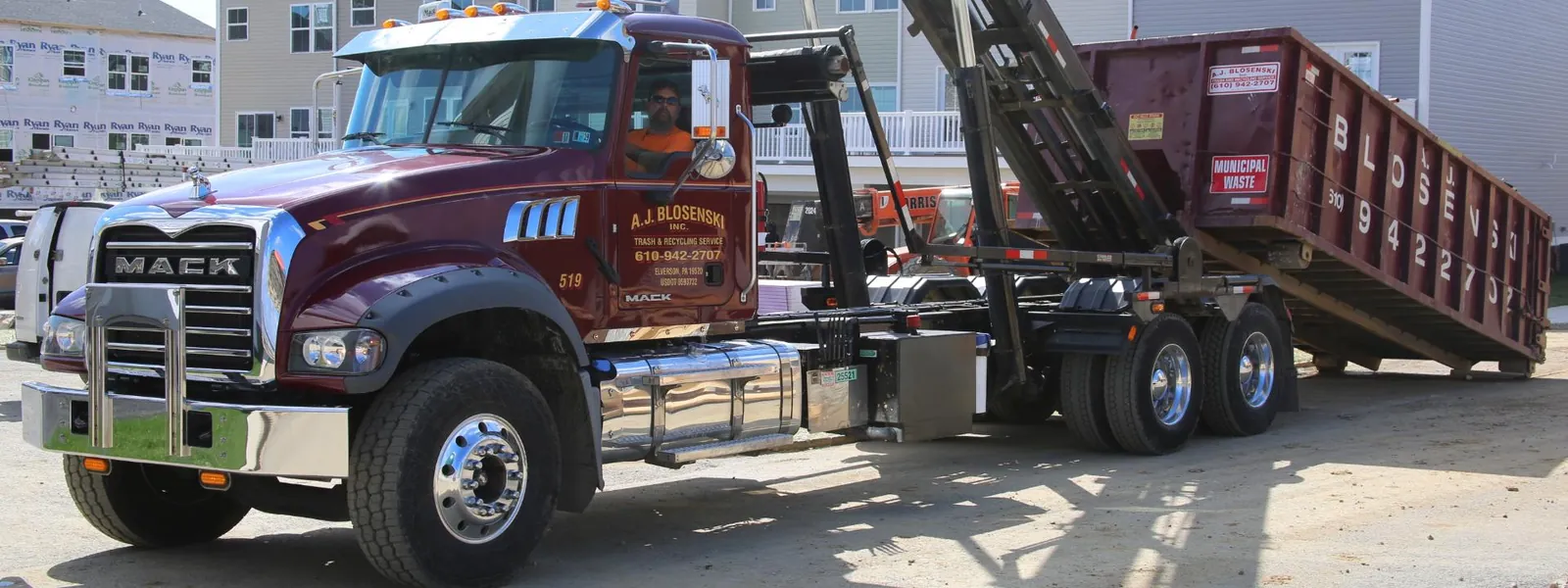
A.J. Blosenski Inc. dispatching a residential delivery in Pennsylvania. Photo courtesy of A.J. Blosenski Inc. , Elverson, PA 610-942-2707Used with permission.
Explore the platform
- Dumpster Rental Software: the complete platform overview
- Software for Dumpster Companies: built for roll-off haulers
- Dispatch Software: drag-and-drop dispatch board
- Booking Software: online booking widget
- Driver App: free iOS & Android
- Free Plan: Free, no credit card
- Help Center: 397 step-by-step guides to every module
← PreviousHow to Start a Dumpster Rental Business in 2026Next → Dumpster Rental Pricing Guide: How to Price for Profit