SOFTWARE TO RUN A DUMPSTER BUSINESS, FREE
Dumpster business software that shows what your trucks earned
Software to run a dumpster business from the owner's chair: net profit, margin on every order after card fees, landfill and fuel, who still owes you and what the bank says, on top of the same orders your trucks run. Free for any fleet size, USA and Canada.
- Profit and margin per order, after card fees, landfill and fuel
- Received, invoiced, unpaid and expenses against last period
- Bank and credit card matching, so profit is real money
- One-way sync to QuickBooks Online for your accountant
Get the Free SoftwareSee features
4.7 on the App Store Available in all 50 US states and Canada
Last updated September 27, 2026 Published by Dumpster Controls, built by a software group led by a founder with 20+ years in enterprise IT who also ran a roll-off business for four years
Dumpster business software is the software to run a dumpster business from the money side: what came in, what is still owed and by whom, what each order made after card fees, landfill and fuel, and whether this month beat the last one, computed on the same orders the dispatch board runs. Dumpster Controls includes it free for any fleet size, with no finance tier; the only cost on the free plan is card processing when a customer pays by card. The screen at the top of this page is the real one, running on sample data.
An order that bills a price and pays the landfill by the ton made a margin, and the owner should not have to calculate it. This layer turns a week of deliveries and dump runs into numbers an owner can act on. The operations side is covered in dumpster management software; this page is the owner's chair.
What you get on day one
- Net profit for the period, with the change against the previous period
- Received, Invoiced, Unpaid and Expenses, each against last period
- Orders P&L: revenue, fees, costs, profit and margin per order
- A confidence label on every row: Verified, Partial, Estimated or Review
- Payment links with automatic reminders for 5 days
- Bank and credit card matching, or a statement import
- One-way sync to QuickBooks Online
- Free: no finance tier, unlimited orders and users
Counted in our production database on October 1, 2026. Updated monthly.
400+
Companies on Dumpster Controls
$560,000+
Gross value of orders on the platform
1,800+
End customers invoiced
35 states + Canada
Where it runs
Software to run a dumpster business: what the owner sees on Monday morning
The Finances dashboard opens on one number, net profit for the period: received minus expenses, with a pill for the change against the previous period and another for the margin. Four tiles explain it.
Received
Money collected in the period.
Invoiced
What was billed.
Unpaid
Billed and not collected. Turns amber the moment it is above zero.
Down is good.
Expenses
Job costs plus general company spending.
Down is good.
Margin per order, with a confidence label
Orders P&L is one row per order or junk job: Revenue, Fees, Costs, Profit, Margin. Sort by margin and the sizes, customers and landfills that earn the least rise to the top.
Verified
A confirmed payment and recorded costs both back the number.
Partial
One side is confirmed, and the drawer says which.
Estimated
A projection from the invoiced amount.
Review
Something is missing and the drawer lists it: no costs recorded, no payment received, no landfill cost on a completed order.
Where the costs come from
Profit is only as real as the costs behind it, so each cost has one place it enters.
- 1
#### 01. From the truck
The driver photographs the landfill receipt in the app and it reads the net weight and the cost, which feeds the order's P&L and the overweight math against the size's included tonnage. - 2
#### 02. From the office
Fuel, labor and custom costs are added to the order. General expenses (insurance, payroll, equipment) are recorded in Finances, and a truck's maintenance log has a Post to Finances shortcut. - 3
#### 03. From the bank
Connect an account and a credit card, or import a statement, categorize each transaction and match it to a cost or an order. A matched deposit is what lets an order reach Verified.
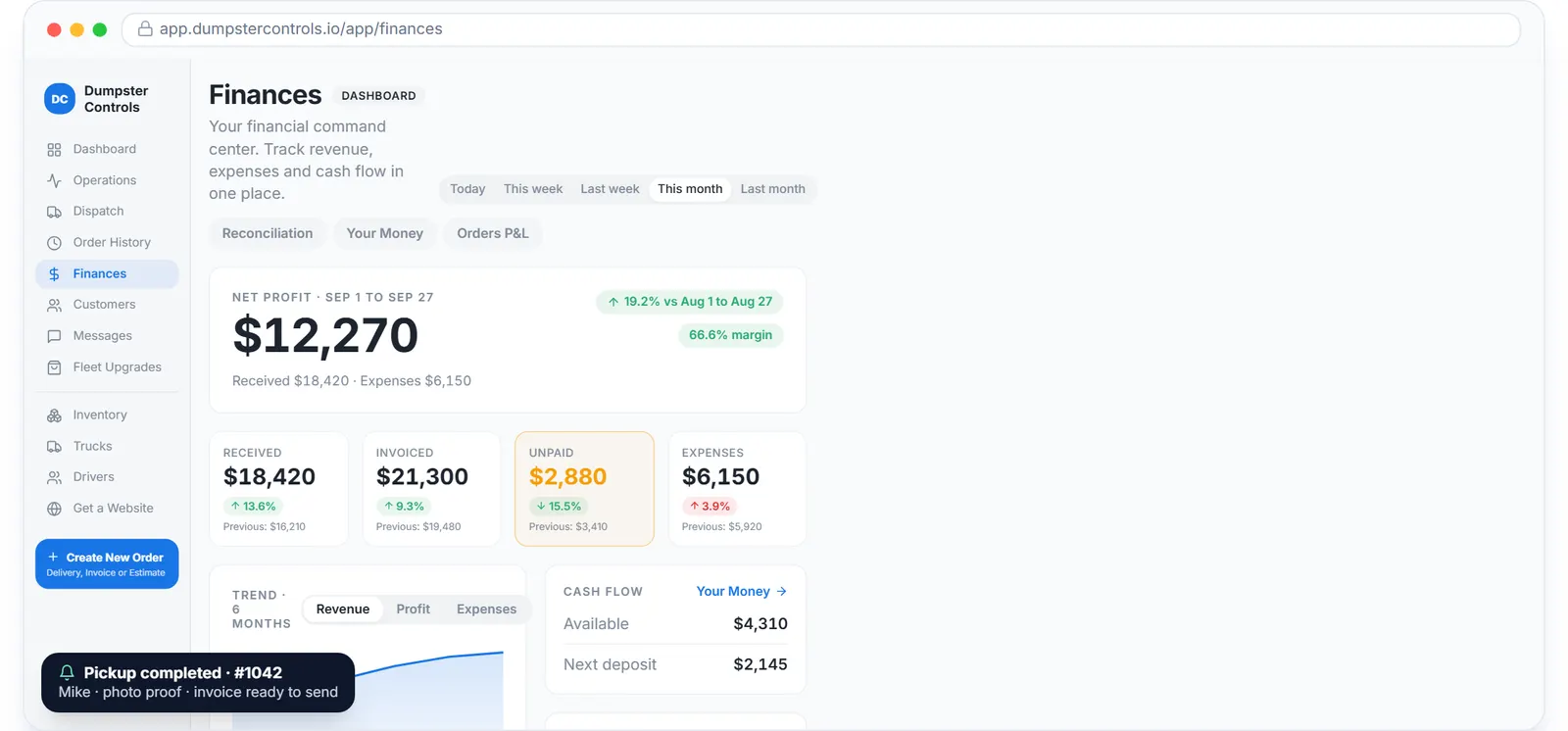
The real Finances overview, sample data.
Who still owes you, and the buttons that collect
Unpaid is the tile owners watch. Each unpaid order in Order History has the actions that collect: Send Payment Link, Charge Card on File, Mark as Paid.
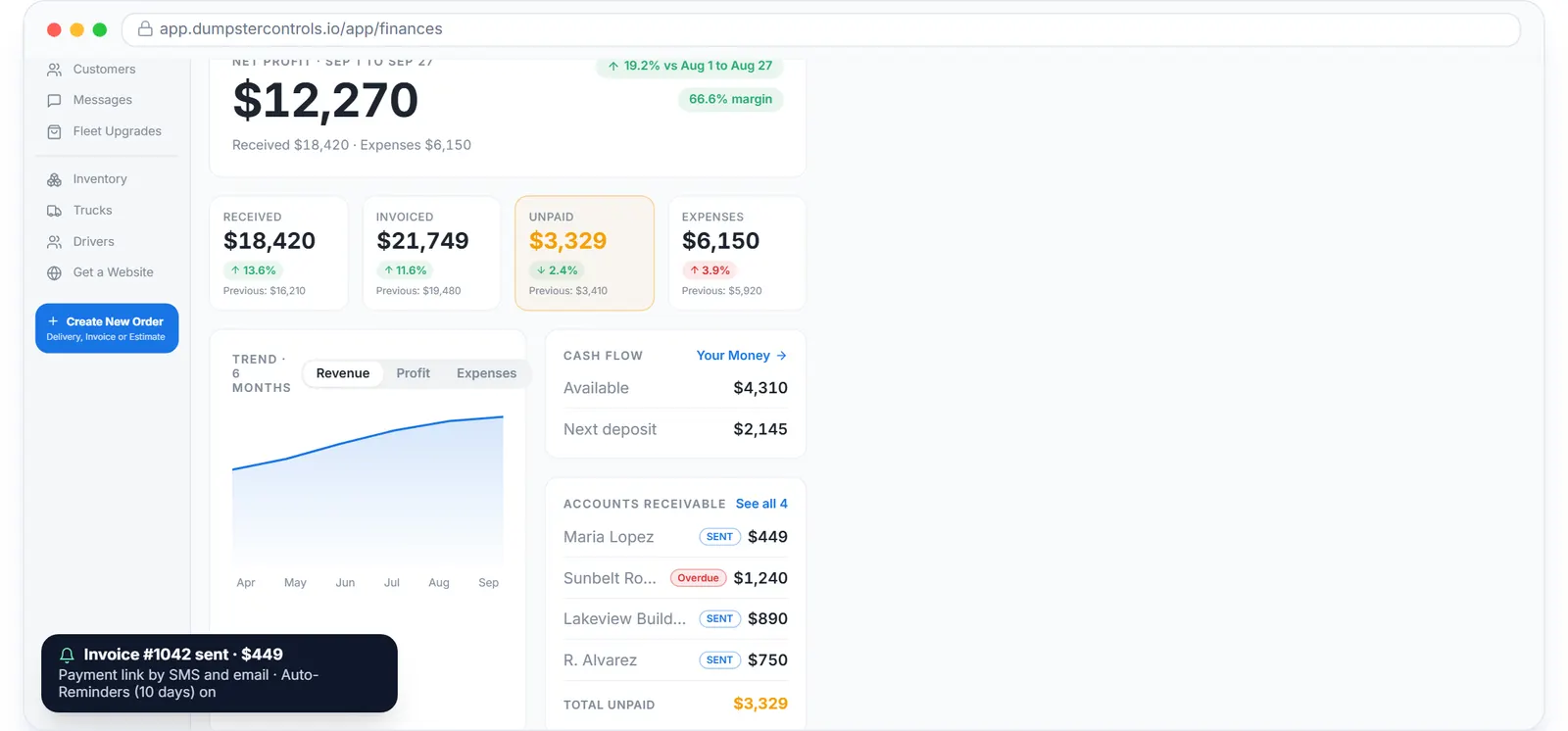
Accounts receivable on the real Finances page, sample data.
The Free Forever Promise
Free means free. Forever.
Net profit, per-order P&L, unpaid tracking, bank matching and the QuickBooks sync are on the free plan, with unlimited orders and users. There is no finance tier to buy.
$0
Monthly fee
Ever. No surprise charges.
$0
Setup fee
No onboarding cost.
$0
Per-user fee
Unlimited admins, drivers, dispatchers.
$0
Annual contract
Cancel anytime. We never auto-charge.
How we make money: only when you opt in, and the numbers are public. The software is free with unlimited orders and no per-order software fee. If you choose to collect a customer’s card payment through Dumpster Controls, the processing fee is 2.99% + $3.99 per card transaction on the free plan, or 2.99% + $0.30 (the standard Stripe rate) on the optional $169/month lower card rate plan. Take payment by cash, check, Zelle or any other way and you pay nothing at all. Beyond that, our revenue comes from the optional lower card rate plan and from equipment partners and sponsors advertising in the app and on our public directory; our marketplace, the Dumpster Net Hub, charges zero marketplace fees. Run your own business your way and you never pay to use the software. It’s the only model that lets a 1-truck owner-operator run on the same software as a 50-truck fleet.
Dumpster business software from one truck to a fleet
The product is the same at every size and so is the price. What changes is which parts of it you lean on.
| Feature | Owner-operator, 1 truck | 2 to 5 trucks, first office hire | Multi-truck, several drivers |
|---|---|---|---|
| Where the money question is answered | Profit Intelligence card on each order | Orders P&L, sorted by margin | Finances dashboard against the previous period |
| Getting paid | Payment link by text, cash orders at no fee | Card on file, 5-day automatic reminders | Consolidated invoices for contractor accounts |
| Who works in the app | The owner, also a driver | Owner plus a Dispatcher role | Admin, Supervisor and Dispatcher roles, drivers on phones or a truck tablet |
| Trucks | One record, oil change reminder | Registration and insurance checklist per truck | Maintenance log posted to Finances, monthly mileage per truck |
| Growth lever | Booking page with the price up front | Extra rental days sold from the customer portal | Sell overflow orders on the Dumpster Net Hub |
| Books | Your Money page | Bank and card matching | One-way sync to QuickBooks Online |
The same free product, read at three sizes. Nothing on this table is a paid tier.
Dumpster rental business software: selling the rental too
With "rental" in the middle, the term adds one thing: the software has to sell the rental, because for most companies the booking page is the cheapest salesperson they have.
A booking page from day one
Hosted, with a placement map, sizes priced for 3, 5, 7, 10, 14 or 30 days, promo codes, blackout dates and a rental agreement, plus a widget for your own site.
Consolidated invoices
Contractors with many cans out at once get one bill.
The customer portal
Extra days turn from an argument at pickup into a priced request you approve with one click.
Roll-off business software: profit per order, never per route
The same search from a company that calls its cans roll-offs. Every order is its own trip with its own landfill cost, so profit has to be computed per order, which is why the driver captures the receipt on the order.
Why the software is free
Before
- A monthly fee, often per truck or per user
- A finance or reporting tier on top
- Payroll and general ledger bolted on
After
- No monthly, per-order, per-truck or per-user fee, at any size; SMS, email and push unlimited at no charge
- Card processing is the only cost on the free plan, and only when a customer pays by card: 2.99% + $3.99, or 2.99% + $0.30 on the optional $169 per month lower card rate plan; cash and check orders cost nothing
- Payroll, tax filing and general ledger stay with your accountant's tool; the QuickBooks sync is how the numbers get there
The full breakdown is on the pricing page; every vendor's published price is at dumpster rental software cost.
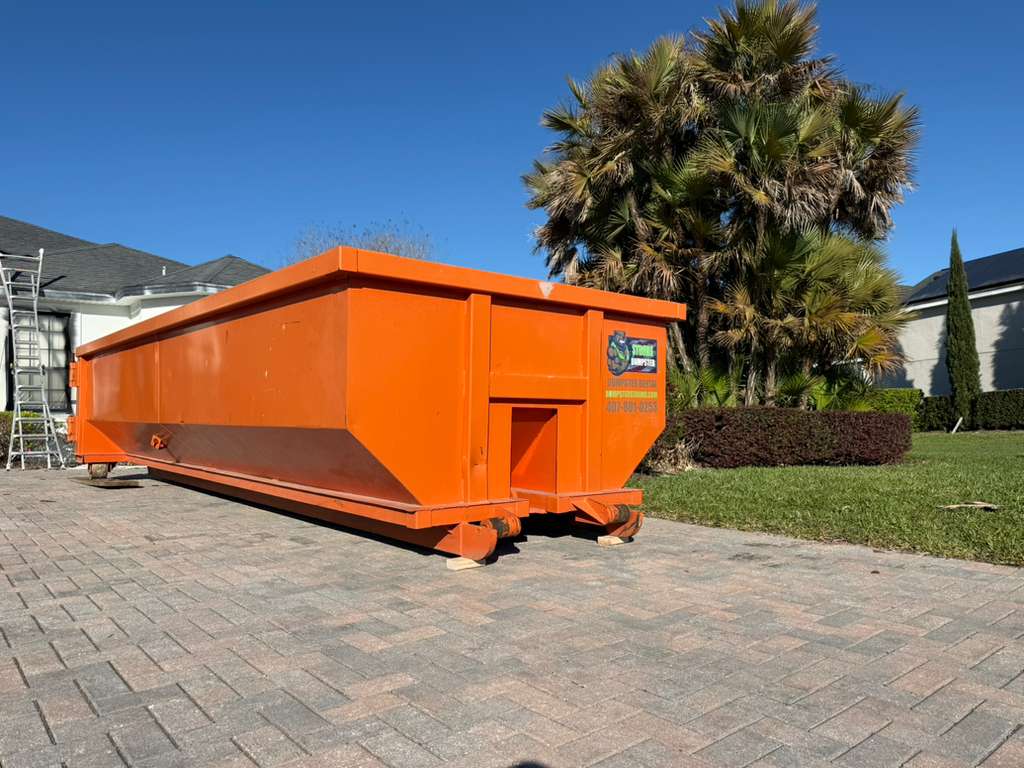
A Dumpster Strong 20-yard staged on pavers in Orlando. On the owner's screen it is one row: revenue, landfill cost, margin. Photo courtesy of Dumpster Strong , Orlando, FL 407-901-0253Used with permission.
Where to read next
The category guide is dumpster rental software; the booking page is dumpster booking software; the board is dumpster dispatch software; the app in the cab is dumpster driver app; cans by status and trucks by GPS at dumpster tracking software.
The container side is at roll-off management software and dumpster rental inventory software; the buyer's guide is software for dumpster companies; the money screen by screen is the financial software guide.
Keep reading
- How to scale a dumpster rental business
- Dumpster rental software cost: every vendor's price
- How to get paid faster as a hauling company
Dumpster business software: FAQ
Topicsdumpster business software dumpster rental business software roll off business software profit per order free dumpster software