ANSWER PAGE · FREE FOR ANY FLEET SIZE
Tools for tracking inventory in the junk removal industry
In junk removal the inventory is the truck. Dumpster Controls tracks the fraction of it each job filled, every open job on one board and map, and, for haulers who also rent cans, every container by serial. Free, USA and Canada.
- Load fraction on every job, quarter to full truck
- Active, Scheduled and Late counts on the Operations page
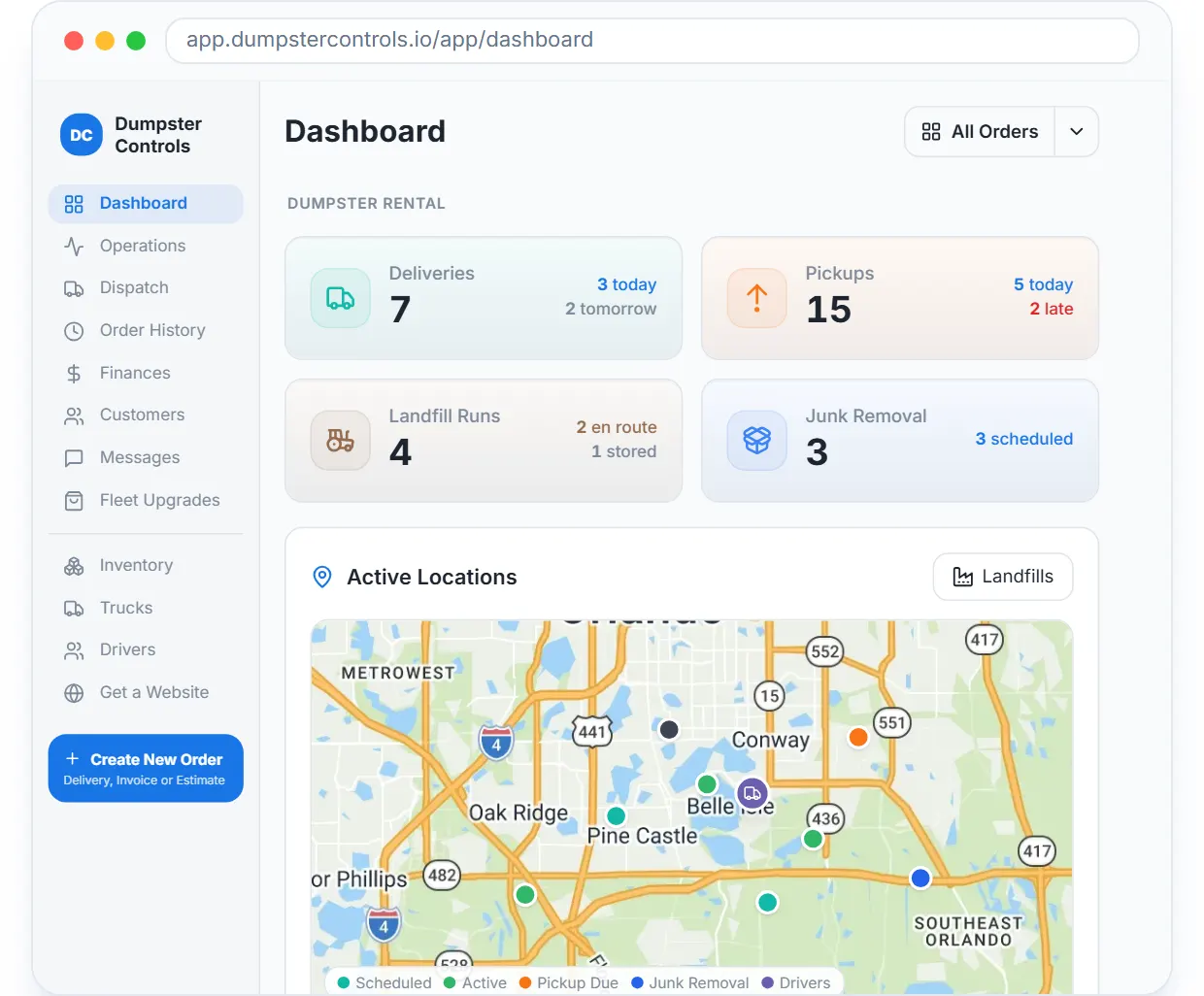
- Live map with junk stops, trucks and nearby landfills
- Container units with serials and QR stickers, if you rent cans
Get the Free SoftwareSee features
4.7 on the App Store Available in all 50 US states and Canada
Last updated September 27, 2026 Published by Dumpster Controls, built by a software group led by a founder with 20+ years in enterprise IT who also ran a roll-off business for four years
In Dumpster Controls, inventory for a junk removal company is tracked at the level that decides the money: the fraction of the truck each job filled, every open job with its status, and the trucks and stops on a live map. Haulers who also rent dumpsters get container units with serials and QR stickers on the same screens. What it does not do is catalog the couch and the fridge as resale stock, and this page says so rather than pretend.
How inventory tracking works in Dumpster Controls
- Set the Load Pricing table once. The Junk Removal tab on Operations has a Load Pricing button for your load-fraction price table, quarter to full truck. Every job then carries the fraction sold as a Load badge, Full or a fraction such as 2/4. See managing junk jobs from Operations.
- Read the workload in three numbers. The same tab counts Active, Scheduled and Late jobs, with search and a status filter from Scheduled through On Site, Loading, To Landfill and Completed. Late jobs add a red badge.
- Watch it on the board and the map. Junk jobs sit on the Dispatch board with a blue JUNK REMOVAL badge and a load fraction chip; on the route map they draw as a J marker. The Dashboard has a Junk Removal KPI card and a Junk Removal layer on the live map. See the live map and its layers.
- If you rent cans, register the units. Each size row has a stepper that registers a unit with the next serial; a unit placed at a customer site shows the linked order number under its status. See managing units and serial numbers.
- Print QR stickers and scan them. One PDF per size prints a sticker per unit; the driver scans it at delivery and pickup and the unit is selected on the spot. See printing QR stickers and scanning units.
- Pull it into your own tools. GET /v1/junk-jobs returns each job with status, price, payment_status, load_fraction and container_capacity_yd; GET /v1/sizes returns the container catalog. See the junk removal endpoints.
Every step above is documented screen by screen in the manual: How to read the Operations page.
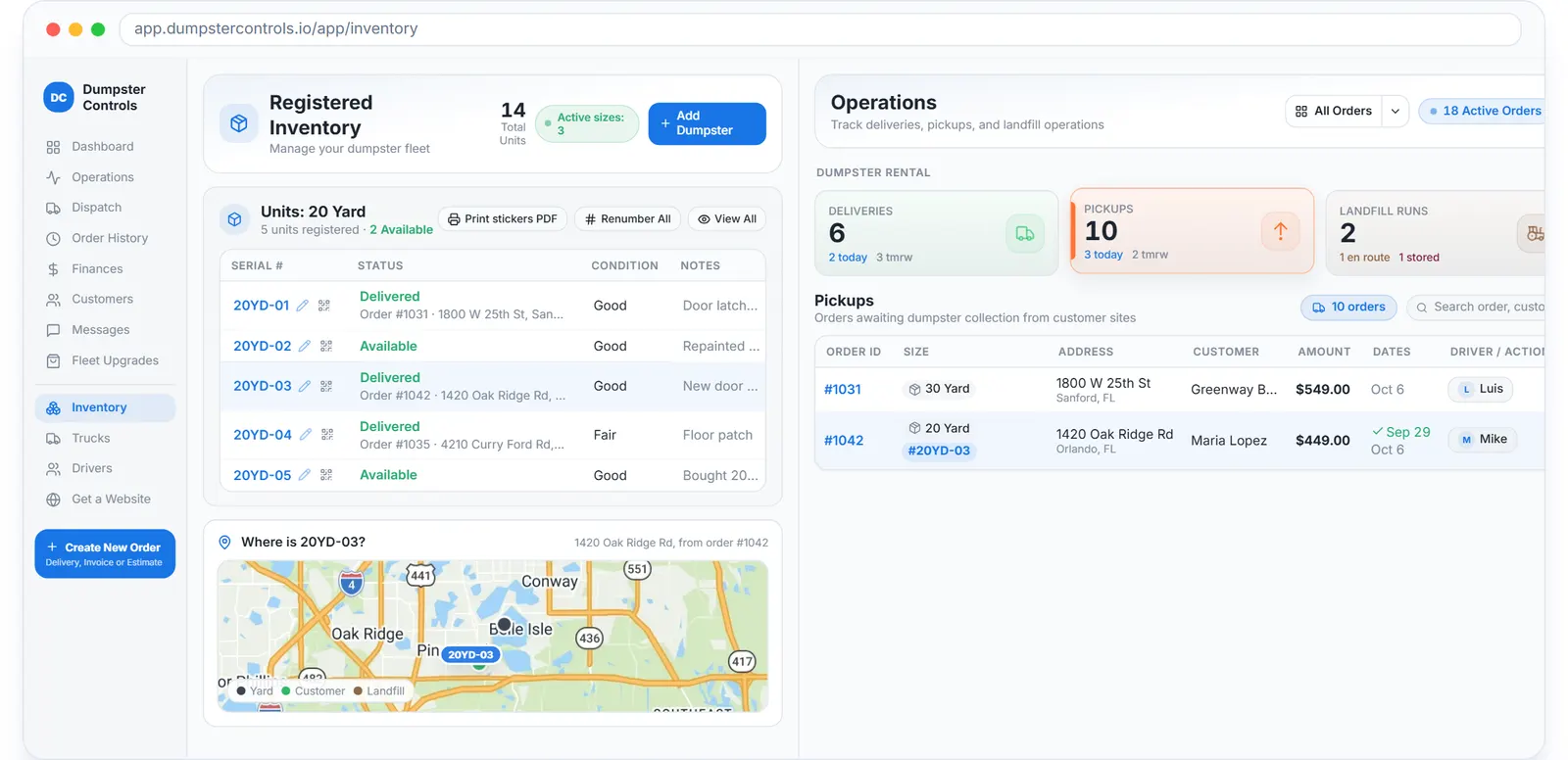
For haulers who also rent cans: every unit by serial and status, on the same account as the junk jobs.
What you need
A free account
With the load fractions and prices you sell.
A printer, for container tracking
For the QR sticker PDFs; the free driver app does the scanning.
An API key, optionally
Created in Account Center.
Tresha, included
Answers which dumpsters are available right now from the same live data, by text or voice.
Where this fits
Container tracking in depth, serials, QR, stored full cans and the Operations tabs, is on dumpster container tracking. The junk side of the same account is on software for junk removal, and what tracking modules cost on other platforms is on dumpster rental software cost.
Next guide: how to price junk removal jobs by load fraction.
Tools for tracking inventory in the junk removal industry: FAQ
Topicsjunk removal inventory tracking track truck capacity junk removal load fraction tracking junk removal job tracking software