ANSWER PAGE · FREE FOR ANY FLEET SIZE
How to get paid faster as a junk removal company
Collect the card at booking, send the link before the crew rolls, let the reminders run, and charge the card on file for the customer who has paid you before. Free, USA and Canada.
- Price, tax and fee on the screen before the customer pays
- Payment link by email and text with Pay Now
- Daily reminders for 5 days, stopping when paid
- Charge the saved card for repeat customers and extras
Get the Free SoftwareSee features
4.7 on the App Store Available in all 50 US states and Canada
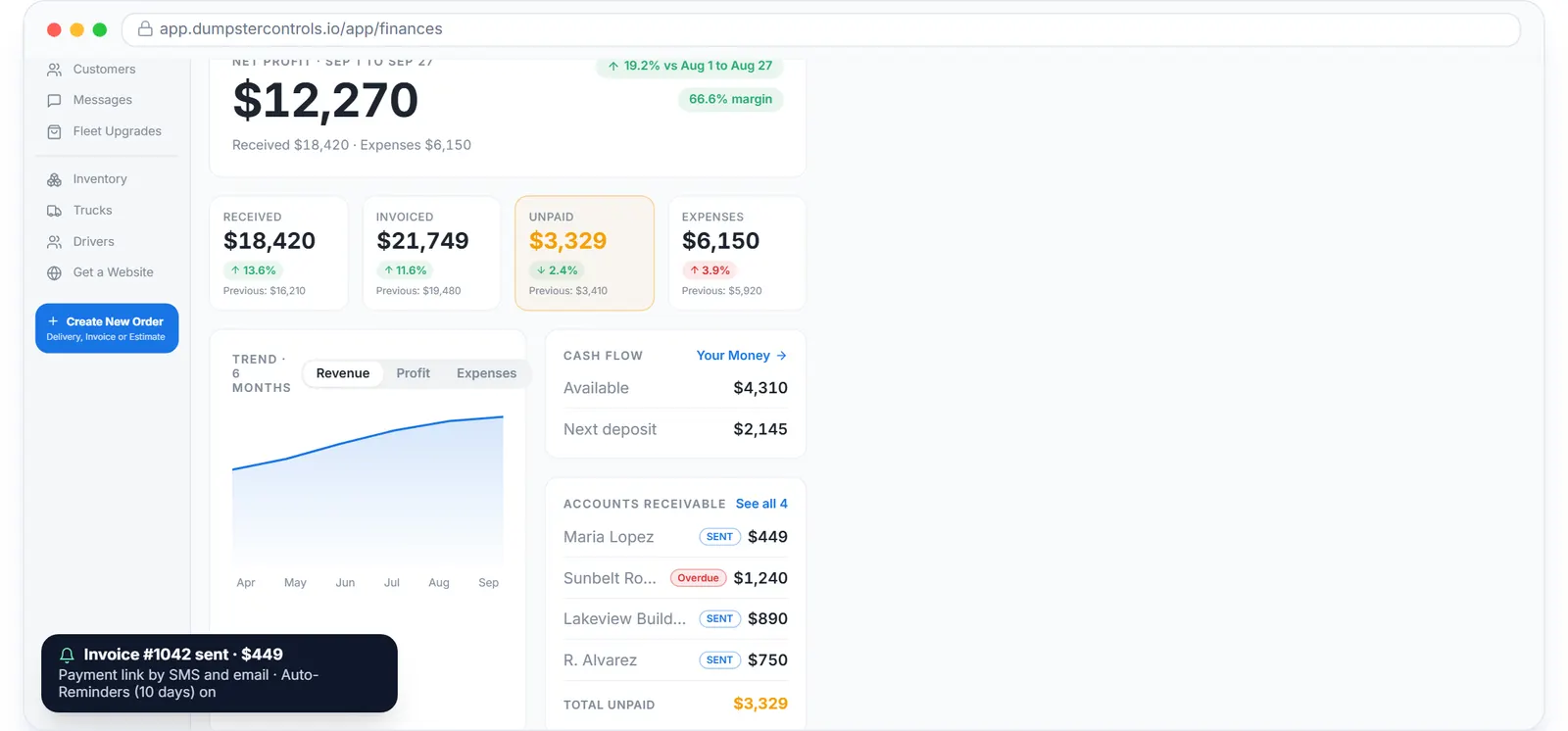
Last updated September 27, 2026 Published by Dumpster Controls, built by a software group led by a founder with 20+ years in enterprise IT who also ran a roll-off business for four years
In Dumpster Controls, a junk removal company gets paid faster by moving the payment earlier in the job. The card is taken on the booking page or by phone before the crew rolls, the payment link reaches the customer by email and text the moment the job is created, reminders chase it daily for 5 days, and repeat customers are charged on the card Stripe already holds. The unpaid pile shrinks because nothing waits for the office to remember.
How getting paid faster works in Dumpster Controls
- Connect Stripe. Online card payment, payment links and card on file all run through your own Stripe account, connected from Account Center in a few minutes. Payouts go to your bank on Stripe's schedule, visible under Your Money. See connecting Stripe.
- Take the card at booking. On your booking page the customer sees the full total before paying, and the card is stored for charges that come later. You set who pays the processing fee. See who pays the processing fee.
- For phone bookings, charge or link on the spot. Charge a card by phone while the customer is on the line, or create the job with the Payment Link option and the invoice goes out by email and text with a Pay Now button. See charging a card by phone.
- Let the reminders run. A payment link invoice gets a friendly daily reminder by email, text or both for 5 days, and they stop the moment the invoice is paid. See automatic payment reminders.
- Charge the card on file for repeat work and extras. Once a customer has paid online, an unpaid job shows Charge Card with the last four digits; the extra quarter load found on site is collected the same way. See charging a card on file.
- Watch the unpaid number. Finances shows Received, Invoiced and Unpaid with a Collection Tank gauge, and the dashboard lists who still owes. See tracking unpaid money.
Every step above is documented screen by screen in the manual: How to send a payment link.
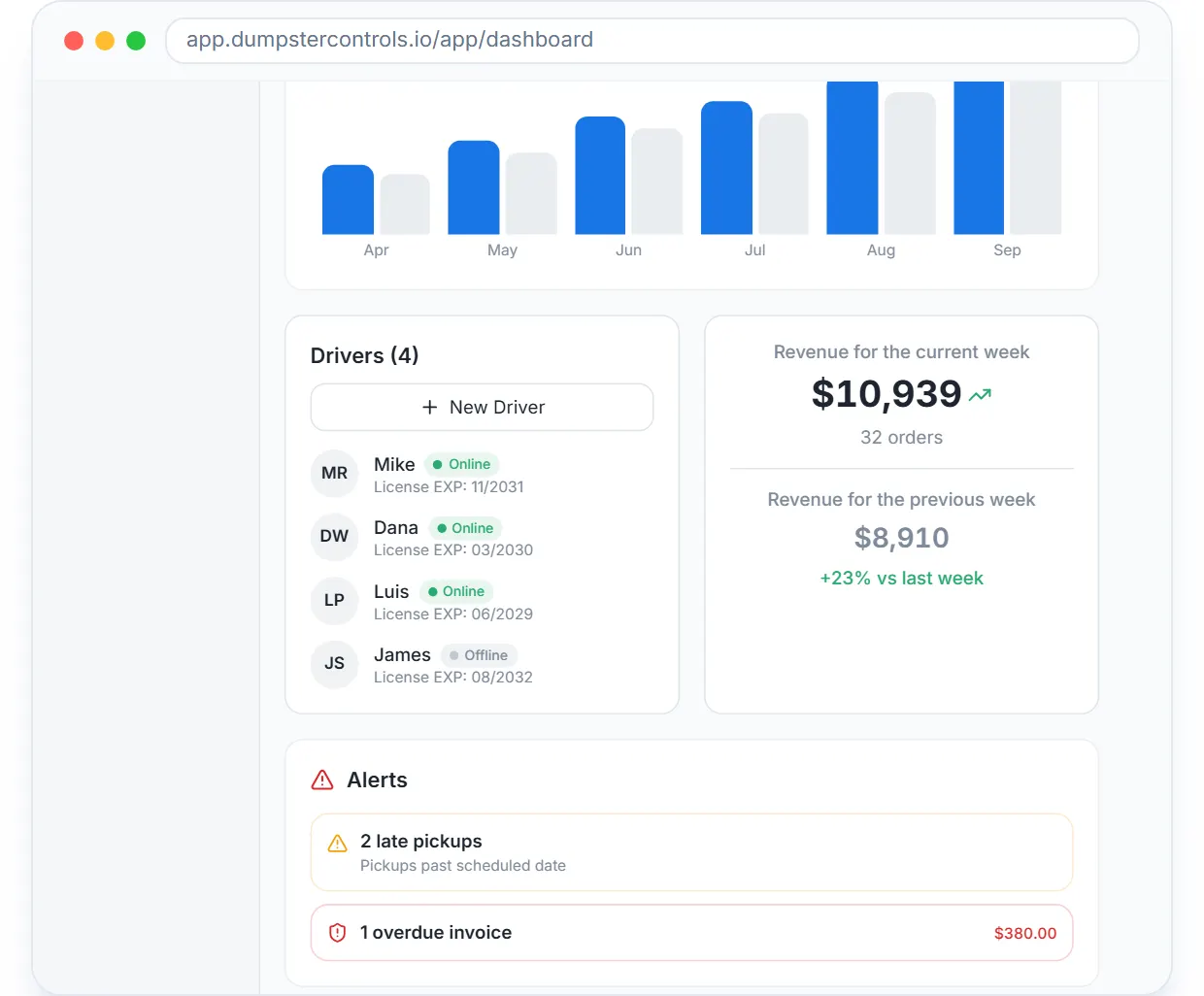
The morning check: this week's revenue, and the overdue invoices as an alert, on the dashboard.
What you need
A free account
No monthly fee, no per-invoice fee.
Stripe connected
Your own Stripe account, connected from Account Center.
A customer email or phone on every job
That is where the link and the reminders go.
One decision on the card fee
Made once; cash and check jobs settle with Mark as Paid and cost nothing.
Where this fits
The invoicing side of the same account is on how to automate billing for a junk removal company and, in depth, on waste management billing software. The whole junk operation is on software for junk removal, and what other platforms charge on top of card fees is on dumpster rental software cost.
Next guide: how to price junk removal jobs by load fraction.
How to get paid faster as a junk removal company: FAQ
Topicsget paid faster junk removal junk removal payment collection junk removal card on file junk removal payment reminders