ANSWER PAGE · FREE FOR ANY FLEET SIZE
How to price junk removal jobs by load fraction
Set a price per fraction of the truck once, sell the job as a quarter, half, three-quarter or full load, bill the difference when the pile grows, and read the margin per job afterward. Free, USA and Canada.
- Load Pricing table, quarter to full truck
- Fraction shown on the job, the board and the crew's phone
- Extra load billed on site with photo evidence
- Profit per job, with the landfill cost against the price
Get the Free SoftwareSee features
4.7 on the App Store Available in all 50 US states and Canada
Last updated September 27, 2026 Published by Dumpster Controls, built by a software group led by a founder with 20+ years in enterprise IT who also ran a roll-off business for four years
In Dumpster Controls, junk removal jobs are priced by load fraction from a Load Pricing table you fill once, quarter to full truck. Each job is sold as one of those fractions, carries it as a chip such as 1/2 Load everywhere the job appears, and takes an extra charge on site when the pile turns out bigger. Orders P&L then shows what each fraction earned after the landfill and the card fee; the page does not suggest what to charge, because it does not know your transfer station or your market.
How load fraction pricing works in Dumpster Controls
- Fill the Load Pricing table. On Operations, open the Junk Removal tab and click Load Pricing. Enter your price for each fraction of the truck. See managing junk jobs from Operations.
- Sell the job as a fraction. New Job takes the customer, the address, the window and the fraction; the amount comes from the table. Tresha, by chat or voice, uses the same template prices and morning or afternoon windows. See creating with Tresha.
- The fraction travels with the job. The board shows a load fraction chip where a dumpster stop would show a size; the crew sees the same fraction on the phone; the Operations list shows a Load badge, Full or a fraction such as 2/4. See dispatching junk removal jobs.
- Bill the difference on site. When the garage holds a full load and a half was quoted, Charge Extra Fee adds the difference with a description and up to three photos, and collects by card on file, payment link, or as a line on the unpaid main invoice. See charging an extra fee.
- Put the landfill cost on the job. The transfer station ticket is recorded as a cost on the job, or read from the ticket photo by Tresha on a landfill run. See recording a landfill cost.
- Read the margin per fraction. Orders P&L lists every junk job with Revenue, Fees, Costs, Profit and Margin, sortable by margin, so the fraction that loses money is a row you can point at. See Orders P&L.
Every step above is documented screen by screen in the manual: How to manage junk removal jobs from Operations.
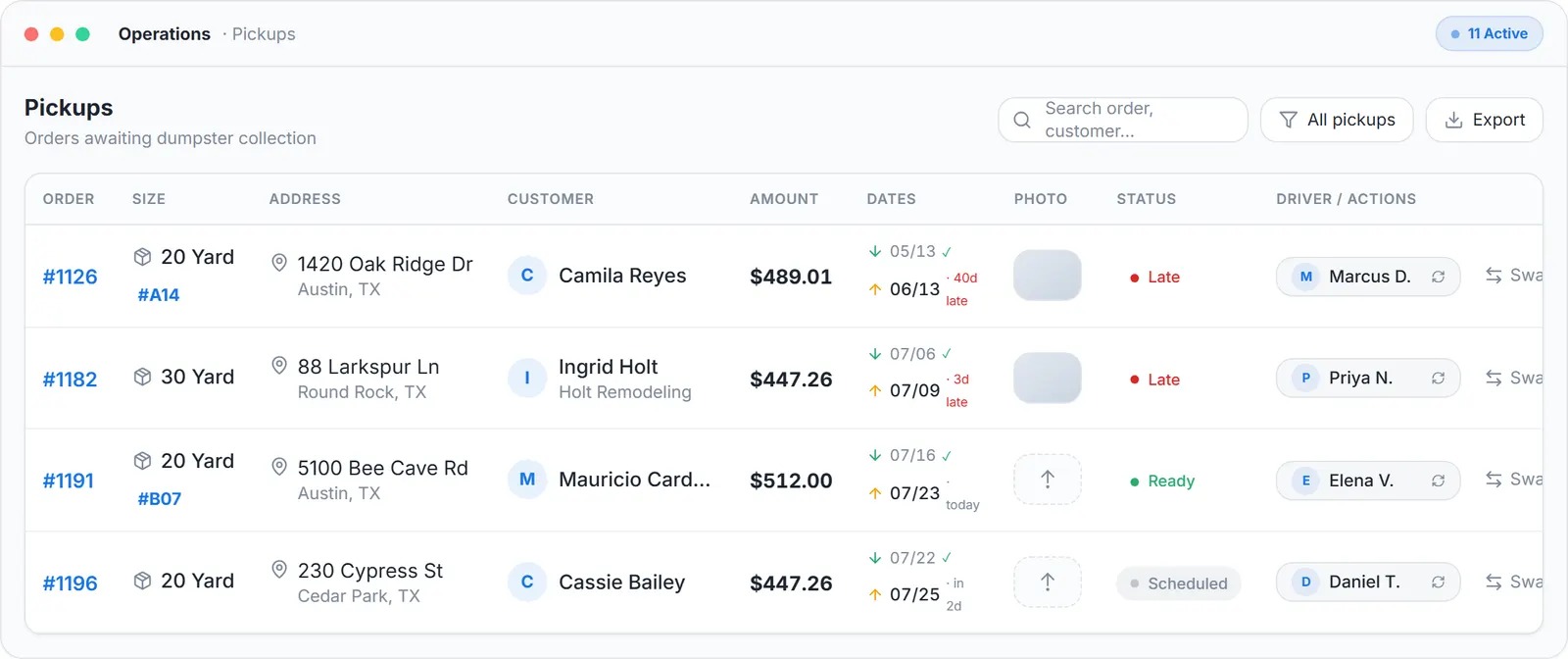
The fraction as the office sees it: the job, its amount and its status on Operations, before and after the site visit.
What you need
Your prices per fraction
A decision about your truck's capacity and your transfer station's rate.
A free account
To put them in the Load Pricing table.
The crew app and Stripe, for the on-site extra
The app on the crew's phones, and a connected Stripe account to collect by card.
The API, optionally
GET /v1/sizes and GET /v1/junk-jobs return the catalog and the jobs with price and load_fraction.
Where this fits
Where the fraction shows up as inventory is on tools for tracking inventory in the junk removal industry. The whole junk workflow is on software for junk removal, and what pricing modules cost on paid platforms is on dumpster rental software cost.
Next guide: how to get paid faster as a junk removal company.
How to price junk removal jobs by load fraction: FAQ
Topicsprice junk removal by load fraction junk removal load pricing quarter half full truck pricing junk removal pricing software