DISPATCH SOFTWARE FOR WASTE COMPANIES, FREE FOR ANY FLEET SIZE
Waste management dispatch software with one lane per driver, no phone calls
One board, an unassigned pool on the left, one lane per driver, a drag to assign and a text to the driver. The map shows whether the truck is carrying a can, and AI Routes reorders the day. The board at the top of this page is the real one. Stop-based dispatch for roll-off, junk and scrap haulers, free for any fleet size, USA and Canada.
- Unassigned pool on the left, one lane per driver, drag to assign
- Route map with green, orange and brown legs and a live truck marker
- AI route suggestion checked against the roll-off truck cycle
- Junk removal jobs and scrap pickups on the same board
Get the Free SoftwareSee features
4.7 on the App Store Available in all 50 US states and Canada
Last updated September 27, 2026 Published by Dumpster Controls, built by a software group led by a founder with 20+ years in enterprise IT who also ran a roll-off business for four years
Waste management dispatch software is the screen where a hauler decides which driver takes which stop, and in what order, and where that decision is written down so the driver, the office and the customer work from the same plan. In Dumpster Controls that screen is the Dispatch board: drag a task into a driver's lane, the driver gets a push notification and a text, and the board updates live as stops are finished. It is free for any fleet size.
A dispatcher at a roll-off company makes that decision for every order of the day, and the board dispatches stops, not routes: deliveries, pickups, swaps, landfill runs, junk jobs and scrap pickups, each one an order for a named customer. It does not plan residential curbside collection routes. The generic guide is dumpster dispatch software; the product around it is dumpster rental software.
What you get on day one
- A Dispatch board with an Unassigned pool and one lane per driver
- Drag to assign; the driver gets a push notification and a text
- A Map panel with legs colored by destination and a live truck marker
- AI Routes with a preview that changes nothing until you click Apply
- Junk removal jobs and scrap pickups on the same board
- Special stops that are not orders, added by the dispatcher
- Tresha, the built-in assistant, reads the schedule by text or voice
- No monthly fee, no per-truck fee, no per-user fee
Counted in our production database on October 1, 2026. Updated monthly.
400+
Hauling companies on Dumpster Controls
190+
Drivers on the app
140+
Trucks registered
35 states + Canada
Where it runs
The waste hauler dispatch board, left to right
The top bar has the date navigator, an Add Special Stop button, a Map toggle and a search box for order, customer or address. Under it, total, assigned and unassigned counts, with Upcoming chips when future days already have assigned work. The left panel is the Unassigned Tasks pool; to the right, one lane per driver.
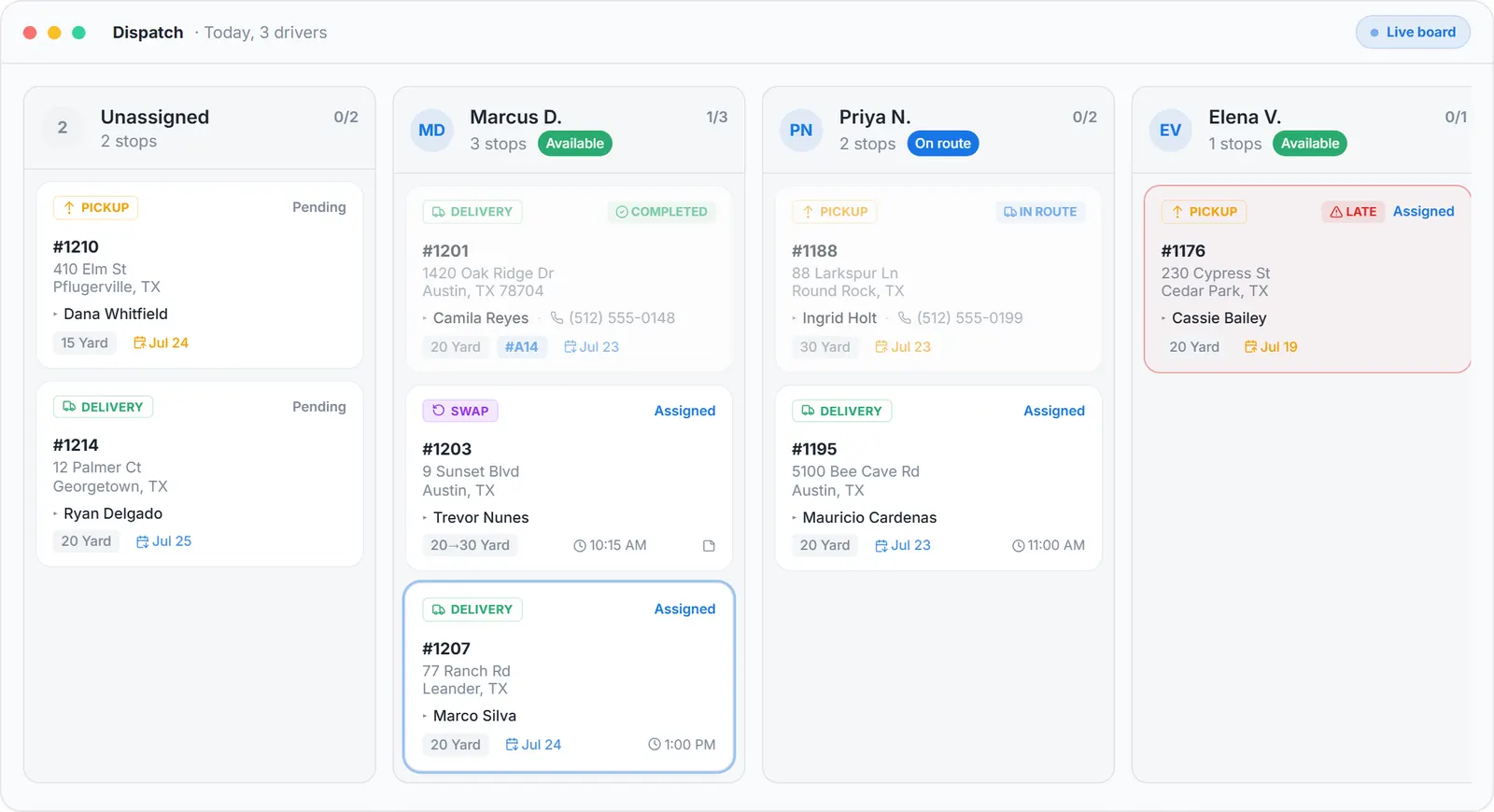
The dispatch board with a Tresha suggestion, sample data.
| Feature | What it shows | What you do with it |
|---|---|---|
| Lane header | Assigned for date, driver name, status chip: Available, Off or On Route | Read who can take work before you drag |
| Counter and bar | Completed over total stops, with a progress bar | See at a glance who is behind at 2 pm |
| Day estimate | Estimated day length and a projected finish time | Decide if one more stop fits, or moves to tomorrow |
| Task cards | Type, customer, size or load fraction, address, status | Drag between lanes, or back to the pool to unassign |
| View route | The lane's stops drawn on the map in running order | Reorder stops, or ask AI Routes for a suggestion |
| Special stops | Blue stops that are not orders, added by the dispatcher | Add, edit or delete them on the driver's day |
What each driver lane on the Dispatch board shows, and what the dispatcher does with it. All on the free plan.
Assigning, three ways, and what the driver gets
Drag a card into a lane, click Assign and pick a driver from the sheet, or open the task's details and assign or reassign from there. Whichever way, the driver's app gets a push notification with the address and the driver gets a text.
- 1
#### 01. Assign
Drag, the Assign sheet, or the task details. Unassigning is a drag back to the pool. - 2
#### 02. The driver is told
A push notification with the address, and a text. - 3
#### 03. Reorder
A drag inside the lane. A driver can reorder their own stops from the app; the board shows a Reordered by toast with their name. - 4
#### 04. Everyone sees it
A Saving chip appears while any change is written to the server, and every change by a driver or another dispatcher appears without a refresh.
The other end of the drag: dumpster driver app.
The map: color for destination, line for what the truck carries
Click a driver's block and the Map panel opens on that route. Green is Delivery, orange is Pickup, brown is Landfill, blue is a special stop, and a thin Back to yard line closes the day. A solid line means the truck is carrying a can; a dashed line means it is driving empty, which drivers call bobtail.
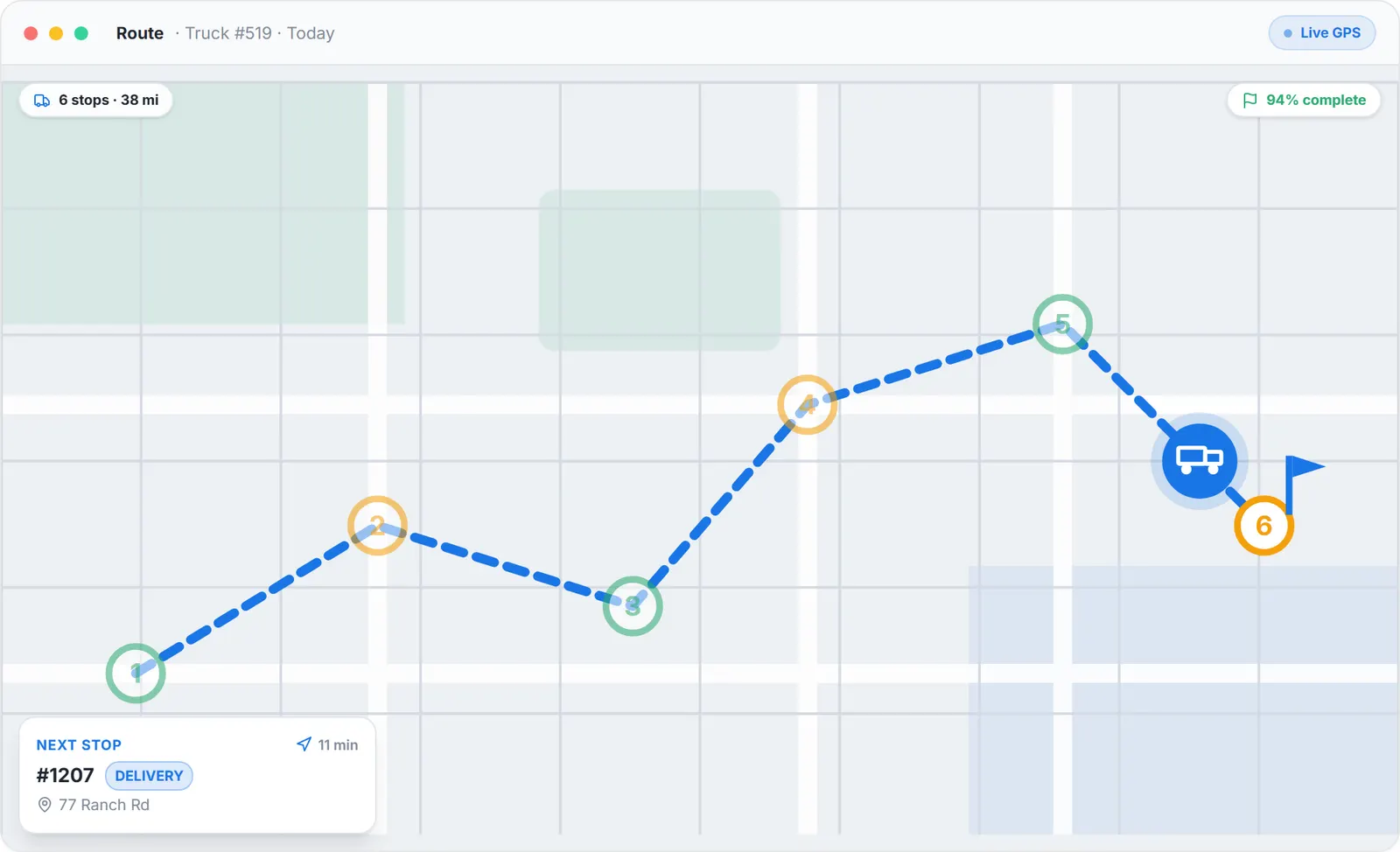
The route panel of the dispatch board, sample data.
Transition per stop
Each stop in the list shows the truck's transition, for example bobtail to full can.
Impossible sequence, flagged
"Truck arrives with no can. Stop at HQ for an empty one?" or "Truck still carries a can. Landfill or HQ first?"
Stored dumpsters
A full dumpster stored for later adds an ST point before the landfill leg.
The routing side, with its limits: waste management routing software.
The Free Forever Promise
Free means free. Forever.
The Dispatch board, the live map, AI Routes, the driver app and unlimited SMS and push notifications are all on the free plan.
$0
Monthly fee
Ever. No surprise charges.
$0
Setup fee
No onboarding cost.
$0
Per-user fee
Unlimited admins, drivers, dispatchers.
$0
Annual contract
Cancel anytime. We never auto-charge.
How we make money: only when you opt in, and the numbers are public. The software is free with unlimited orders and no per-order software fee. If you choose to collect a customer’s card payment through Dumpster Controls, the processing fee is 2.99% + $3.99 per card transaction on the free plan, or 2.99% + $0.30 (the standard Stripe rate) on the optional $169/month lower card rate plan. Take payment by cash, check, Zelle or any other way and you pay nothing at all. Beyond that, our revenue comes from the optional lower card rate plan and from equipment partners and sponsors advertising in the app and on our public directory; our marketplace, the Dumpster Net Hub, charges zero marketplace fees. Run your own business your way and you never pay to use the software. It’s the only model that lets a 1-truck owner-operator run on the same software as a 50-truck fleet.
Junk jobs and scrap pickups on the same board
Junk removal jobs share the board with dumpster tasks, and scrap metal pickups dispatch the same way when the module is on. One screen runs the whole day of a company that does all three.
Before
- Junk jobs on a separate calendar, dumpster stops on the board
- Crew size and load size in a text thread
- A junk stop invisible on the driver's route
- Scrap pickups tracked nowhere
After
- A blue JUNK REMOVAL badge, a J-prefixed job number and a load fraction chip such as 1/2 Load, in the driver's lane
- A Junk tab in the pool while any job is unassigned; the job counts toward the day estimate
- A J marker on the map, in the driver's sequence
- Scrap pickups dispatched like any stop, with or without a container drop
Junk: software for junk removal.
Dispatch software for sanitation companies
Sanitation is the word on the permit in many states, and a sanitation company that runs containers will find the board fits its day: container deliveries, pickups, swaps and landfill runs, the work it is built for.
Landfill per task
A landfill destination set on each task, by the dispatcher or the driver.
Stored full dumpster
Kept for later when the landfill is closed; the map adds an ST point before the landfill leg.
Complete from Dispatch
A task closed from the board when a driver forgot to tap it.
Tablet in the cab
Paired on the Trucks page; any driver signs into it with a 4 digit PIN.
What dispatch software for a waste company costs
Nothing per month, per order, per truck or per user, free for any fleet size. The only cost on the free plan is card processing when a customer pays online.
Monthly fee
$0, at any fleet size.
Per truck, per user, per order
$0. Unlimited orders, drivers and trucks.
Card processing, optional
2.99% + $3.99 per transaction, or 2.99% + $0.30 on the optional $169 per month lower card rate plan.
Cash and check orders cost nothing.
Both plans: pricing. Every other vendor's published price, dated and sourced: dumpster rental software cost. The buyer's guide: software for dumpster companies. Billing after the stop: dumpster invoicing software. The short generic term: hauling software.
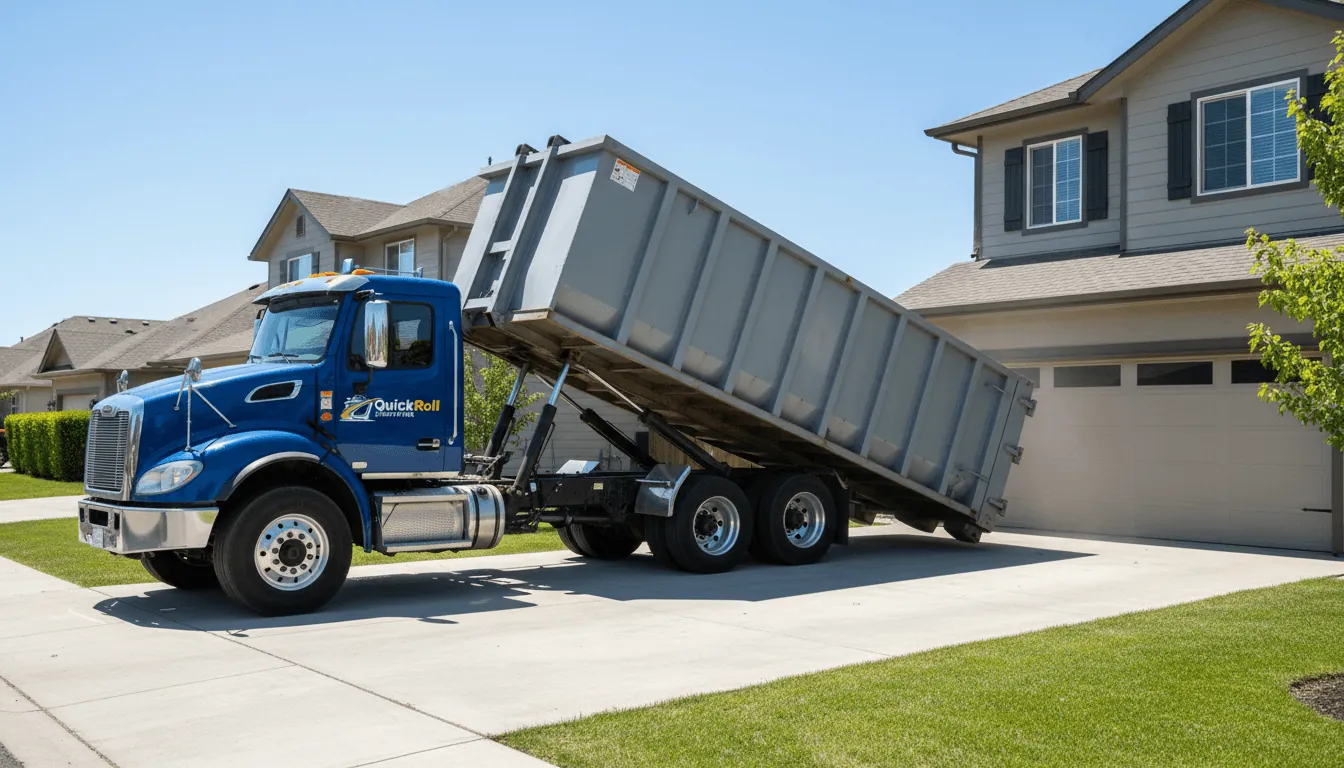
A container coming off the bed in front of a home. On the board this is one green leg, drawn solid because the truck arrived with a can on. Photo courtesy of QuickRoll DumpstersUsed with permission.
Keep reading
- How to improve dispatch operations for a waste management company
- Dispatch and route planning tools for waste management services
- How to dispatch junk removal jobs to crews
Waste management dispatch software: FAQ
Topicswaste management dispatch software dispatch software for waste company waste hauler dispatch dispatch software for waste management dispatch software for sanitation hauler dispatch board free dispatch software