DISPATCH + ROUTING, FREE
Dispatch and route planning tools for waste management services
Six tools in one free account, in the order a dispatcher uses them: the board, the live map, the route view, AI Routes, the landfill database and the driver app. For stop-based roll-off, junk and scrap work, not curbside collection.
- Drag-and-drop board with one lane per driver
- Route map: color for destination, solid or dashed for loaded or empty
- AI Routes for one driver's remaining stops, applied by you
- 1,750 US and Canadian landfills with tipping fee estimates, chosen per run
Get the Free SoftwareSee features
4.7 on the App Store Available in all 50 US states and Canada
Last updated September 27, 2026 Published by Dumpster Controls, built by a software group led by a founder with 20+ years in enterprise IT who also ran a roll-off business for four years
Yes. Dumpster Controls gives waste management services dispatch and route planning tools in one free account: a drag-and-drop board with one lane per driver, a live map with route colors and loaded or empty lines, AI route suggestion for one driver's stops, a database of 1,750 US and Canadian landfills with tipping fee estimates, and a driver app with Truck Tablet Mode. It is built for stop-based roll-off, junk and scrap work, not residential curbside collection, and it is free for any fleet size.
The six dispatch and route planning tools in Dumpster Controls
- The Dispatch board. Unassigned Tasks on the left, grouped by Late, Ready for this day, Scheduled ahead and Stored, waiting landfill; one lane per driver with a status chip, a completed of total counter and a projected finish time. Drag a card into a lane, or click Assign; the driver is notified by push and SMS.
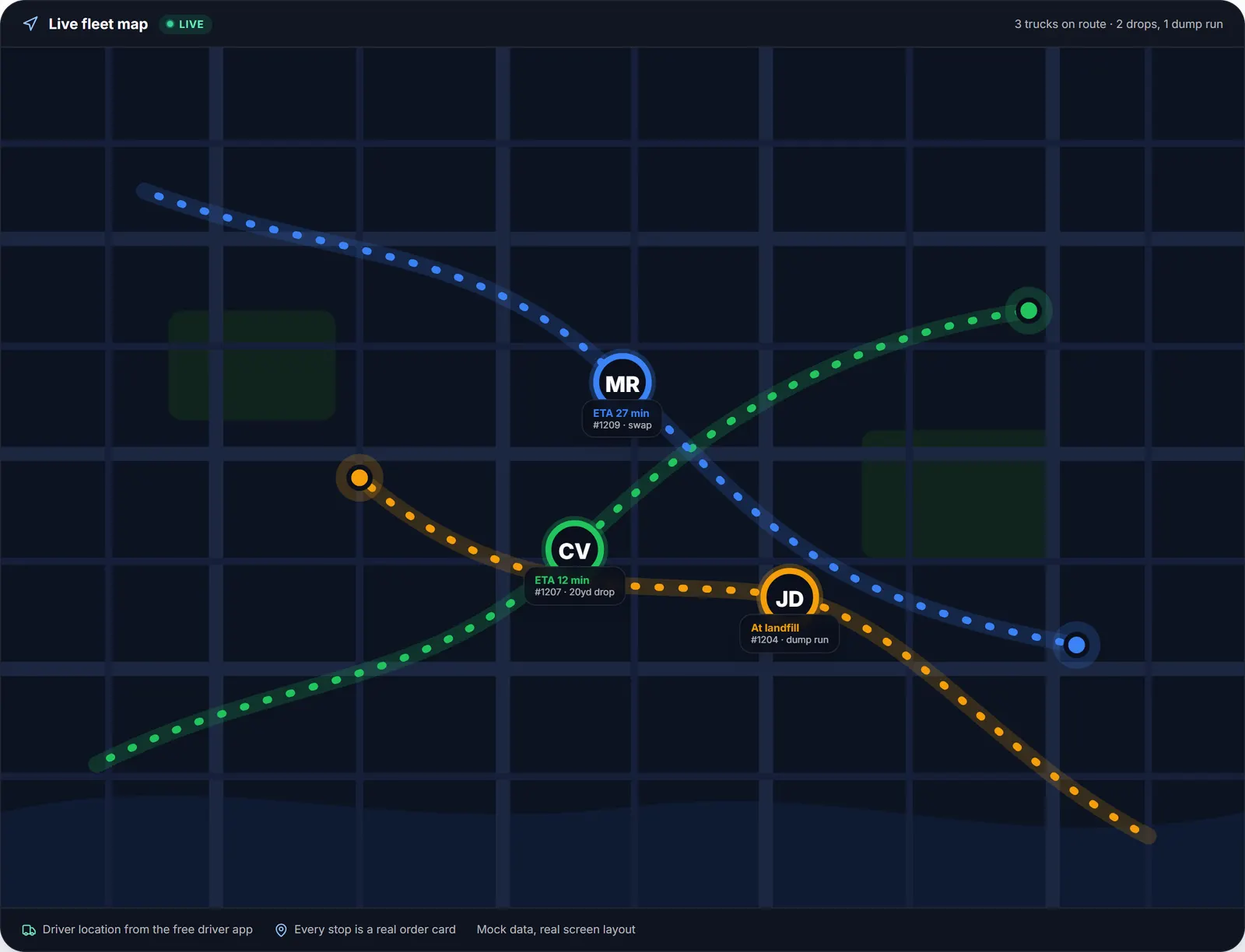
- The live map. A resizable panel beside the board shows the whole operation on Google Maps: truck markers from the drivers' phones, container pins by size, green when delivered on time and orange when late, and landfill pins in range.
- The route view. Click a driver's block and the map draws that day: numbered pins, drive minutes and an arrival estimate per stop, total miles and a projected finish. Legs are green for delivery, orange for pickup, brown for landfill and blue for a special stop; solid when the truck carries a can, dashed when it runs empty.
- AI Routes. The purple button reorders one driver's remaining stops for the shortest day, checked against the roll-off cycle: empty truck, full can, empty can, swaps, stored dumpsters and landfill runs. The preview shows an estimated saving and changes nothing until you click Apply order; Undo is offered for 10 seconds.
- The landfill database. Landfill runs start as Location TBD. Set landfill opens your active sites, sorted by distance, with hours, a rating from other drivers and a tipping fee estimate. At the gate the receipt scan reads the net weight and the cost, and that cost lands on the order's profit.
- The driver app and the truck tablet. The free iOS and Android app shows the day in run order, with Truck mode navigation and stamped proof photos. A tablet paired to the company runs the cockpit layout and keeps working without signal; Tresha reads the day back by voice.
Every step above is documented screen by screen in the manual: How to view a driver's route on the map.
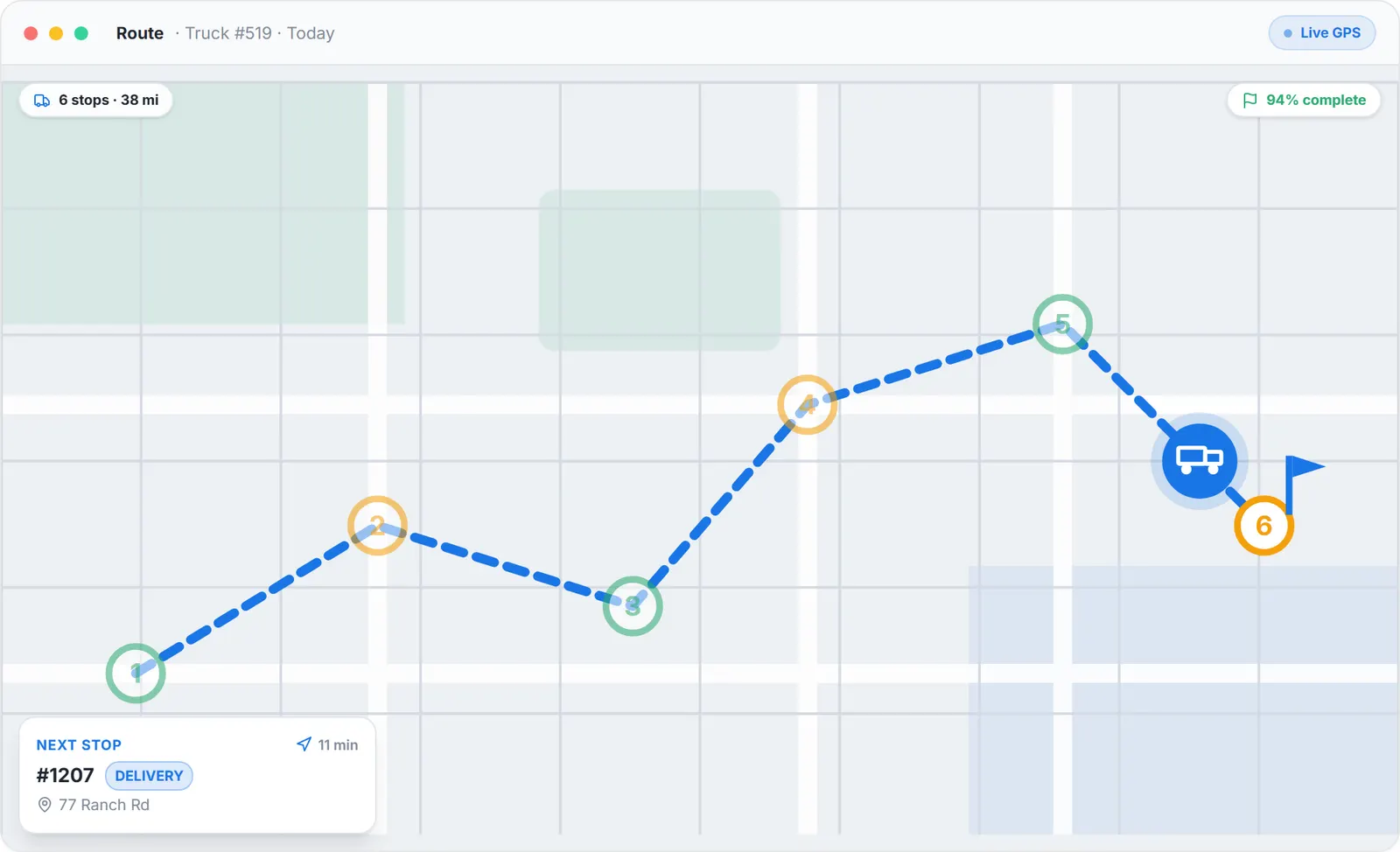
The route view: one driver, six stops, the next one with its ETA, redrawn as the truck moves.
What you need
A free account
With your headquarters address, where every route starts.
Drivers on the free app
Or a tablet paired to the company for Truck Tablet Mode.
Your usual landfills starred
And private sites added if they are not in the database.
A desktop for drag-and-drop
The phone covers assigning away from the desk.
Where this fits
Each tool has its own long page: the board at waste management dispatch software, the routing with its scope table at waste management routing software, and the product for hauling companies at waste management software. Per-truck and per-route prices from other vendors are on dumpster rental software cost; ours are on the pricing page.
Next guide: how to plan efficient routes for a dumpster rental service.
Dispatch and route planning tools for waste management services: FAQ
Topicsdispatch and route planning tools waste management waste management dispatch toolsroute planning waste management serviceshauler dispatch software free dispatch software