ANSWER PAGE · INCLUDED FREE FOR ANY FLEET SIZE
AI-powered workflow assistance for waste management
Tresha, the assistant built into Dumpster Controls, answers questions from your live data and completes dispatch actions behind a tap-to-confirm card. AI Routes reorders a driver's day. Free, USA and Canada.
- Ask about revenue, unpaid invoices, today's dispatch, inventory
- Complete deliveries, pickups and landfill runs from the chat
- AI Routes: a shorter day, applied only when you click Apply
- Text and voice in English, Spanish and Portuguese
Get the Free SoftwareSee features
4.7 on the App Store Available in all 50 US states and Canada
Last updated September 27, 2026 Published by Dumpster Controls, built by a software group led by a founder with 20+ years in enterprise IT who also ran a roll-off business for four years
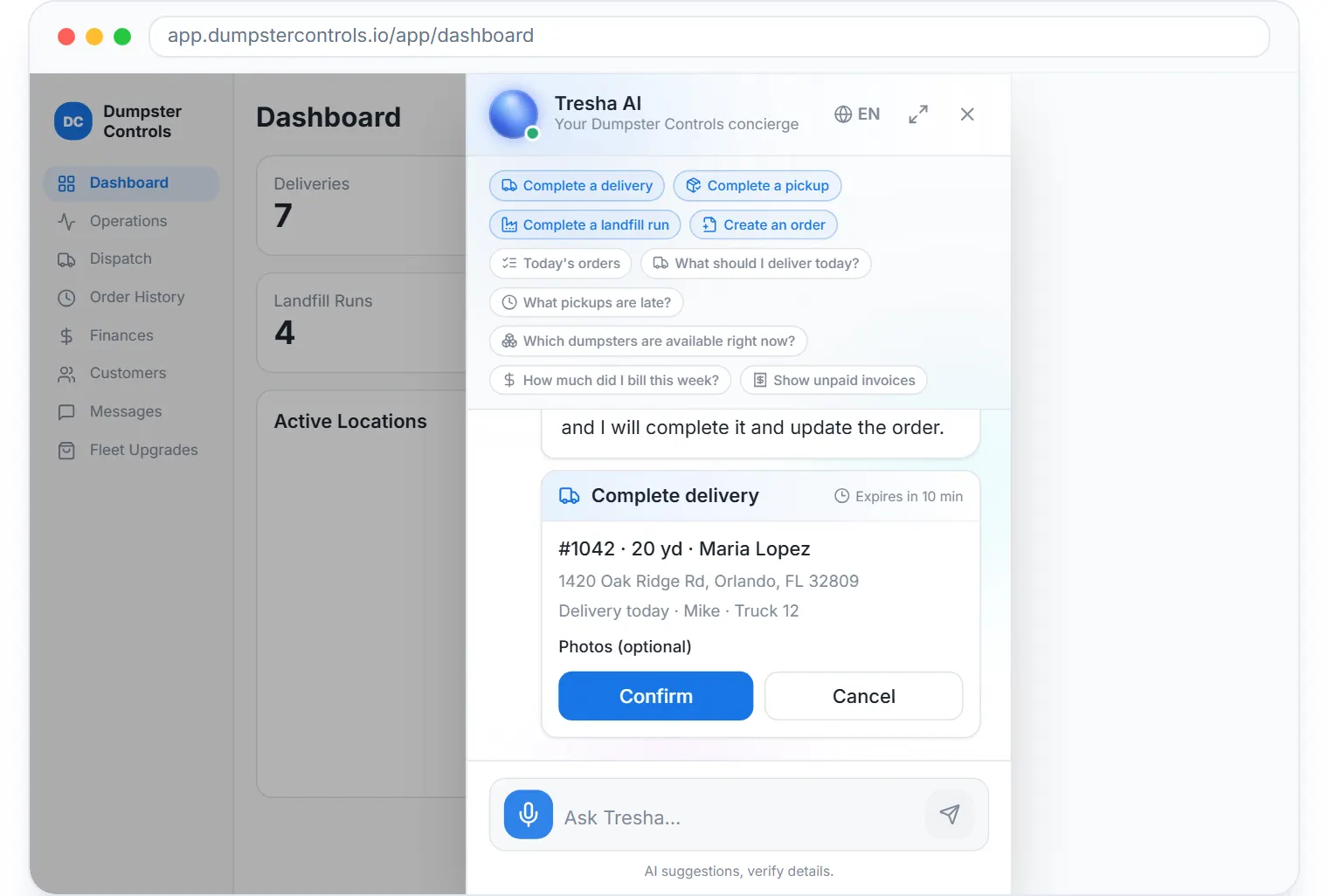
Yes. In Dumpster Controls, AI-powered workflow assistance for waste management is Tresha, the assistant built into the app: she answers questions from your own live data, completes deliveries, pickups and landfill runs from the chat behind a confirmation card, and creates orders by guided conversation. Two more AI functions sit beside her, AI Routes on the Dispatch board and the bank statement importer in Finances, all included free for any fleet size.
How AI workflow assistance works in Dumpster Controls
- Ask, from any screen. Tresha opens anywhere in the app. Ask how much you billed this week, what is on today's dispatch or which dumpsters are free right now, and the answer is computed from live data and filtered by your role. See what Tresha can answer.
- Tell her a stop is done. Mark order 1042 as delivered finds the real open task and posts a card with the order number, customer, size and address. Photos get the same GPS and date stamp as the driver app, and nothing runs until you tap Confirm. See completing tasks from the chat.
- Create an order by conversation. Office roles say create an order for John and Tresha collects customer, size, price, dates, address and payment choice, then shows a confirmation card. The order lands on the dispatch board with its invoice. See creating an order with Tresha.
- Let AI Routes reorder the day. On the Dispatch board, AI Routes proposes a shorter order for a driver's remaining stops, checked against the roll-off truck cycle, and shows the estimated miles and minutes saved. Nothing changes until you click Apply order. See suggesting a route with AI.
- Read a bank statement with AI. In Finances, Import Statement extracts every transaction from a statement PDF into a review table before anything is saved. See importing a statement with AI.
- Use it by voice in the truck. From the tablet rail Tresha opens already listening, answers out loud even with the device on silent, and completes a stop after the driver taps the card. See Tresha by voice from the tablet.
Every step above is documented screen by screen in the manual: How to open Tresha anywhere in the app.
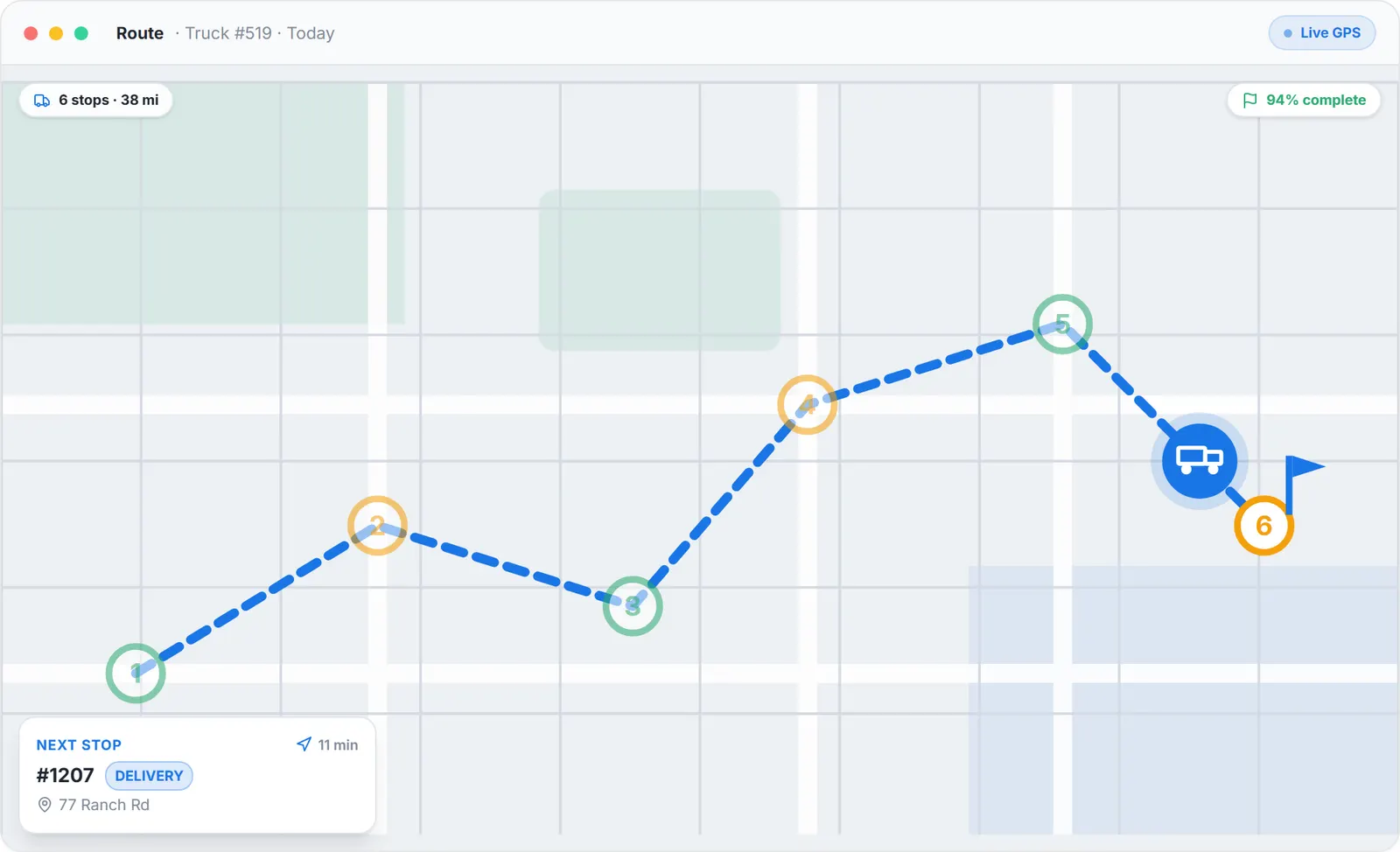
What AI Routes works on: one driver's day, reordered, applied only when you click.
What you need
A free account
Tresha is on from day one, with no add-on tier.
A microphone, for voice
A current browser or the native app with microphone permission.
An open task, for completion
Linked to an order and scheduled for today or earlier; drivers complete only their own.
Nothing else
Every lookup is scoped to your company and role, and every action is audit-logged.
Where this fits
The first-party fact page, with the model, the security model and the dated history of what Tresha executes, is Tresha AI. The platform around her is on waste management software, and the price of AI add-ons elsewhere is on dumpster rental software cost.
Next guide: benefits of AI workflow assistance for hauling companies.
AI-powered workflow assistance for waste management: FAQ
Topicsai workflow assistance waste management ai assistant for haulerstresha ai ai dispatch waste management