ANSWER PAGE · FREE FOR ANY FLEET SIZE
How to run a junk removal business with one app
One account takes the booking, prices the job by load fraction, dispatches the crew, collects the photos and the payment, and shows the profit per job. Free, USA and Canada.
- Booking page, dispatch board, crew app and invoicing in one login
- Free unlimited SMS, email and push to customers and crews
- Tresha answers questions and completes stops by voice
- Native one-way sync to QuickBooks Online, public REST API
Get the Free SoftwareSee features
4.7 on the App Store Available in all 50 US states and Canada
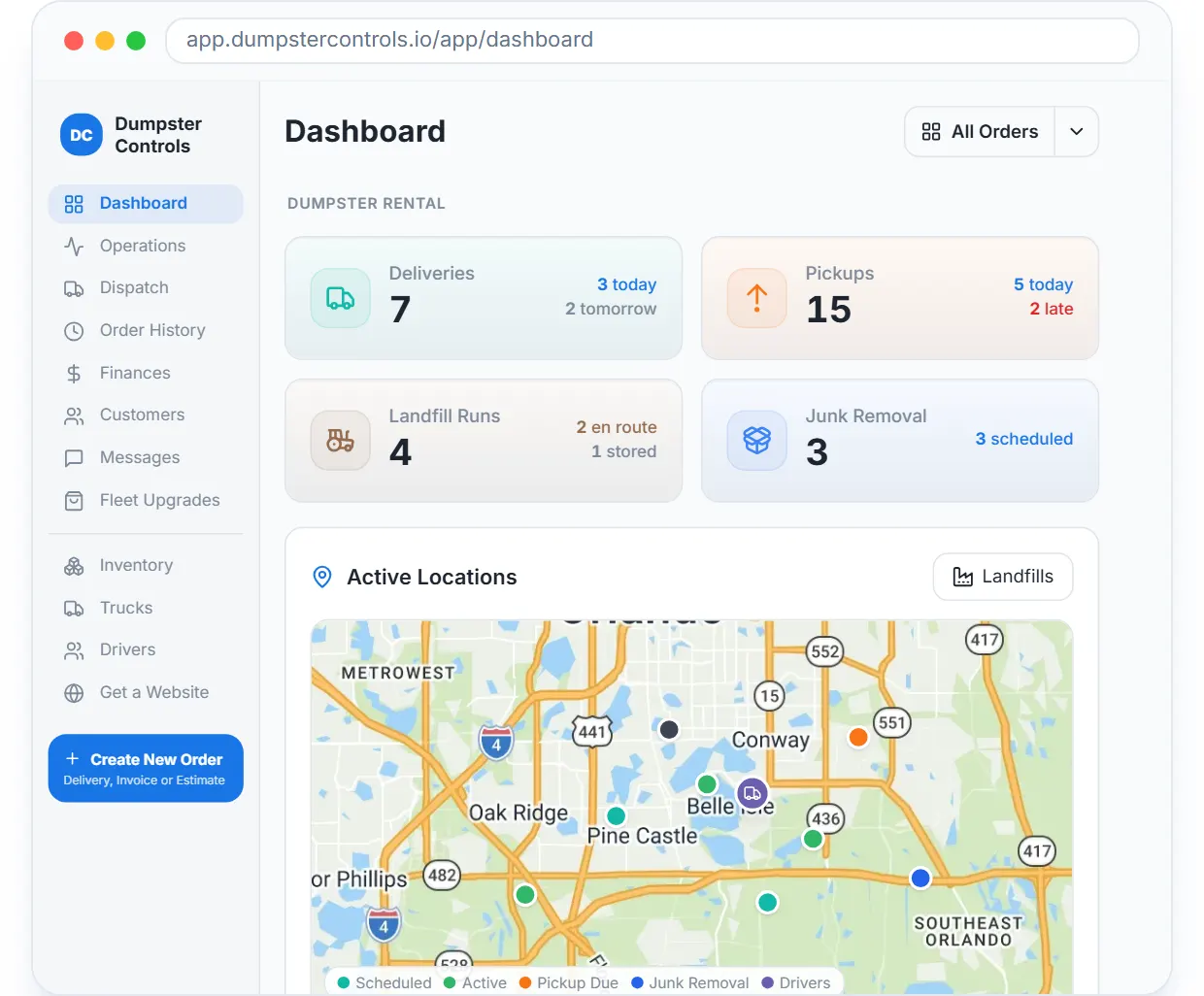
Last updated September 27, 2026 Published by Dumpster Controls, built by a software group led by a founder with 20+ years in enterprise IT who also ran a roll-off business for four years
In Dumpster Controls, a junk removal business runs on one app because every step of a job writes to the same record. The booking creates the customer and the job, the job carries its load fraction to the Dispatch board and the crew's phone, the crew's photos and the extra charge land on it, the invoice and its reminders are attached to it, and Orders P&L reads the profit from it. Nothing is re-typed between tools, and the account is free for any fleet size.
One junk job, start to finish, in Dumpster Controls
- The job comes in. From your booking page or widget, by phone, or by telling Tresha create a job for John and answering a few numbered prompts. See setting up your booking page.
- It is priced by fraction and appears on the board. The Load Pricing table sets the amount; the job shows on Operations with Active, Scheduled and Late counts, and on the Dispatch board with its JUNK REMOVAL badge. See junk jobs on Operations.
- The crew gets it. One drag into a lane sends a Junk Job Assigned push with the address; the job sits in the crew's list in run order, with the window, the fraction and the office notes. See dispatching junk removal jobs.
- The crew works it on the phone. On site, loading, to landfill, completed, one tap each, with photo slots stamped with date, time, location and company name, and a landfill trip with receipt scan. See the landfill trip.
- The customer pays. The invoice went out with the job; Send Payment Link, Charge Card on file, or Mark as Paid for cash; a payment link gets 5 days of reminders that stop on payment. See sending a payment link.
- The owner reads the result. Finances shows net profit, Received, Invoiced and Unpaid; Orders P&L shows the job's Revenue, Fees, Costs, Profit and Margin; the books flow to QuickBooks. See the net profit dashboard.
Every step above is documented screen by screen in the manual: How to use the setup checklist.
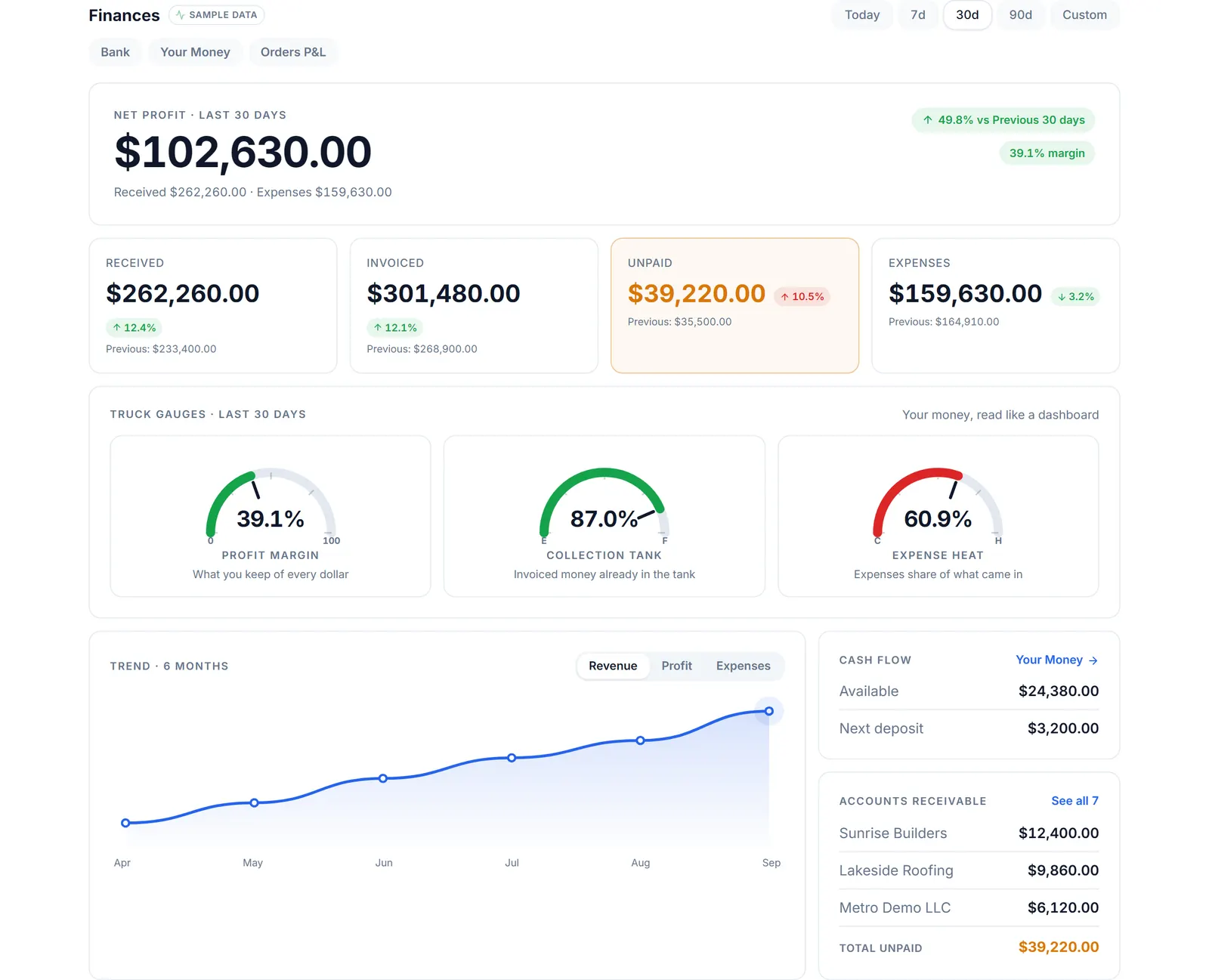
The end of the job: the month, read from the same records the booking page and the crew app wrote.
What you need
A free account
Created with a name, an email and a password; setup runs from a checklist inside the app.
Your load fraction prices
In the Load Pricing table, once.
Crews on the free app
Invited as drivers, in English, Spanish or Portuguese.
Stripe, when you take cards
Connected from Account Center.
Where this fits
The long version of this page, with the comparison against paid junk platforms, is software for junk removal; the line-by-line meaning of free is on free junk removal software. What the same stack costs elsewhere is on dumpster rental software cost.
Next guide: how to dispatch junk removal jobs to crews.
How to run a junk removal business with one app: FAQ
Topicsrun junk removal business one app all in one junk removal software junk removal business app junk removal software free