ANSWER PAGE · FREE FOR ANY FLEET SIZE
Software for customer management in a junk removal business
One record per customer: contact, type, every junk job and dumpster order, invoices, photos, notes, lifetime value and a timeline of what happened. Free, USA and Canada.
- Residential, contractor and broker profiles with their own fields
- Lifetime value, order count and per-job profit on the record
- Import from CSV or QuickBooks Online, matched by email
- Leads in from your website or GoHighLevel through the API
Get the Free SoftwareSee features
4.7 on the App Store Available in all 50 US states and Canada
Last updated September 27, 2026 Published by Dumpster Controls, built by a software group led by a founder with 20+ years in enterprise IT who also ran a roll-off business for four years
In Dumpster Controls, customer management for a junk removal business is the Customers page: one record per person or company holding contact details, the customer type, every junk job and dumpster order, the invoices, the photos, the notes and a lifetime value. It is shared with dispatch, the crew app and billing, and it is free for any fleet size with no contact limit. A general CRM stores names and deals; this record knows what a half load is and whether the customer paid for it.
How customer management works in Dumpster Controls
- Create the customer, or let the first job create it. New Customer asks for the type first: Residential, Contractor or Broker, and the form shows the fields that type needs, from gate code and preferred contact to license number, net terms and PO required. See picking the right customer type.
- Bring in the list you already have. The CSV importer ships a template, validates each row and reports Imported, Duplicates and Failed. With QuickBooks connected, one click imports your active QuickBooks customers. See importing customers from a CSV.
- Read the row. The table shows type, company, phone, Lifetime Value, order count and Active or Inactive status, with search, filters and sorting. See search, filter and sort.
- Open the profile. Clicking a row opens a drawer with six tabs: Overview, Details, Orders, Invoices, Estimates and Activity. Orders lists each job with Contracted, Expenses and P&L; Activity is the timeline of every order event, newest first. See opening a customer profile.
- Act from the profile. Send Invoice shows a red counter with the open invoices, Call dials the number on file, and the Transactional notifications switch silences status texts for a contractor with ten jobs running while invoices still go out. See controlling notifications per customer.
Every step above is documented screen by screen in the manual: How to open and read the Customers page.
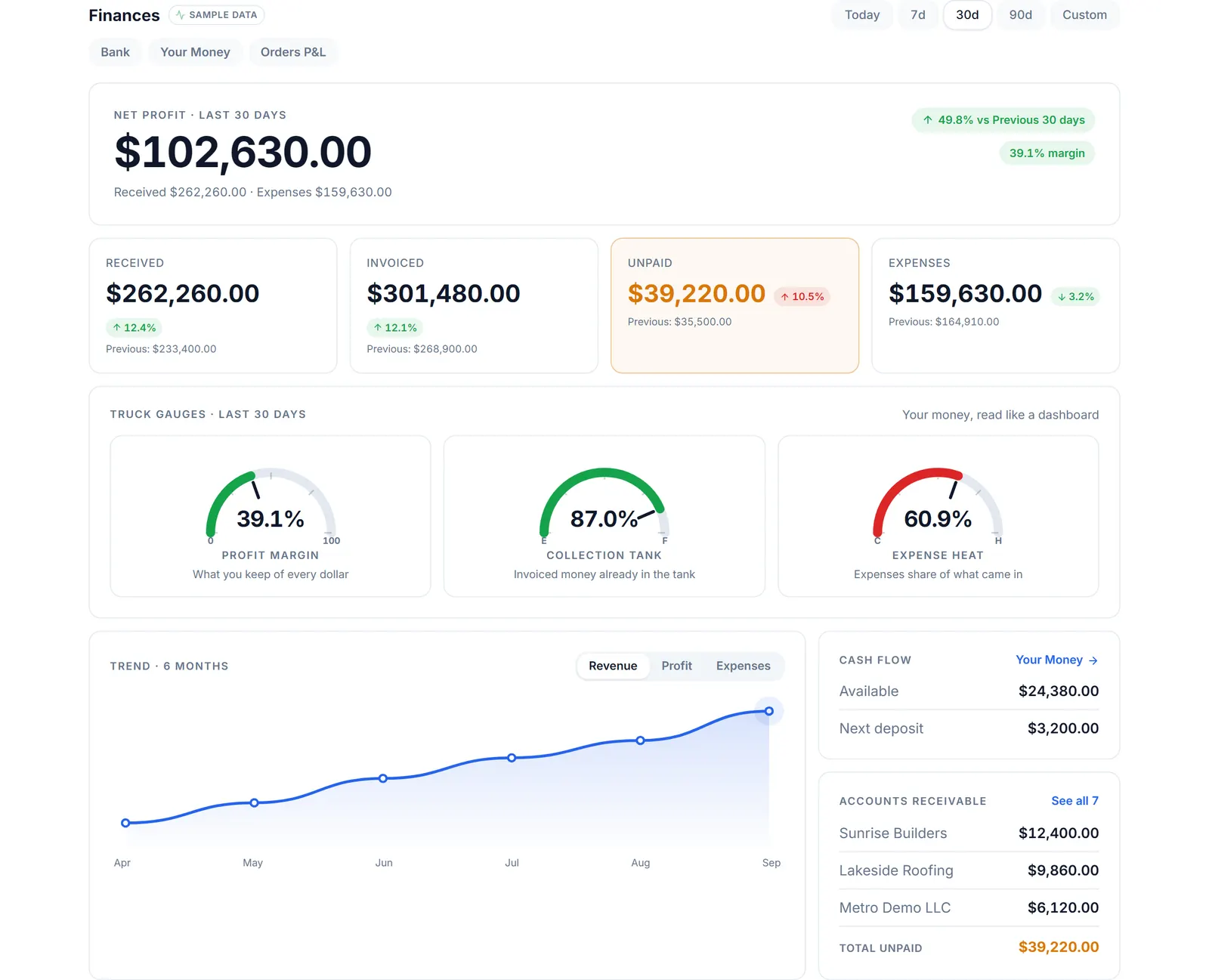
What the record adds up to: who owes what, and what each customer's jobs earned after the landfill.
What you need
A free account
The Customers page is on from day one, with no contact limit.
Your customer list
In a spreadsheet or in QuickBooks Online.
An API key, optionally
From Account Center, so a website form or funnel tool can post leads in.
A role with Customers access
Tresha follows the same rule when you ask her about a customer.
Where this fits
The customer record in full, the three profile types side by side, Super Invoices and the review request, is on junk removal CRM. The rest of the junk operation is on software for junk removal, and what a CRM seat costs elsewhere is on dumpster rental software cost.
Next guide: how to manage customer relationships in junk removal.
Software for customer management in a junk removal business: FAQ
Topicscustomer management software junk removal junk removal customer database junk removal crm customer records for junk haulers