WASTE MANAGEMENT CRM, FREE FOR ANY FLEET SIZE
Waste management CRM that answers the customer before they call
The CRM for a hauling company: the question from your booking page lands in Messages, the confirmation and the delivered text go out by themselves, and every order, photo and payment sits on the customer's record. The screen on this page is the real Messages inbox and Customers page, with sample data.
- Booking-page chat lands in Messages; your reply shows live on the customer's screen
- Confirmation, on the way, delivered and picked up texts and emails, sent on their own
- Every order, invoice, photo and the lifetime value on one customer record
- Status texts switched off per customer, invoices and receipts still sent
Get the Free SoftwareSee features
4.7 on the App Store Available in all 50 US states and Canada
Last updated September 27, 2026 Published by Dumpster Controls, built by a software group led by a founder with 20+ years in enterprise IT who also ran a roll-off business for four years
A waste management CRM is the customer record of a hauling company: who the customer is, what they ordered, what they paid, what they were told and when. In Dumpster Controls it is two screens that write to each other, Messages and Customers, and it is free for any fleet size. The booking page creates the customer, the chat from that page lands in Messages, the confirmation text and the delivered text with the photos go out on their own, and the order, the invoice and the lifetime value land on the record. The screen at the top of this page is the real one, with sample data.
A hauler's customer list is usually three lists: the phone's contacts, the invoicing tool's customers, and the spreadsheet the owner keeps for the contractors who pay on Net 30. Here it is one list that the rest of the system writes to, and the review request goes out from the same record at the end.
It is on the free plan, as part of our dumpster rental software. The dumpster-specific version of this page is dumpster rental CRM.
What you get on day one
- A Customers page with Total Customers, Active Rentals, Revenue This Month and Contractors
- Residential, contractor and broker profiles, each with its own fields
- Leads from the booking page chat bubble and from POST /v1/leads
- Every order, photo and invoice one click from the customer's row
- Transactional notifications switched on or off per customer
- Consolidated Super Invoice for a customer with several unpaid orders
- Ask for a Google review by email and text, from the order or the row
- CSV import, and QuickBooks Online customers imported in one step
Counted in our production database on October 1, 2026. Updated monthly.
400+
Companies keeping customers on Dumpster Controls
1,800+
End customers on the platform
540+
Users in the office and the cab
35 states + Canada
Where it runs
Dumpster company CRM: the Customers page, read in one look
Four cards at the top, the list below, and an Estimates button between them that shows how many quotes are open. Search, filter and sort work on every column.
Total Customers
Every record, with a house icon for residential, a hard hat for contractor and a building for broker.
Active Rentals
Who has a can on site right now.
Revenue This Month
What the list was worth this month.
Contractors
The accounts on net terms.
Three kinds of customer, three sets of fields
The profile type is chosen when the customer is created and cannot be changed later, because each type stores different things. Full Name and Street Address are required, with Google filling in city, state or province and postal code for US and Canadian addresses. Email and Phone are optional, but they are what make invoice email, SMS and review requests possible later.
| Feature | Residential | Contractor | Broker |
|---|---|---|---|
| Who | Homeowner or property resident | Construction company or trade professional | Intermediary managing several projects |
| Site details | Property type, gate code, HOA community | Default dumpster size, 10 to 40 yard | Default markup %, commission % |
| Contact rules | Preferred contact: call, text or email | Billing email, AP contact name and phone | Billing email, AP contact name and phone |
| Terms | Payment preference: card, cash or ACH | Net 7, 15, 30 or custom; credit limit; risk rating | Net 7 to Net 60 or custom; credit limit; risk rating |
| Paperwork | Tax exempt with certificate | PO required with default format, tax exempt, W9 | Broker license, PO required, tax exempt, W9, commission agreement |
What each customer type stores in Dumpster Controls. All three on the free plan.
The record in the cab: dumpster driver app. On the board: dumpster dispatch software.
Leads: the booking page, the chat bubble and the API
Three doors bring people in before they are customers. The booking page and the embeddable widget create the record at the first order; the chat bubble and the API create it before there is one.
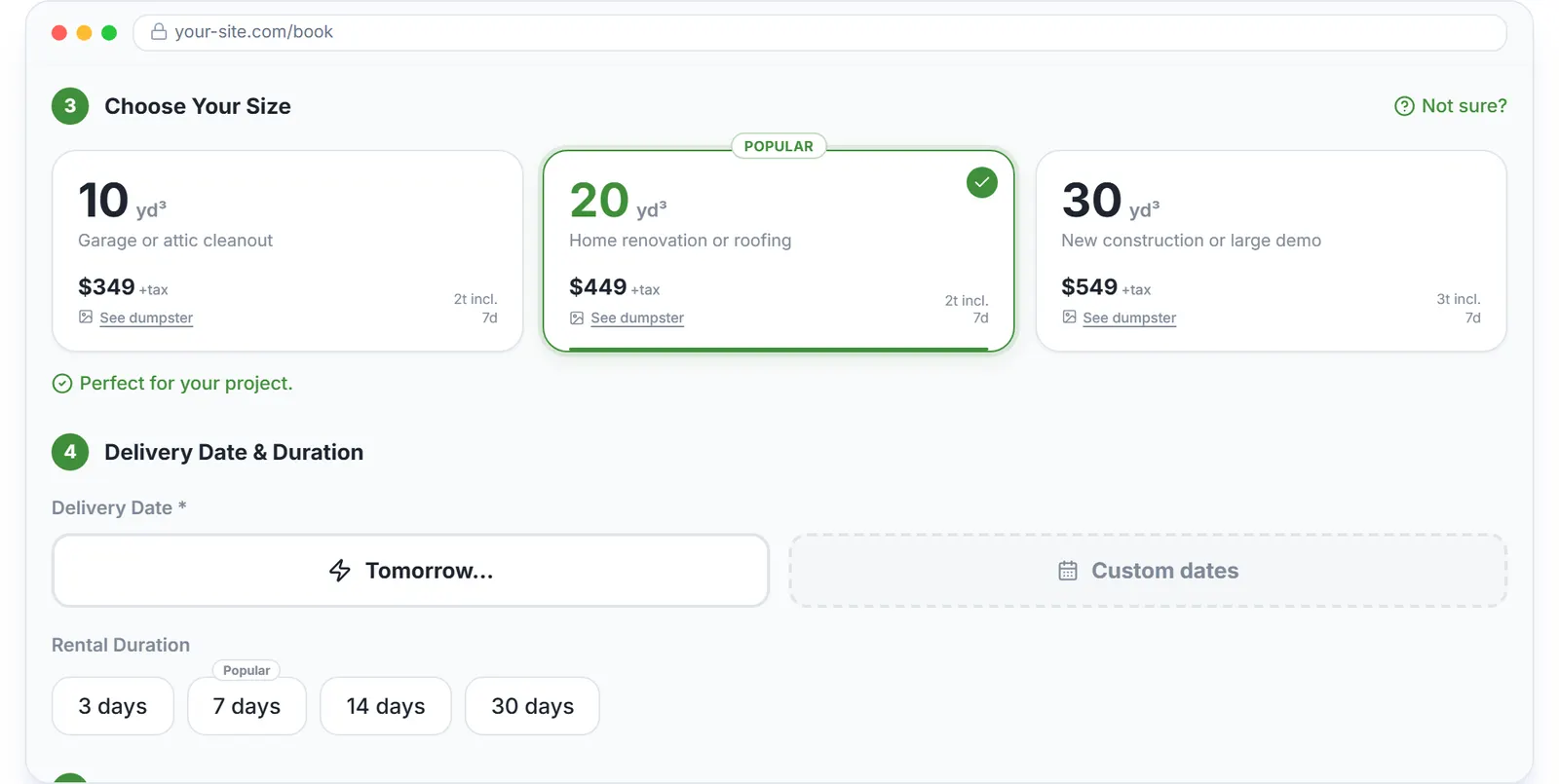
The size step of the real booking page, sample data.
The chat bubble
The visitor enters a name and email and starts typing. The conversation lands in your Messages inbox and your reply shows live on their screen. You keep the contact even if they never finish the booking.
POST /v1/leads
Takes a name and, optionally, phone, email, address, size and a note, from your website form, a GoHighLevel funnel or an ad landing page. The lead appears in Customers under Leads, to be converted with one click.
A duplicate pushed within ten minutes returns the existing lead. The free plan allows 200 leads a day.
The Free Forever Promise
Free means free. Forever.
Customers, leads, estimates, per-customer notifications, consolidated invoices and review requests are all on the free plan, with unlimited SMS and email.
$0
Monthly fee
Ever. No surprise charges.
$0
Setup fee
No onboarding cost.
$0
Per-user fee
Unlimited admins, drivers, dispatchers.
$0
Annual contract
Cancel anytime. We never auto-charge.
How we make money: only when you opt in, and the numbers are public. The software is free with unlimited orders and no per-order software fee. If you choose to collect a customer’s card payment through Dumpster Controls, the processing fee is 2.99% + $3.99 per card transaction on the free plan, or 2.99% + $0.30 (the standard Stripe rate) on the optional $169/month lower card rate plan. Take payment by cash, check, Zelle or any other way and you pay nothing at all. Beyond that, our revenue comes from the optional lower card rate plan and from equipment partners and sponsors advertising in the app and on our public directory; our marketplace, the Dumpster Net Hub, charges zero marketplace fees. Run your own business your way and you never pay to use the software. It’s the only model that lets a 1-truck owner-operator run on the same software as a 50-truck fleet.
CRM for a hauling company: customer management after the first order
What a CRM has to do after the sale is mostly about not annoying the people who pay you. Every automatic text and email goes out from the order on its own: the confirmation when they book, on the way when the driver starts, delivered with the photos in the email, picked up, the payment link and the reminders. The question a visitor asks on your booking page lands in Messages and is answered from the office, and every order they ever placed is one click from their row.
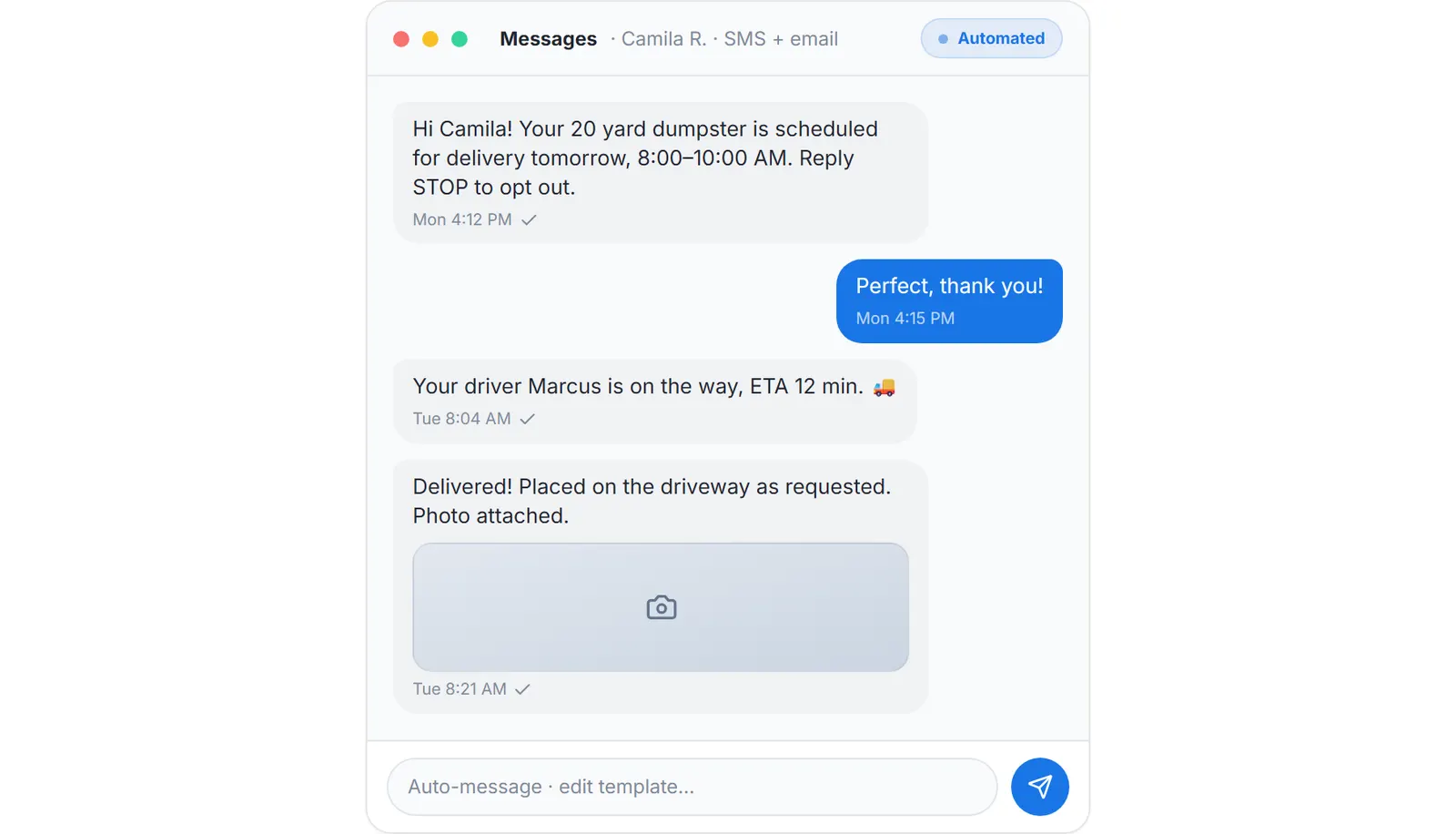
What the customer receives automatically at delivery, sample data.
Before
- Status texts, invoices and review requests all on or all off
- Five unpaid invoices, five links to the same contractor
- The photo from the pickup on the driver's personal phone
- "You never picked it up" answered from memory a month later
After
- Transactional notifications controlled per customer: status texts off, invoices and receipts still sent
- One consolidated Super Invoice with a single payment link; you decide whether the company absorbs the card fee
- The driver's stamped photo on the customer's order
- Every order, with its photos and timeline, one click from the customer's row
The billing side: waste management billing software and dumpster invoicing software.
The review request, from the record
When the pickup is done, one click from the order or the Customers page opens Ask for a Google review. The customer profile is what makes it work: no email and no phone, no review request, which is why the create form says so up front.
- 1
#### 01. Pickup done
The driver completes the last task on the order. - 2
#### 02. Ask for a Google review
Your message, your Google review link, and two toggles: email and text. - 3
#### 03. Sent and recorded
It goes out on the customer's channels and is recorded on the order.
What the waste management CRM costs, and where the rest lives
Nothing per month, per user or per customer, at any fleet size. The only cost on the free plan is card processing when a customer pays online.
Monthly fee
$0, at any fleet size.
Per user, per customer, per lead
$0. The free plan allows 200 leads a day through the API.
Card processing, optional
2.99% + $3.99 per transaction, or 2.99% + $0.30 on the optional $169 per month lower card rate plan.
Cash and check orders cost nothing.
Both plans: pricing. Every vendor's published price: dumpster rental software cost. Junk work: software for junk removal. The short generic term: hauling software. The buyer's guide: software for dumpster companies.
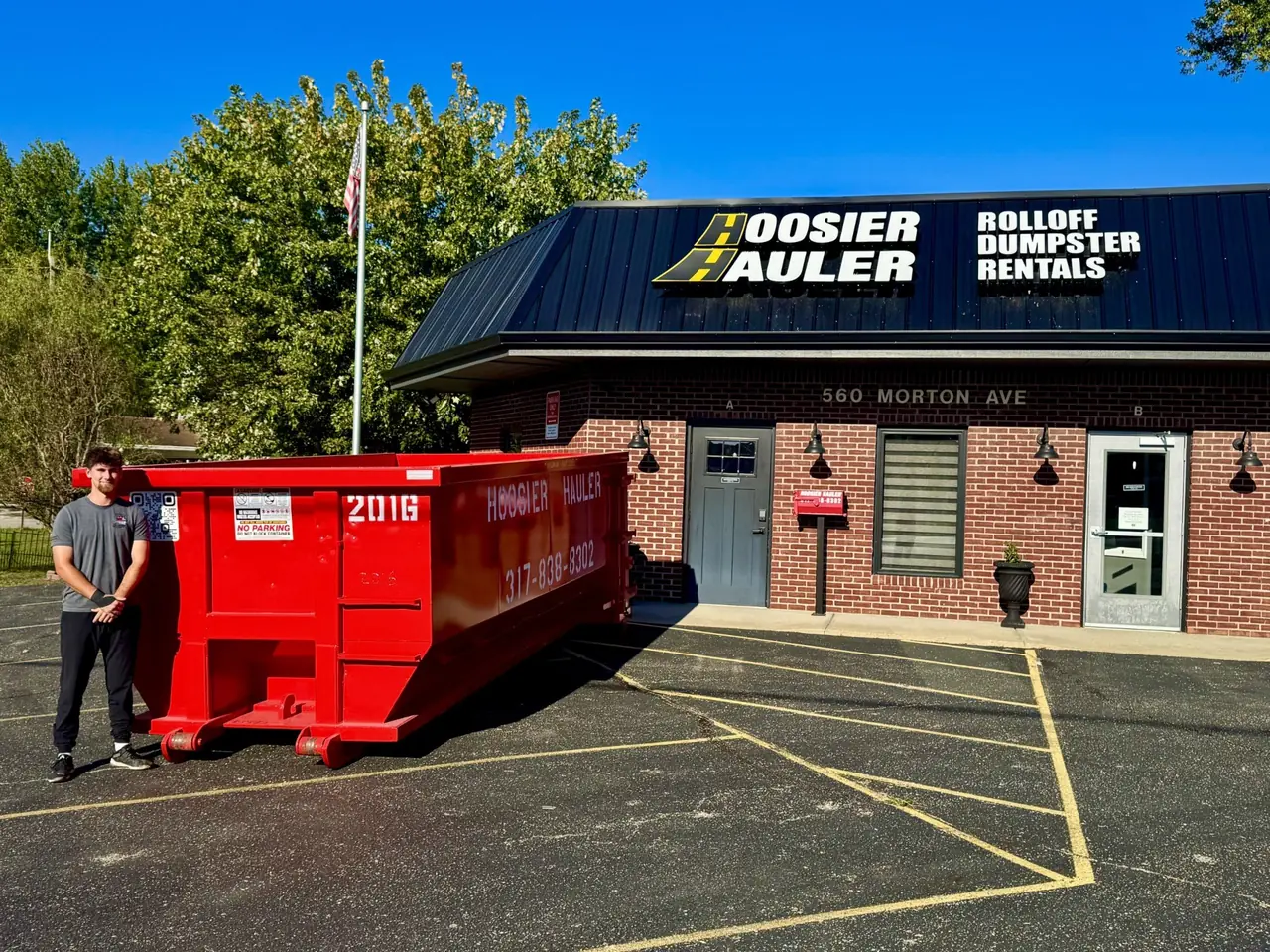
A container outside a hauler's own office. The customer who ordered it is one row, with every order, photo and invoice behind it. Photo courtesy of Hoosier Hauler , Indiana 317-838-8302Used with permission.
Keep reading
- How to manage customer relationships in junk removal
- Software for customer management in a junk removal business
- How to streamline customer bookings for a dumpster rental business
Waste management CRM: FAQ
Topicswaste management crm crm for hauling company dumpster company crm customer management for haulerslead capture for dumpster companiesfree crm for haulers